
For individual owners and families managing multiple properties, Property Command Center is the recommended pick. It consolidates property status, maintenance tasks, vendor contacts, and documents into one dashboard without the complexity that enterprise tools force on small portfolios. The free trial requires no credit card, and tiered plans scale by property count rather than by unit volume.
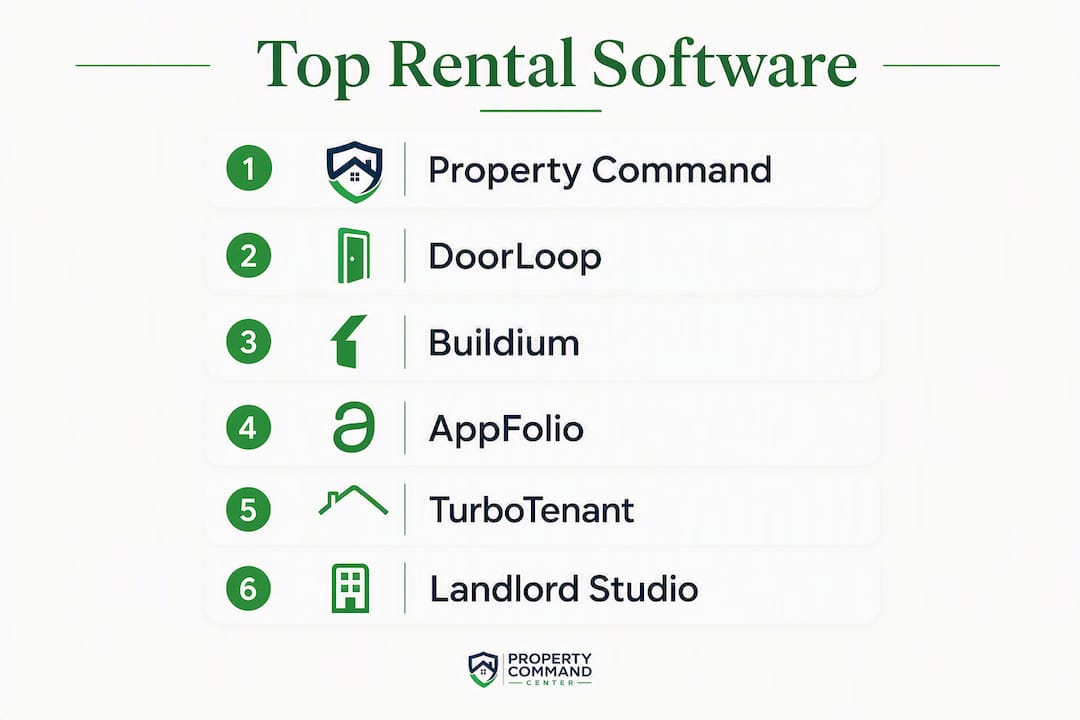
Quick runner-up verdicts:
- DoorLoop — best if automated rent collection and integrated accounting are your top priorities
- TurboTenant — best for new landlords who need free tenant-facing listing and screening tools first
- AppFolio — best for owners scaling toward dozens or hundreds of units who need enterprise-grade features
Pricing note: All figures below were verified against vendor pages in early 2026. Confirm current tiers directly with each vendor before purchasing, as SaaS pricing changes frequently.
Table of Contents
- Best rental property software at a glance
- How we chose these rental property management platforms
- Top picks: which platform fits your portfolio?
- How to pick the right rental property software for your portfolio
- A closer look at how Property Command Center works for owners
- Key Takeaways
- The gap between what property software promises and what actually matters
- Property Command Center: what the free trial actually covers
- Useful sources and further reading
Best rental property software at a glance
The table below covers the eleven platforms this article evaluates. Property Command Center leads the table as the featured pick; remaining entries follow in order of fit for the article's primary audience.
| Platform | Best for | Starting price | Free tier / trial | Core features | Integrations | Ease of use | Support channels | Mobile app | Scalability |
|---|---|---|---|---|---|---|---|---|---|
| Property Command Center | Individual owners and families with multiple homes or vacation rentals | Tiered by property count | 14-day free trial, no credit card | Dashboard, task/maintenance tracking, vendor directory, document vault, smart alerts | Payment tracking; accounting export-ready | Very high — minimal onboarding friction | Email, help docs, interactive query tool | Owner-facing web app | Small-to-mid multi-property portfolios |
| DoorLoop | Owners prioritizing accounting and automated rent collection | From ~$59/mo | Demo available | Accounting, rent collection, maintenance, screening | QuickBooks, Zapier | Moderate | Phone, chat, email | Yes | Small to mid |
| Buildium | Smaller professional landlords needing established accounting | — | Free trial | Accounting, tenant management, maintenance, leasing | QuickBooks, open API | Moderate | Phone, chat, email | Yes | Small to mid |
| AppFolio | Scaling portfolios, dozens to hundreds of units | Priced per unit with a minimum monthly fee | Demo only | Full suite: accounting, marketing, screening, maintenance | Broad marketplace | Moderate-high | Phone, chat, email | Yes | Large |
| TurboTenant | New landlords needing free listing and screening tools | Free (paid upgrades) | Free tier | Listings, screening, basic rent collection | Limited | Very high | Email, chat | Yes | Small |
| Landlord Studio | Small landlords wanting mobile bookkeeping | Free tier available with paid plans starting at a low monthly fee | Free tier | Expense tracking, receipt capture, basic reporting | Xero | High | Email, chat | Yes (primary interface) | Small |
| Hemlane | Owners wanting optional local agent coordination | Starting at a monthly fee scaled by property count | Demo available | Leasing, screening, maintenance, local agent network | Limited | Moderate | Email, phone | Yes | Small to mid |
| TenantCloud | Budget-conscious owners needing an all-in-one starter | Free tier available with paid plans starting at a low monthly fee | Free tier | Listings, screening, rent collection, basic accounting | QuickBooks | High | Email, chat | Yes | Small |
| Rentec Direct | Owners prioritizing detailed financial reporting | Starting at a monthly fee scaled by property count | Free trial | Accounting, owner statements, reporting, screening | QuickBooks | Moderate | Phone, email | Yes | Small to mid |
| BaseLane | Owners needing simple rent collection and communication | Free core; paid add-ons | Free tier | Rent collection, tenant communications, basic tracking | Limited | Very high | Email, chat | Yes | Small |
| MRI Software | Enterprise landlords and large management firms | Custom pricing | Demo only | Full enterprise suite: accounting, analytics, compliance | Extensive | Complex | Dedicated support | Yes | Enterprise |
Shortlist by portfolio type:
- Mobile-first expense tracking: — Landlord Studio
Rent-collection fee structures vary significantly across platforms. ACH transfers are often free or low-cost, while card payments typically carry a percentage fee — confirm the payment model before committing to any platform.
How we chose these rental property management platforms
Every platform on this list was evaluated across nine weighted criteria. Here is how the weighting broke down:
- Feature completeness — does the platform cover the core workflows (maintenance, rent collection, document storage, accounting) without requiring workarounds?
- Pricing transparency — are tiers publicly listed, and do they scale predictably as your portfolio grows?
- Onboarding friction — how long does it realistically take to go from sign-up to a working dashboard?
- Mobile app quality — does the app support owner and tenant workflows, or is it a stripped-down companion?
- Support channels — is phone or live chat available, or is the user limited to email and a help center?
- Data security — does the vendor publish its security practices and data-handling policies?
- Scalability — can the platform grow with a portfolio from five to fifty units without a platform switch?
- Integrations — does it connect to QuickBooks, Xero, or other tools landlords already use for bookkeeping?
- User experience — does the interface reduce cognitive load, or does it add complexity for a small owner?
Pricing was verified against each vendor's public pricing page in early 2026. Where a free trial was available, the sign-up flow was reviewed. For platforms without a public trial (AppFolio, MRI Software), published documentation and third-party roundups were used. The Landlord Studio roundup and the Touchstay property management guide were consulted as independent reference points for feature verification.
Editorial review was conducted by Francisco, who assessed each platform against the criteria above and cross-referenced user feedback from landlord communities. Property Command Center is the publisher of this article; that relationship is disclosed in the perspective section.
Pro Tip: When verifying pricing, check the per-unit minimums, not just the headline monthly rate. AppFolio's per-unit model, for example, carries a minimum monthly fee that makes it expensive for portfolios under roughly 50 units.
Top picks: which platform fits your portfolio?
1. Property Command Center — best for individual owners and families
Property Command Center is built for the owner who manages two to ten properties across different property types: a primary home, a vacation rental, and a short-term rental, all tracked in one place. The dashboard surfaces property status, open tasks, upcoming maintenance, and vendor contacts without burying them under tenant-management workflows the typical small owner does not need.
Pros:
- Consolidates property status, tasks, vendors, and documents in a single dashboard
- 14-day free trial with no credit card required
- Tiered pricing by property count, not by unit volume
- Smart alerts surface high-priority items without manual checking
- Document vault stores warranties, manuals, and insurance records per property
Cons:
- Not designed for tenant-facing rent collection or lease management
- Lighter on accounting integrations than DoorLoop or Buildium
Quick decision hint: If your primary pain point is scattered notes, emails, and spreadsheets across multiple properties, this is the tool to try first.

2. DoorLoop — best for accounting-first landlords
DoorLoop leads with accounting and automated rent collection. Owners who want bank-grade reconciliation, automated late fees, and a clear audit trail will find it more capable than most entry-level tools. It starts around $59/month and includes QuickBooks integration.
Pros:
- Strong accounting module with automated rent workflows
- Maintenance request tracking and tenant portal
- QuickBooks and Zapier integrations
Cons:
- Pricing climbs quickly as units increase
- Onboarding takes longer than simpler tools
Quick decision hint: Choose DoorLoop if rent collection and financial reporting are the workflows you spend the most time on.

3. Buildium — best for established small landlords
Buildium has been around long enough to have a mature feature set. It covers accounting, tenant management, maintenance, and leasing in one platform. Starting at a monthly fee scaled by property count, it suits landlords who have outgrown spreadsheets but are not yet managing enough units to justify AppFolio's pricing model.
Pros:
- Mature accounting and tenant-management features
- Strong QuickBooks integration
- Solid onboarding documentation
Cons:
- Interface feels dated compared to newer entrants
- Pricing adds up with optional add-ons
Quick decision hint: Buildium works well for landlords who want a proven platform with a long track record and do not need cutting-edge UX.
4. AppFolio — best for scaling portfolios
AppFolio is priced per unit (starting around $1.40/unit/month, with a minimum monthly fee), which makes it expensive for small portfolios but cost-effective at scale. It includes built-in marketing tools, tenant screening, and a full accounting suite. Owners managing fewer than 50 units will likely find it over-engineered and overpriced.
Pros:
- Enterprise-grade accounting and analytics
- Built-in marketing and tenant screening
- Broad integration marketplace
Cons:
- Minimum monthly fee makes it costly for small portfolios
- Steeper learning curve than simpler tools
Quick decision hint: AppFolio makes sense when you are managing dozens of units and need professional-grade operations, not before.
5. TurboTenant — best free entry point for new landlords
TurboTenant's free tier covers tenant applications, listing syndication, and basic screening. It is the lowest-friction starting point for a landlord who has never used property software before. Paid upgrades unlock additional features, but the free version handles the basics.
Pros:
- Genuinely free core tier
- Simple listing and tenant application workflows
- Low onboarding friction
Cons:
- Limited accounting features
- Not built for multi-property portfolio oversight
Quick decision hint: Start here if you have one or two rentals and want to test software without spending anything.
6. Landlord Studio — best for mobile bookkeeping
Landlord Studio is a mobile-first app with a free tier and paid plans starting around $12/month. Its standout feature is receipt capture and expense tracking on the go. It integrates with Xero, which makes it a reasonable companion for landlords who already use Xero for bookkeeping. Available on both iOS and Android.
Pros:
- Mobile receipt capture and expense tracking
- Xero integration
- Free tier available
Cons:
- Thin on maintenance and vendor management
- Not a full property-management suite
Quick decision hint: Landlord Studio fits landlords who want a bookkeeping companion on their phone rather than a full dashboard.
7. Hemlane — best for owners who want local agent support
Hemlane blends software with optional local agent coordination. If you own property in a market where you need occasional boots-on-the-ground help for leasing or maintenance, Hemlane's hybrid model is unusual in this category. Plans start around $30/month.
Pros:
- Optional local agent network for leasing and maintenance
- Tenant screening and lease management included
- Useful for remote owners
Cons:
- Local agent availability varies by market
- More expensive than pure-software alternatives
Quick decision hint: Hemlane suits remote owners who want software plus occasional local help without hiring a full property manager.
8. TenantCloud — best budget all-in-one starter
TenantCloud offers a free tier and paid plans from around $17/month. It covers listings, screening, rent collection, and basic accounting in one place. The free tier is more capable than TurboTenant's for accounting basics, though it is lighter than Buildium or DoorLoop on reporting depth.
Pros:
- Free tier with meaningful features
- Listings, screening, and rent collection bundled
- QuickBooks integration on paid plans
Cons:
- Reporting is basic compared to dedicated accounting tools
- Interface can feel cluttered
Quick decision hint: TenantCloud works for budget-conscious owners who want one tool to cover most workflows without paying for a premium platform.
9. Rentec Direct — best for financial reporting depth
Rentec Direct focuses on accounting and owner reporting. Starting around $45/month, it produces detailed owner statements and financial reports that satisfy landlords who track performance closely. It also integrates with QuickBooks, which landlord bookkeeping communities consistently recommend for rental income and expense tracking.
Pros:
- Detailed owner statements and financial reports
- QuickBooks integration
- Phone support available
Cons:
- Interface is functional but not modern
- Less emphasis on maintenance workflow
Quick decision hint: Choose Rentec Direct if you review financial reports monthly and want owner statements that are ready to hand to an accountant.
10. BaseLane — best for simple rent collection
BaseLane keeps it simple: rent collection, tenant communications, and basic tracking. The core product is free, with paid add-ons for additional features. It is the right tool for an owner who wants one thing done well rather than a full suite.
Pros:
- Free core product
- Clean, low-friction rent collection
- Simple tenant communication tools
Cons:
- Thin on maintenance, vendor management, and reporting
- Not built for multi-property portfolio oversight
Quick decision hint: BaseLane is the right call if rent collection is your only immediate need and you want to start without paying anything.
11. MRI Software — best for enterprise portfolios
MRI Software is a different category entirely. It is used by large property management firms and institutional landlords who need deep configurability, compliance tools, and enterprise analytics. Pricing is custom. It is not a realistic option for individual owners or small portfolios.
Pros:
- Full enterprise feature suite
- Deep configurability and compliance tools
- Extensive integration ecosystem
Cons:
- Custom pricing with no public tiers
- Complex implementation; requires dedicated IT or admin resources
Quick decision hint: MRI Software belongs on the shortlist only when you are managing hundreds of units and need enterprise-grade compliance and reporting.
Pro Tip: Before committing to any platform, run a 30-minute trial session focused on the one workflow that costs you the most time each week. If the tool does not make that specific task faster, no amount of extra features will compensate.
How to pick the right rental property software for your portfolio
Start with these questions before you open a single pricing page:
- How many properties do you manage, and what types? Single-family homes, vacation rentals, and short-term rentals have different workflow needs. A tool built for apartment complexes will feel wrong for a family managing three vacation homes.
- Is rent collection your primary pain point, or is it maintenance and task tracking? Rent-collection tools (DoorLoop, BaseLane, TurboTenant) and maintenance-first dashboards (Property Command Center) solve different problems.
- Do you need tenant-facing features? Tenant portals, online applications, and maintenance request submission matter if you have long-term tenants. They are less relevant for vacation rental hosts.
- What does your accounting workflow look like? If you already use QuickBooks Online, prioritize platforms that integrate cleanly. Pairing property software with a dedicated bookkeeping tool is a common and practical approach. A solid landlord bookkeeping guide can help you identify which records to export from your property software before tax season.
- How much time can you spend on onboarding? Some platforms (AppFolio, MRI Software) require significant setup. Others (Property Command Center, TurboTenant, BaseLane) are designed to get you to a working state in under an hour.
- Will you manage this on your phone? If mobile is your primary interface, Landlord Studio and TurboTenant are built for it. Most other platforms have mobile apps, but they are secondary to the desktop experience.
Red flags that should stop a shortlisting:
- Pricing is not publicly listed (acceptable for enterprise tools; a red flag for small-portfolio software)
- No mobile app, or a mobile app that cannot complete core workflows
- Support is email-only with no stated response time
- No way to export your data in a standard format (CSV, PDF)
- Free trial requires a credit card before you have seen the product
Typical timeline and cost to get started:
For a single owner with two to five properties, expect one to three hours of setup time on a simple platform and a monthly cost of $0–$60 depending on the tier. A family managing five or more vacation homes may spend a full day migrating data and configuring alerts, with monthly costs ranging from $30 to $100 depending on the platform and property count.
Pro Tip: Before you migrate, export leases, tenant contacts, vendor records, and payment history in CSV format. Those four data sets cover most import workflows and cut custom-mapping time significantly during onboarding.
A closer look at how Property Command Center works for owners
The core problem Property Command Center addresses is fragmentation. Most small owners track property status in a spreadsheet, maintenance requests in email, vendor contacts in their phone, and documents in a folder on their desktop. That works until it does not, usually when something breaks at a vacation home two states away.
The dashboard consolidates all of that into one view: property status, open tasks, upcoming maintenance, and vendor contacts visible without switching between apps. The task and maintenance tracking area lets owners create, assign, and follow up on repairs and recurring chores across all properties in one place.
Key features worth testing during the trial:
- Vendor directory — store plumber, electrician, and HVAC contacts per property so they are findable in an emergency
- Smart alerts — time-sensitive notifications surface automatically so nothing falls through
The free trial runs 14 days with no credit card required. Plans are tiered by number of properties, so a family managing three homes pays less than one managing eight. The pricing page shows current tiers.
Realistic use cases:
Single-owner portfolio: An owner with a primary home, a mountain cabin, and a beach rental uses the dashboard to track which properties have open maintenance items, stores each property's insurance documents in the vault, and gets alerts when a scheduled HVAC service is due.
Vacation-home hub: A family managing two vacation homes across different states uses the vendor directory to keep local contractors organized per property and the task tracker to coordinate seasonal prep (winterization, deep cleaning) without a shared spreadsheet.
Short-term rental operator: A host with three Airbnb properties uses the maintenance and alert features to stay on top of turnover tasks and repair timelines between guest stays.
Key Takeaways
Property Command Center is the strongest fit for individual owners and families managing multiple properties who need a central dashboard, not a full tenant-management suite.
| Point | Details |
|---|---|
| Best overall pick for small owners | Property Command Center consolidates tasks, vendors, and documents without enterprise complexity. |
| Accounting-first alternative | DoorLoop or Rentec Direct suit owners who prioritize rent collection and financial reporting. |
| Free starting points exist | TurboTenant, BaseLane, and TenantCloud all offer free tiers for owners testing the category. |
| Enterprise needs a different tool | AppFolio and MRI Software are built for scaled portfolios; they are over-engineered for small owners. |
| Start with a free trial | Property Command Center's 14-day trial (no credit card) lets you validate the dashboard before committing. |
The gap between what property software promises and what actually matters
Most property software roundups treat feature count as a proxy for quality. The platform with the longest list of capabilities wins the comparison. That framing misleads small owners almost every time.
The owners who get the most out of property software are not the ones who chose the most feature-rich platform. They are the ones who chose the platform that solved their actual bottleneck. For most individual owners managing two to eight properties, that bottleneck is not rent collection or tenant screening. It is the fragmentation problem: maintenance requests in email, vendor contacts in a phone, documents in a desktop folder, and property status tracked in a spreadsheet that nobody updates consistently.
Enterprise tools like AppFolio and MRI Software are genuinely excellent at what they do. But they are designed for operations with staff, workflows, and dedicated admin time. Handing that to a family managing three vacation homes is like buying a commercial kitchen because you cook dinner every night.
The more interesting question is not "which platform has the most features?" It is "which platform removes the most friction from the specific workflow that costs you the most time?" For a small owner, that answer is almost always a dashboard that consolidates status and tasks, not a full tenant-management suite.
One more thing worth saying plainly: the free tier is not always the smart starting point. A free tool that does not solve your actual problem costs you time, not money. A paid tool that eliminates your biggest workflow problem pays for itself in the first month.
Property Command Center: what the free trial actually covers
Most property software trials lock the best features behind a paywall or require a credit card before you have seen anything worth paying for. Property Command Center's 14-day trial works differently: no credit card, full dashboard access, and enough time to run your actual workflows through the system before deciding.

During the trial, the features worth testing are the ones that map to your real pain points: the property status dashboard, the task and maintenance tracker, the vendor directory, and the smart alerts. If those four workflows feel faster and clearer than what you are doing today, the platform is earning its keep.
Onboarding takes under an hour for most small portfolios. Tiered plans are priced by property count, so you pay for what you actually manage. The pricing page shows current tiers, and the onboarding guide walks through setup step by step.
Start the free trial at mypropertycommandcenter.com — no credit card, no commitment, and you will know within a week whether it fits.
Useful sources and further reading
The sources below were used to verify pricing, features, and bookkeeping guidance referenced in this article. Check vendor pages directly for the latest pricing tiers, as SaaS pricing changes frequently.
| Source | What it covers |
|---|---|
| 11 Best Rental Property Management Software (Landlord Studio) | Independent roundup used for feature verification across platforms |
| Best Property Management Tools (Touchstay) | Vacation rental and short-term rental software context |
| 12 Best Rent Collection Apps for Landlords (Avail) | Rent-collection fee structures and payment model breakdowns |
| Landlord bookkeeping: your practical 2026 guide | Bookkeeping checklist and recordkeeping steps for landlords |
| Rental accounting discussion (r/Bookkeeping) | Community recommendations for pairing property software with accounting tools |
| Property Command Center pricing | Verified tier structure and trial details for the publisher's platform |
| Property Command Center onboarding | Setup process and dashboard overview for the publisher's platform |
This article does not include a structured data manifest. If you are implementing JSON-LD for product list or review schema, use the vendor names, URLs, and feature descriptions from the comparison table above as your source data.