
A contractor certificate of insurance (COI) is a one-page snapshot of a contractor's active policies — not a legal contract, not a guarantee of coverage. The single most important thing you can do before any work starts is to ask the insurer or agent to send the COI directly to you, not the contractor.
Two things you can confirm in under five minutes:
- Check the dates. The policy effective and expiration dates must cover your entire project period, including any likely overruns.
- Match the named insured. The name on the COI must match the contractor's name on your signed contract, exactly.
State insurance guidance is consistent on this: verbal assurances are never sufficient. Get it in writing, from the source.
Table of Contents
- What should you request on a contractor COI before work begins?
- How do you verify a contractor's COI is real and current?
- How do you read the key fields on an ACORD 25 COI?
- When should you request a COI, and how long should you keep it?
- What are the red flags for a fake or inadequate COI?
- How do you organize COIs across multiple properties without losing track?
- Key Takeaways
- The mistake most homeowners make with contractor insurance
- Keep every COI organized with Mypropertycommandcenter
- Useful sources and verification tools
What should you request on a contractor COI before work begins?
Use this checklist before you let any contractor on site. Screenshot it, print it, or paste it into your vendor folder.
Coverage types to require:
- Commercial General Liability (CGL): minimum $1M per occurrence / $2M aggregate for most residential work
- Workers' Compensation and Employers Liability (required in most states for any crew with employees)
- Commercial Auto (if the contractor drives vehicles to your property)
- Umbrella or Excess Liability (for larger renovation or construction projects)
Fields to verify on the document:
- Named insured matches the contractor's legal name on your contract
- Policy numbers are present for each coverage line
- Effective and expiration dates cover the full project timeline
- Insurer names and NAIC identifiers are listed
Endorsements — when you need more than the COI:
A COI cannot create endorsements. If your contract requires Additional Insured status, a Waiver of Subrogation, or Primary and Noncontributory language, those protections require actual policy endorsements — not just wording on the certificate. Ask for the endorsement pages (CG 20 10 for ongoing operations, CG 20 37 for completed operations) attached separately.
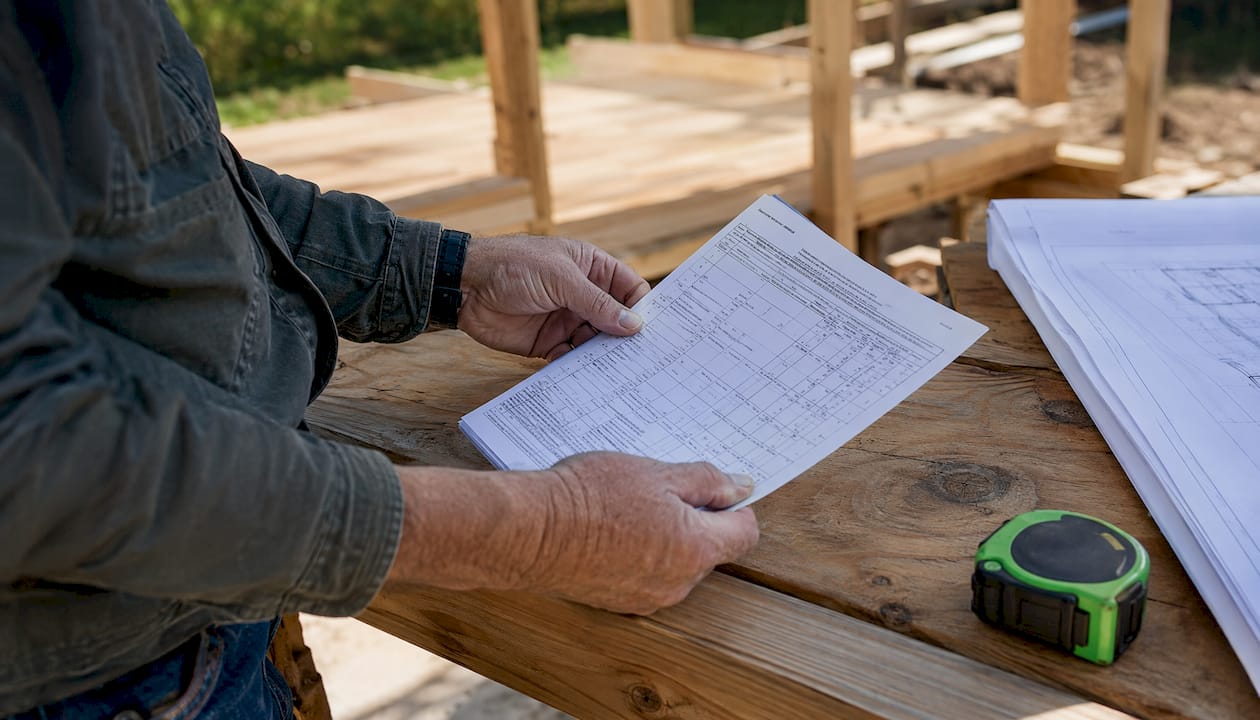
Certificate holder vs. additional insured: Being listed as the certificate holder means you receive a copy. It does not give you coverage. Only an Additional Insured endorsement on the underlying policy does that.
Pro Tip: For larger or longer projects, require the endorsement pages upfront. A COI that says "Additional Insured" in the description box but has no attached endorsement is not compliant with most contract requirements.
How do you verify a contractor's COI is real and current?
Follow these four steps in order.
-
Ask the insurer or agent to send the COI directly to you. When the certificate comes from the contractor's own hands, it can be altered. An insurer-sent or agent-sent certificate is harder to tamper with. Give the contractor your email address and ask them to have their agent forward it.
-
Call the insurer independently. Look up the carrier's main number yourself — through NAIC's carrier lookup or the insurer's official website. Do not call the number printed on the COI; fraudsters sometimes insert fake contact information. When you reach the carrier, ask:
- "Can you confirm policy number [X] is active?"
- "Who is the named insured on that policy?"
- "What are the effective and expiration dates?"
- "Is [your name/address] listed as an Additional Insured on any endorsement?"
-
Check state portals for workers' comp and license status. Most states publish free lookup tools. Washington L&I's contractor verification portal is one example; Ohio's Construction Industry Licensing Board is another. Search "[your state] contractor license lookup" and "[your state] workers comp verification" to find yours. These portals confirm WC coverage or valid exemptions — useful when a contractor claims they are exempt.
-
Send a written confirmation request. Email the agent or insurer directly:
Keep that reply in the same folder as the COI.
Pro Tip: For large or long-duration jobs, request the declarations page and check the carrier's A.M. Best rating. Industry practice treats A.M. Best A- or better as the threshold for commercial construction exposures — a financially weak carrier may not be able to pay a major claim.
How do you read the key fields on an ACORD 25 COI?
The standard form used across the U.S. is the ACORD 25. Here is what each section actually tells you.
| Field | What it shows | What to check |
|---|---|---|
| Producer | The insurance agency that issued the certificate | Must have a real name, address, and phone — missing contact is a red flag |
| Named Insured | The policyholder's legal name | Must match your contract exactly |
| Insurer(s) / NAIC # | The carrier(s) underwriting each policy | Look up the NAIC number to confirm it is a real, admitted carrier |
| Policy Number | Unique identifier per coverage line | Must be present; all-numeric strings with no letters can indicate a fake |
| Effective / Expiration Dates | Coverage window | Must bracket your entire project, including likely completion date |
| CGL Limits | Per occurrence and aggregate amounts | $1M/$2M is a common residential minimum |
| WC / Employers Liability | Workplace injury coverage | Required in most states; check for valid exemption if waived |
| Description of Operations | Free-text box | Should reference your property address and project; vague or blank entries are a gap |
| Certificate Holder | Who receives the document | You — but this alone does not give you coverage rights |
The ACORD 25 is an informational snapshot only. It does not amend the underlying policy, and carriers routinely disclaim any obligation for its contents. That is why calling the carrier directly matters.
Red flags visible on the form itself: editable PDF fields that appear typed over, inconsistent fonts between sections, occurrence limits that exceed aggregate limits (mathematically impossible under standard policy structures), and a description of operations box that is completely blank.
When should you request a COI, and how long should you keep it?
Timing rules:
- Before signing any contract or allowing mobilization — no exceptions
- At policy renewal if the project extends past the original expiration date
- Any time a new subcontractor arrives on site
- When a seasonal or returning vendor comes back after a gap of more than 90 days
Retention by project type:
- Small repairs (under $5,000, single day): keep COI plus any email confirmation for three years
- Renovation projects: keep COI, endorsement pages, and written verification for five to seven years
- Long-term contracts or major construction: retain the full file for the project life plus seven years, given the potential for latent defect claims
Store the COI alongside the signed contract, any endorsement pages, and your written verification record. A single folder per project, named consistently, is enough.
What are the red flags for a fake or inadequate COI?
Visual and data red flags:
- Editable PDF with visible form fields or mismatched fonts
- Missing producer name, address, or phone number
- Policy numbers that are all digits with no letters
- Occurrence limit higher than the aggregate (impossible under standard policies)
- Expiration date that falls before your project ends
- Named insured that does not match the contractor's legal name on your contract
- Description of operations that is blank or generic with no project address
Common fraud patterns: Some contractors purchase a policy, generate a COI, then cancel the policy immediately. The certificate looks valid on the date it was issued. Calling the carrier independently — using a number you found yourself — catches this because the policy will show as cancelled or lapsed.
Immediate next steps if something looks wrong:
- Pause work. Do not allow the contractor to continue until coverage is confirmed.
- Call the carrier using an independently sourced number and ask for policy status.
- Request an insurer-sent certificate directly to your email.
- Document your decision in writing — date, what you observed, and what you requested.
- If the contractor cannot produce valid coverage, consult your own homeowner's insurance carrier about your exposure before work resumes.
How do you organize COIs across multiple properties without losing track?
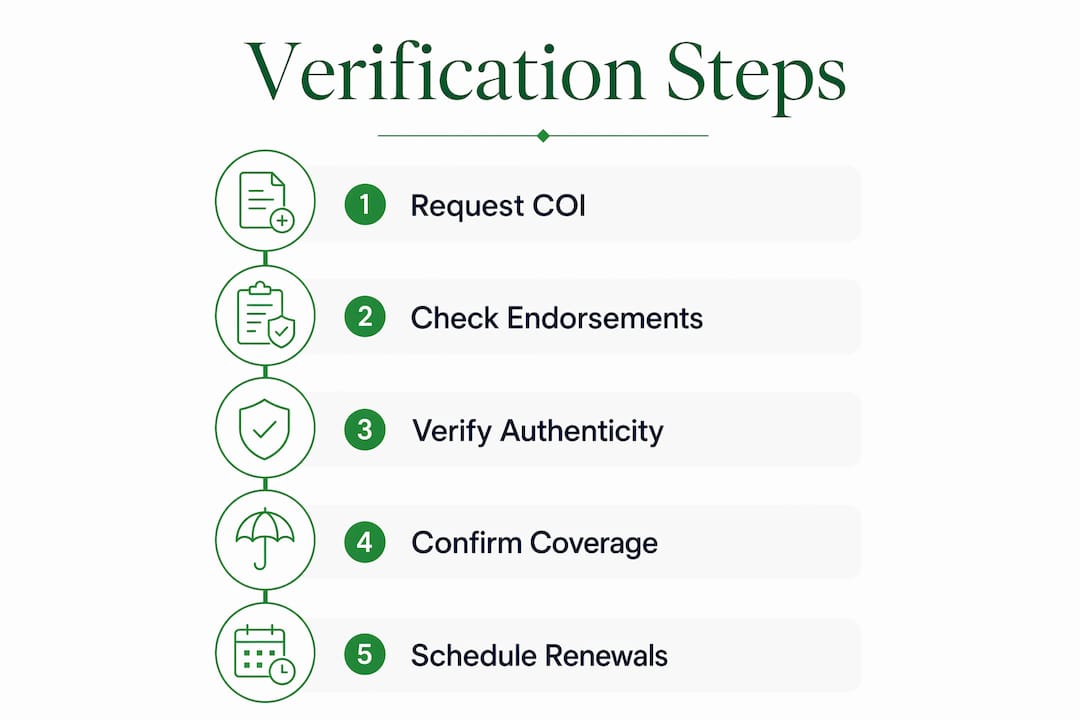
A repeatable four-step workflow keeps this manageable: request → verify → store → schedule renewal check.
File naming convention: [PropertyAddress]_[VendorName]_[YYYY-MM-DD]_COI.pdf
Example: 123MainSt_AceRoofing_2026-03-15_COI.pdf
Store endorsement pages in the same folder with the suffix _ENDORSE.pdf.
Verification log — keep one per property:
| Field | Example |
|---|---|
| Vendor name | Ace Roofing LLC |
| Trade | Roofing |
| COI date received | 2026-03-15 |
| Endorsements confirmed | AI endorsement CG 20 10 attached |
| Verified by | [Your name] |
| Verification date | 2026-03-15 |
For recurring vendors — landscapers, HVAC technicians, cleaning crews — set a calendar reminder 60 days before each policy expiration. That window gives you time to request an updated COI before the old one lapses. Automated expiration alerts eliminate the manual calendar step entirely for owners tracking multiple vendors across several homes.
Key Takeaways
A contractor COI is a starting point for verification, not a guarantee — always confirm coverage directly with the carrier before work begins.
| Point | Details |
|---|---|
| Get it from the source | Ask the insurer or agent to send the COI directly to you, not through the contractor. |
| Call the carrier independently | Use a number you find yourself; confirm policy number, named insured, and dates. |
| Endorsements require policy pages | Additional Insured and Waiver of Subrogation must exist as policy endorsements, not just COI wording. |
| Retain for three to seven years | Keep COI, endorsement pages, and verification records based on project size and duration — three years for small repairs, five to seven years for renovation or major construction as explained above. |
| Mypropertycommandcenter | The platform's document vault and vendor directory centralize COI storage and automate renewal reminders across multiple properties. |
The mistake most homeowners make with contractor insurance
Most homeowners treat a COI like a receipt — they take it, file it somewhere, and assume the job is covered. That assumption is where the exposure lives. A certificate can be outdated the day after it is issued if the contractor cancels the policy. It can be altered. It can show endorsements that do not actually exist on the underlying policy.
The fix is not complicated, but it does require a system. Require the certificate from the insurer, not the contractor. Call to confirm. Store the endorsement pages alongside the COI. Set a reminder before the policy expires. For owners managing two, three, or five properties, that system needs to be consistent across every vendor at every address — which is exactly where a tool like Mypropertycommandcenter earns its place. Not because the process is hard, but because the manual version breaks down the moment you have more than a handful of vendors to track.
Keep every COI organized with Mypropertycommandcenter
Tracking proof of insurance for contractors across multiple homes is one of those tasks that feels manageable until it isn't. Mypropertycommandcenter gives you a dedicated document vault to store COIs and endorsement pages by property, a vendor directory that ties each contractor to their coverage records, and automated reminders that flag expiring policies before they lapse.

Three use cases where it pays off immediately: seasonal vendors whose policies renew mid-year, new contractors you onboard across different properties at the same time, and emergency repairs where you need to verify coverage fast. No spreadsheet, no scattered email threads. Start with a free 14-day trial and set up your first property in minutes.
Useful sources and verification tools
- Washington L&I Contractor Verification — look up contractor registration and workers' comp status; a model for what most state portals offer
- New Hampshire Insurance Department — COI Verification Guide — plain-language state guidance on requesting and confirming contractor coverage
- Ohio Construction Industry Licensing Board — verify commercial contractor licenses and insurance in Ohio
- NAIC Consumer Information Source (naic.org) — look up any carrier by NAIC number to confirm it is a licensed, admitted insurer in your state
- A.M. Best (ambest.com) — check a carrier's financial strength rating; search by insurer name for a free summary rating
- Your state's Department of Insurance website — search "[state name] department of insurance" for complaint history, license verification, and carrier lookup tools
For large projects, attach endorsement pages to the COI in your records. A carrier's NAIC number on the COI is your fastest path to confirming the insurer is real before you make that verification call.