
The best approach for most owners is a secure, searchable document vault paired with a simple retention schedule for each property. A property-focused document vault beats a shoebox, a shared drive, or a filing cabinet because it keeps every deed, lease, warranty, and insurance policy tied to the right address, with alerts before anything expires. Property Command Center is built around exactly this idea: one dashboard, one vault per property, no digging through email threads to find a policy number.
Look for three things before trusting any provider with your property records:
- Encryption in transit and at rest, plus two-factor authentication
- Audit logs showing who accessed or changed a file, and when
- Configurable retention controls so records don't disappear before (or linger long after) you need them
Key Takeaways
A secure cloud document vault with property-specific retention rules and expiration alerts outperforms scattered folders, spreadsheets, or plain file storage for owners managing one or more properties.
| Point | Details |
|---|---|
| Keep permanent records forever | Deeds, titles, mortgage documents, and 1031-exchange paperwork should never be deleted. |
| Match retention to risk | Tenant files and rent ledgers need 5 to 7 years; tax-support records need 3 to 7 years. |
| Choose hybrid for legacy paper | Scan active documents into a cloud vault and send rarely-used originals to offsite vaulted storage. |
| Vet vendors on security basics | Confirm encryption, two-factor authentication, audit logs, and exportable data before signing up. |
| Property Command Center centralizes documents by property | It pairs per-property vaults with expiration alerts, vendor records, and task tracking in one dashboard. |
Table of Contents
- What Property Documents Should You Actually Keep?
- Cloud Vault, Offsite Storage, or Both?
- How Do You Choose a Property Document Storage Vendor?
- How Do You Set Up and Migrate to a New System?
- What's the Right Way to Digitize and Preserve Documents Long Term?
- What Does Property Document Storage Actually Cost?
- How Property Command Center Handles Document Storage for Owners
- What Should a Retention Schedule and Legal Checklist Include?
- What Are the Biggest Challenges in Property Document Storage?
- Get Your Property Documents Organized Today
- Frequently Asked Questions
- Sources
What Property Documents Should You Actually Keep?
Not every piece of paper deserves permanent shelf space, but plenty of it does. Here's what belongs in your property document storage system, organized by why it matters:
- Deeds and titles — keep permanently; these prove ownership and matter in disputes, refinancing, or sale.
- Closing statements and mortgage documents — keep permanently; they establish your cost basis and loan terms.
- Leases, tenant applications, and security deposit records — retain 5 to 7 years after tenancy ends, since disputes over deposits or damages can surface well after move-out.
- Rent ledgers — keep alongside tax records, typically 3 to 7 years.
- Insurance policies — keep the current policy plus at least one prior term for claims that reference earlier coverage.
- Warranties and inspection reports — retain for the life of the warranty or system; these back up claims when something breaks.
- Permits and service contracts — keep for the life of the property; permits matter at resale, and contracts protect you if a contractor's work fails.
- Invoices for improvements and utility bills tied to expense records — keep 3 to 7 years for tax support, longer if tied to a capital improvement basis.
- 1031-exchange documentation — keep permanently; the IRS can revisit basis calculations years later.
- Payroll or contractor records, if you employ property staff — typically 4 to 7 years depending on the recordkeeping requirement involved.
Retention windows vary by state and by what kind of claim might arise, so treat these as starting points, not final answers. A document retention checklist can help you formalize legal holds and destruction schedules once you've sorted the basics.
Cloud Vault, Offsite Storage, or Both?
Three approaches dominate property document storage, and each fits a different kind of owner.
Cloud document management systems give you searchable, encrypted access from anywhere. You type "roof warranty" and get the PDF in seconds instead of digging through a filing cabinet. The tradeoff is that you're trusting a vendor's security practices, and you still need somewhere physical for original signed deeds or notarized documents.
Offsite physical storage puts your paper originals in a vaulted, climate-controlled facility with professional chain-of-custody handling. Offsite records-storage providers combine physical protection with inventory tracking and on-demand digitization, which works well for owners who inherited decades of paper and aren't ready to scan it all. It's slower for day-to-day retrieval, though, and you'll pay ongoing box fees.
Hybrid workflows scan active documents into a cloud vault while sending rarely-touched originals (century-old deeds, historical surveys) to offsite storage. This is the practical middle ground for most owners.
- A single-owner with one vacation home usually does fine with a cloud vault alone; there's not enough paper volume to justify offsite fees.
- A small portfolio of 5 to 15 rental units benefits from hybrid: cloud for leases and active insurance, offsite for closed tenant files past their retention window.
- An owner sitting on original deeds, decades-old warranties, and family estate paperwork should scan what's actively needed and vault the rest.
Pro Tip: If you're staring down boxes of legacy paper, don't try to digitize everything at once. Start with anything tied to an active claim, upcoming sale, or expiring warranty, then work backward through the rest over a few months.
How Do You Choose a Property Document Storage Vendor?
Security and retention controls separate a serious property document storage solution from a glorified file-sharing app. Before signing up for anything, confirm these fundamentals:
Security must-haves: encryption in transit and at rest, two-factor authentication, role-based access so tenants or contractors only see what applies to them, audit logs, and immutable or WORM-style archiving for records that legally can't be altered once filed.
Compliance and retention: configurable retention schedules that automatically flag records for review or deletion, exportable audit logs, and data residency options if that matters to you.
Accessibility: full-text search, per-property folders, metadata tagging (document type, expiration date, related vendor), clear retrieval turnaround times, and mobile access for when you're standing in a driveway trying to find a permit number.
Cost structure: ask whether pricing is per-user, per-property, per-GB, or a flat subscription, and whether there are separate fees for offsite boxes, scanning, or retrieval requests.
Ask vendors these questions directly during evaluation:
- Is data encrypted both in transit and at rest?
- Do you support two-factor authentication?
- Can I export my full document history if I switch providers?
- How are retention schedules configured, and can I customize them per document type?
- What's your audit log retention period?
- Are there per-box or per-retrieval fees for offsite storage?
- What's your typical retrieval turnaround time?
- Do you support metadata tagging and full-text search?
- Is role-based access available for shared properties or family members?
- What happens to my data if I cancel?
Red flags include vendors who can't produce an audit log on request, retention settings buried in fine print, resistance to exporting your own data, or pricing that only appears after a sales call.
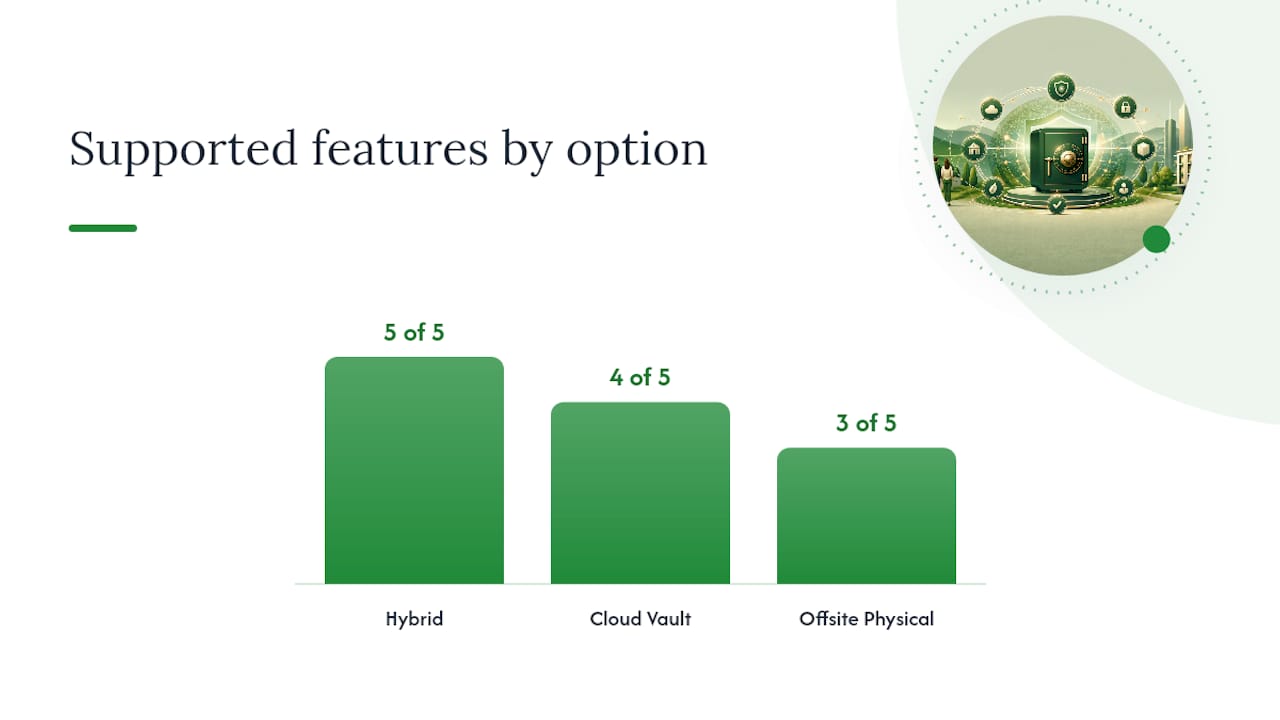
| Feature | Cloud Vault | Offsite Physical | Hybrid |
|---|---|---|---|
| Encryption in transit/at rest | Standard | Not applicable (physical) | Standard for digital portion |
| Two-factor authentication | Standard | Not applicable | Standard for digital portion |
| Audit logs | Standard | Chain-of-custody logs | Both |
| Retention controls | Configurable | Manual/contractual | Configurable + manual |
| Physical chain-of-custody | Not applicable | Yes | Yes, for vaulted originals |
How Do You Set Up and Migrate to a New System?
Migration sounds intimidating until you break it into a sequence. Here's the order that actually works:
- Audit what you have. Pull everything together, digital and physical, before you organize anything.
- Prioritize by urgency. Active leases, current insurance, and anything tied to an upcoming sale or renovation go first.
- Choose a naming and metadata scheme before you scan a single page.
- Batch scan in prioritized order, not alphabetically or randomly.
- Validate OCR and tagging on a sample before committing to the full batch.
- Import into your vault, checking that folder structure matches property addresses.
- Verify retention settings are applied correctly to each document type.
- Train anyone else who'll use the system, including a spouse or property partner.
A workable naming convention looks like this: [Property-ID]_[DocType]_[Date]_[Vendor]_[ExpirationDate], so a roof warranty for a duplex becomes something like 123Elm_Warranty_2024-03_AceRoofing_2034-03. Consistency matters more than cleverness here.
Timeline-wise, a single property with a modest folder of documents takes a few hours. A small portfolio of five properties with mixed digital and paper files runs a few days spread across a week. Anything larger, say 1,000-plus legacy paper documents, is realistically a multi-week project if you're doing it evenings and weekends. Keep physical originals like deeds and notarized documents in a fireproof safe or offsite vault even after scanning; the digital copy is for daily use, not legal substitution.
What's the Right Way to Digitize and Preserve Documents Long Term?
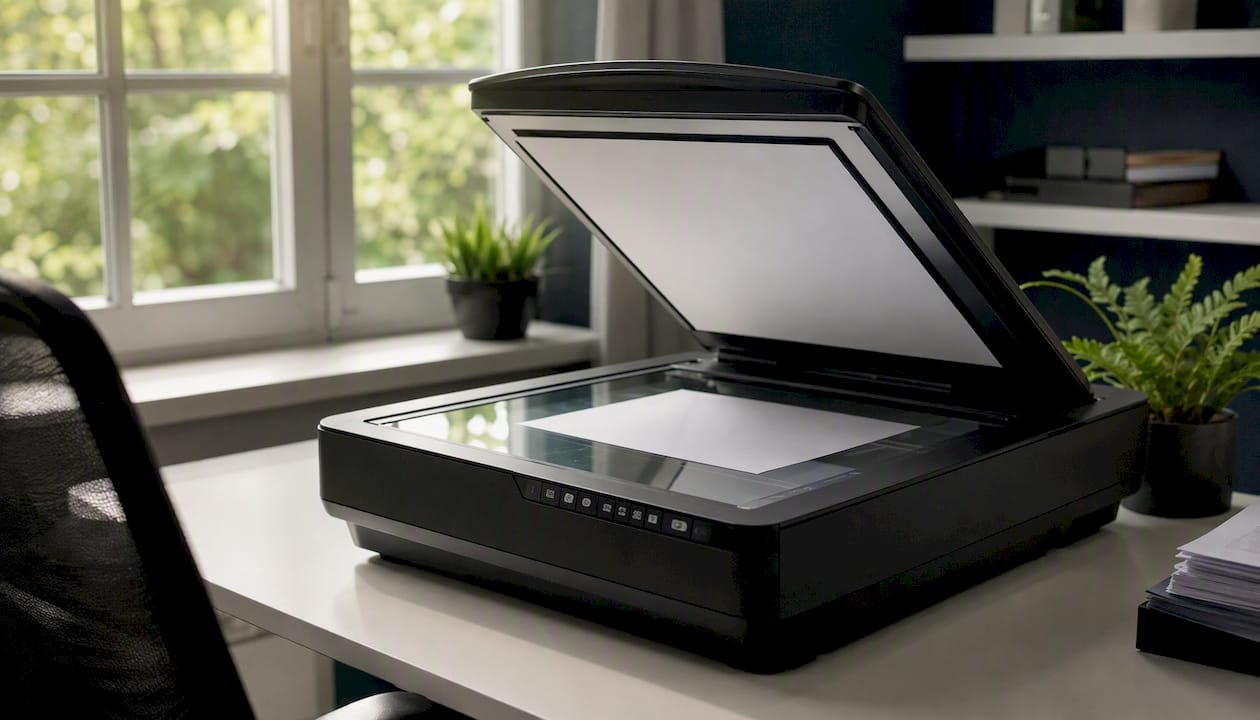
Scan documents at 300 to 600 DPI, and bump that to 600 or higher for photos and anything with fine print. Save as searchable PDFs with OCR applied, and use PDF/A format when your software supports it. It's built specifically for long-term archival stability, unlike a standard PDF that can drift in appearance across software versions. Capture baseline metadata at the moment of scanning, not later, because you will not remember which warranty belonged to which water heater six months from now.
Fragile or genuinely old documents (anything pushing a century) need gentler handling: archival sleeves, minimal direct handling, and a conservator's opinion before you attempt any repair yourself. Back up digital copies redundantly, meaning cloud storage plus at least one offline copy, ideally in a fireproof safe or bank deposit box.
Pro Tip: Keep a small set of truly irreplaceable originals (the actual deed, a handwritten property history) in a climate-controlled, fireproof vault or with a professional offsite storage provider, and manage the index of what's stored where inside your cloud vault.
What Does Property Document Storage Actually Cost?
Pricing splits into a few common models. SaaS platforms typically charge monthly, either per user or scaled by number of properties. Offsite physical vaults charge per box per month, plus separate fees for retrieval or digitization-on-demand. One-time scanning or ingest fees apply if you're converting a paper backlog, and some providers charge extra for expedited retrieval.
What drives the price up: sheer document volume, whether you need climate-controlled storage for sensitive originals, how long you're required to retain records, and how often you actually need to pull something. A landlord who rarely retrieves anything pays less than one constantly pulling lease files for disputes.
Budget for these line items in year one:
- Monthly software subscription
- One-time scanning or ingest costs for existing paper
- Offsite box setup fees, if you're using physical vaulting
- Time or cost for training whoever else touches the system
Always ask for an itemized quote rather than a bundled number; it's the only way to see which fee actually scales with your usage.
How Property Command Center Handles Document Storage for Owners
Property Command Center builds its document vault around the checklist above rather than around generic file storage. Each property gets its own folder, so a duplex and a lake house never get their paperwork mixed up. Documents carry expiration alerts, meaning your insurance renewal or warranty deadline shows up before it lapses, not after.
- Per-property vaults with simple metadata tagging
- Expiration alerts tied directly to individual documents
- Role-based sharing for co-owners, family members, or property partners
- Mobile access and straightforward export if you ever need your full history
The bigger benefit is context: documents live next to maintenance tasks and vendor contacts, so a warranty claim and the contractor who did the work sit in the same place. This fits multi-home households and short-term rental hosts best, especially anyone who wants a low-friction SaaS setup rather than a full enterprise document management deployment they'll never fully configure.
What Should a Retention Schedule and Legal Checklist Include?
A workable retention schedule isn't complicated, but it needs to exist in writing rather than in your head. Start with categories: permanent records (deeds, titles, 1031-exchange paperwork), long-term records (7 years or more, covering tax-relevant invoices and improvement records), and medium-term records (3 to 7 years, covering tenant files and rent ledgers).
Professional retention guides recommend formalizing these windows rather than guessing case by case, and pairing them with a legal hold process for anything tied to an active dispute or pending claim. If a tenant threatens legal action, that file gets flagged and excluded from normal deletion schedules regardless of its age.
Your checklist should also cover destruction: how records get disposed of once retention expires, whether that's secure digital deletion or physical shredding for paper. Skipping this step is how sensitive tenant information ends up sitting in old files years past when it should have been purged. Build in an annual review, ideally each January, where you check which documents crossed a retention threshold and either archive, renew, or destroy them. Growing remodeling activity means more owners will be generating renovation and warranty paperwork that needs its own retention rule, not an afterthought tacked onto general property files.
What Are the Biggest Challenges in Property Document Storage?
Mixed formats trip up more owners than anything else. You've got a PDF insurance policy, a scanned warranty, a photo of a permit taken on your phone, and a paper lease from a tenant who doesn't do digital signatures. Trying to force all of that into one rigid folder structure usually fails.
The fix is tagging by document type and property rather than by file format. Your vault shouldn't care whether a warranty arrived as a PDF or a phone photo; it should file both under "Warranty, Unit 4B" with the same expiration alert.
Updating records is the second recurring headache, particularly for insurance policies and inspection reports that renew annually. Owners forget to swap the old policy for the new one, and suddenly the vault holds an expired document that looks current at a glance. Some property-focused platforms now attach expiry alerts directly to individual documents, which solves this more reliably than a calendar reminder you'll eventually ignore.
A third challenge shows up with multi-property portfolios: keeping tenant-linked documents connected to the right unit when tenants move between properties you own. Metadata fields that tie a document to both a property ID and a tenant record, rather than one or the other, prevent files from getting orphaned when leases turn over.
A Quick Note From the Field
Every owner has a version of the same story: an insurance policy that quietly lapsed months before a claim, discovered only when it was too late. That's the entire argument for a searchable vault with expiration alerts, not just storage for storage's sake.
Get Your Property Documents Organized Today
Compared to a shared drive full of unlabeled PDFs or a filing cabinet nobody wants to sort through, Property Command Center gives you one vault per property with automatic expiration alerts built in, so nothing lapses quietly in the background.

Every document lives next to the maintenance tasks and vendor contacts it actually relates to, so a warranty claim and the contractor who did the work are never more than one click apart. If you're managing paperwork across multiple homes or a handful of rental units, that context saves real time compared to hunting through email for a policy number. Start with the 14-day free trial and onboarding walkthrough to move your existing files in, or check current plans to see which tier fits your portfolio size.
Frequently Asked Questions
What is the best way to store property documents securely? A cloud-based document vault with encryption, two-factor authentication, and audit logs is the most practical option for most owners, especially when paired with a written retention schedule for each document type.
How long should I keep property tax records? Most tax-support documents, including improvement invoices and utility bills tied to deductions, should be kept 3 to 7 years, though 1031-exchange paperwork should be kept permanently.
Do I need physical copies of my property deeds? Keep the original signed deed somewhere secure, like a fireproof safe or offsite vault, even if you also maintain a scanned copy in your cloud vault for daily reference.
What's the difference between cloud storage and offsite physical storage for property documents? Cloud storage offers fast, searchable digital access, while offsite physical storage protects original paper documents in a climate-controlled, chain-of-custody facility. Many owners use both.
How much does property document storage typically cost? Costs vary by model: SaaS subscriptions typically run monthly per property or per user, while offsite physical storage adds per-box fees plus retrieval charges. Request an itemized quote to compare real costs.