The fastest way to manage multiple properties is a single self-management dashboard that centralizes property records, maintenance schedules, vendor contacts, and documents. Spreadsheets and group texts fall apart once you're juggling more than a couple of homes.
A dashboard beats spreadsheets on three fronts:
- Coordination time drops because tasks, vendors, and files live in one place instead of six inboxes.
- Checklists become repeatable, so turnovers and preventative maintenance stop depending on memory.
- Mobile photo verification lets you confirm work got done without a drive-by visit.
Start now: create one property profile and log a single turnover task. That alone proves the system works before you touch property two.
Key Takeaways
Managing multiple properties reliably requires one centralized dashboard, three standardized checklists, and strict enforcement of the one-location rule for every file, task, and message.
| Point | Details |
|---|---|
| Know your threshold | Four or more properties usually means coordination time is cutting into the hours you actually want back. |
| Build three checklists | Turnover, preventative maintenance, and issue triage cover nearly every recurring problem you'll face. |
| Start with one property | Complete the full 30 to 60 minute setup on a single home before scaling to the rest of your portfolio. |
| Enforce the one-location rule | Keep every message, file, and vendor note inside the dashboard, never split across email and text. |
| Test before you commit | Property Command Center's free trial lets you run a real turnover and PM cycle before paying anything. |
Table of Contents
- When Should You Switch From Spreadsheets to a Dashboard?
- Essential Features Your Multi-Property Dashboard Needs
- What Checklists Do You Need to Run Multiple Properties?
- How Do You Set Up Your First Property in Under an Hour?
- What Daily and Weekly Habits Keep the System Working?
- How Much Should You Pay for Multi-Property Software?
- What Happens After You Actually Switch to a Dashboard?
- Try Property Command Center to Bring It All Together
- Sources
When Should You Switch From Spreadsheets to a Dashboard?
Owners with one to three homes in one area can often get by with a spreadsheet and a shared calendar. Add a fourth property, though, and coordination overhead starts eating into the hours you'd rather spend enjoying the places, not managing them.
Watch for these warning signs:
- You've missed or double-booked a turnover in the last three months.
- Warranty documents, lease copies, or inspection reports live in three different email accounts.
- A vendor has no-showed and you found out from the guest, not the vendor.
- You're spending significant time each month just tracking who's doing what, where.
Statistic Callout: Maintenance hours don't scale evenly. Each property you add doesn't just add its own workload. It adds the friction of switching between systems, which is exactly what a maintenance-oriented operating system is built to eliminate. A rough rule of thumb: if you can't name your next three scheduled maintenance tasks off the top of your head, you're already past the point where DIY tracking works.
Essential Features Your Multi-Property Dashboard Needs
Skip the enterprise property-management features built for landlords running tenant screenings and rent rolls. As a homeowner or host, you need a tighter, more practical feature set.
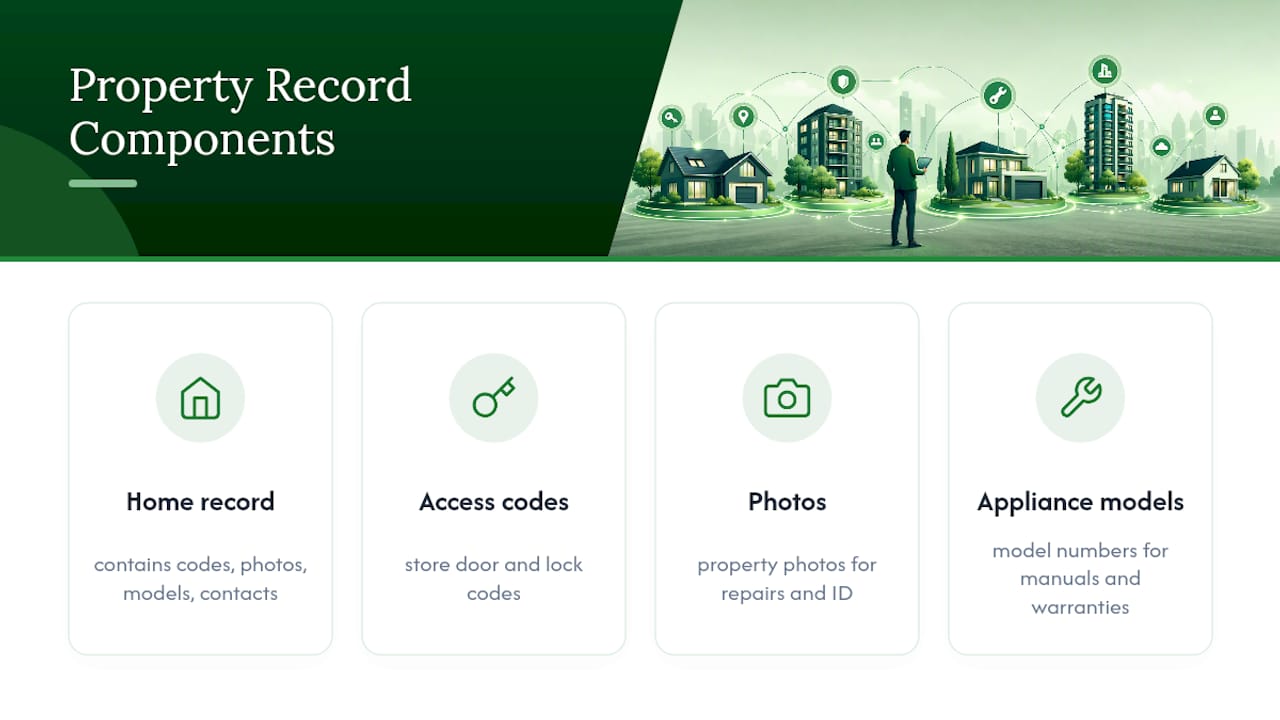
Property hierarchy and profiles. Each home needs its own record with access codes, photos, appliance models, and emergency contacts. When a pipe bursts at 11 p.m. and you're three states away, you don't want to be searching old texts for the water shutoff location.
Tasks with proof. Work orders should require photo uploads and completion checklists, not just a checked box. Recurring preventative maintenance (PM) scheduling keeps filter changes and inspections from slipping through the cracks.
Vendor directory with job templates. A centralized vendor catalog with standardized job templates lets you track response times and first-fix rates instead of guessing which plumber actually shows up on time.
Document vault. One property alone generates dozens of meaningful documents a year, including warranties, insurance records, and manuals. Multiply that across three or four homes and manual filing stops working almost immediately.
Mobile access and alerts. Push, SMS, or email alerts should route into one inbox, not scatter across apps.
Simple reporting. You don't need a full analytics suite. Open tickets, upcoming turnovers, and PM compliance rate are the three numbers worth checking weekly.
Pro Tip: Before comparing tools, write down the five tasks that ate the most time last month. Whatever software handles those five tasks best is your real answer, not whichever has the flashiest dashboard.
If you're still weighing options, feature comparisons built for owner-scale portfolios can help you separate genuinely useful features from ones aimed at professional managers running hundreds of units.
What Checklists Do You Need to Run Multiple Properties?
Three checklists cover almost everything that goes wrong across multiple properties: turnover, preventative maintenance, and issue triage.
Turnover checklist (run every changeover):
- Deep clean with photo proof of kitchen, bathrooms, and common areas
- Linen swap and inventory count
- Restock consumables (soap, coffee, paper products)
- Lock and hardware check, including smart lock battery levels
- Final walkthrough photos time-stamped and uploaded
Preventative maintenance checklist, drawn from standard PM planning guidance:
- Monthly: test smoke and carbon monoxide alarms
- Quarterly: inspect plumbing fixtures and check for slow leaks
- Per-turnover: change or check HVAC filters if occupancy has been heavy
- Seasonally: inspect exterior drainage, gutters, and weatherstripping
Issue triage checklist, organized by priority:
- Priority 1 (safety, lockout, active leak): response target under 60 minutes
- Priority 2 (appliance failure, no heat/AC): response target under 4 hours
- Priority 3 (cosmetic, non-urgent): handled at the next scheduled visit
A sample task description you can paste directly into a dashboard: "Guest reports no hot water, unit 2. Priority 1. Dispatch plumber, require photo of water heater panel and timestamp on arrival." That single line gives a vendor everything needed and gives you proof once it's closed.
How Do You Set Up Your First Property in Under an Hour?
Get one property fully running before you touch the rest of your portfolio. The goal isn't perfection. It's proof the system works.
- Create the property profile (10 minutes): address, access codes, emergency contacts, photos.
- Upload 3 to 5 key documents (10 to 15 minutes): insurance policy, warranty for the HVAC unit, appliance manuals.
- Build your turnover and PM templates (10 to 15 minutes): use the checklists above as your starting point.
- Add one preferred vendor and test a work order (10 to 20 minutes): send a real task, request a photo on completion, confirm the alert reaches you.
First-session checklist:
- Access instructions saved and shared with at least one backup contact
- Emergency contacts entered (electrician, plumber, HOA if applicable)
- A full photo set of each room for baseline condition
- One recurring PM task scheduled and confirmed
Once property one runs cleanly, cloning that template across additional properties cuts setup time dramatically for each new home. Your second property might take fifteen minutes, not sixty.
What Daily and Weekly Habits Keep the System Working?
Software alone doesn't fix disorganization. The habit that makes or breaks a multi-property dashboard is what's often called the one-location rule: every message, file, and vendor instruction stays inside the dashboard. No side texts, no email threads that never get logged.
Two routines make this stick:
- Daily 10 to 15 minute scan: check the message queue, upcoming arrivals, and any priority-1 tickets.
- Weekly 30-minute review: occupancy or booking notes, open maintenance tickets, and three specific actions assigned with names and due dates attached.
Pro Tip: Build two or three saved message templates for the most common guest or vendor questions. It sounds small, but it's what actually keeps everyone using the dashboard instead of drifting back to text messages. If you manage properties with a partner or family member, role-based permissions keep everyone working from the same source of truth instead of parallel systems.
How Much Should You Pay for Multi-Property Software?
Pricing for owner-focused dashboards typically scales by number of properties rather than charging enterprise per-unit rates meant for professional managers. Before you commit, weigh the monthly cost against what you're actually losing to disorganization now: missed vendor windows, duplicate purchases, and the emergency-call premium you pay when nobody scheduled the routine fix.
Look for three things in any plan:
- Feature access that includes the document vault and vendor directory, not just task lists
- Onboarding support included at no extra cost
- A free trial with no credit card required, so you can test-drive one property through a real turnover and one PM cycle before paying anything
If a trial doesn't let you run at least one complete cycle, it's too short to tell you much.
What Happens After You Actually Switch to a Dashboard?
Owners who make the switch tend to describe the same shift: fewer 9 p.m. phone calls, fewer "did anyone check on this" follow-ups, and a real paper trail when something goes wrong.
The difference shows up in the boring moments. Before-and-after turnover photos settle a damage dispute in minutes instead of a week of back-and-forth. That kind of documentation is what keeps small issues from turning into arguments.
Try Property Command Center to Bring It All Together
If the checklist above sounds right but building it yourself in a spreadsheet sounds exhausting, that's exactly the gap Property Command Center is built to close. It gives you property profiles, task and work-order tracking with photo proof, recurring PM schedules, a vendor directory, a document vault for warranties and insurance papers, plus alerts and mobile access, all in one dashboard instead of six disconnected tools.

Setup follows the same 30 to 60 minute path outlined above, and the onboarding process comes with ready-to-use checklist templates so you're not starting from a blank page. The 14-day free trial requires no credit card, which means you can run one real turnover and one PM cycle before deciding whether it earns a permanent spot in your routine.
Start your free trial, load in your first property, and complete one work order end to end. If it saves you the hour you'd otherwise spend hunting through old texts and email folders, you'll know within a week whether it's worth keeping. Check the pricing tiers to see which plan matches your portfolio size.
Sources
- How to manage multiple rental properties: systems that scale | RentalReady