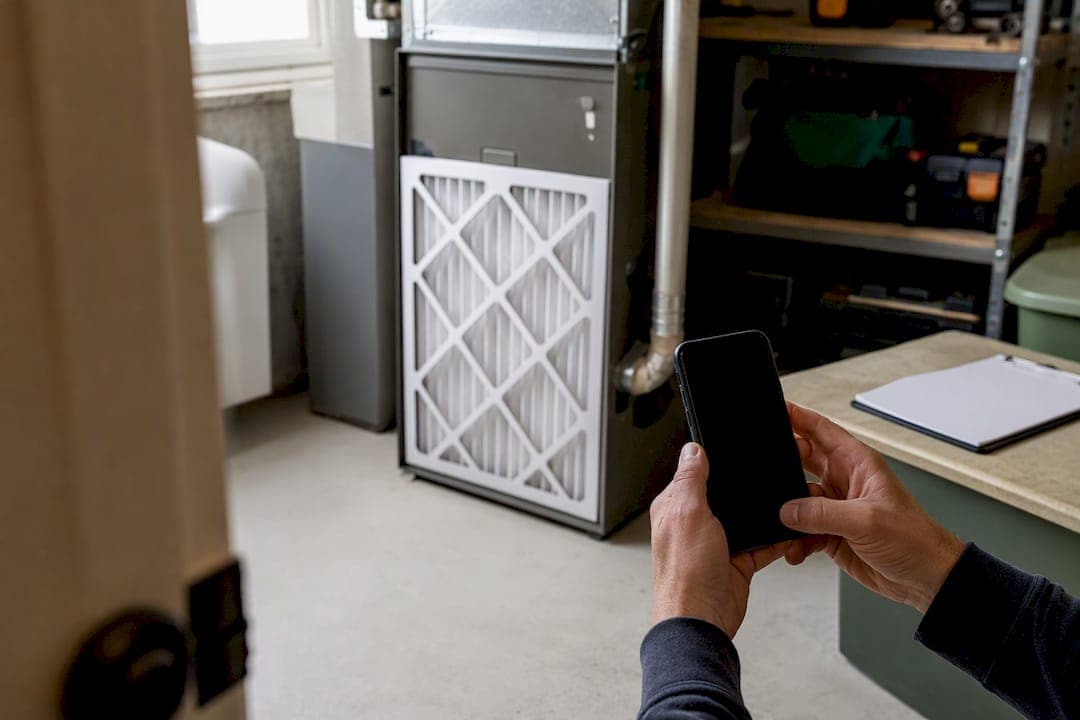
The right approach to maintenance task tracking is simple: attach every task to a specific property, run it through a recurring schedule, and close it out with a photo and timestamp. That's it. No work-order software, no facilities-management jargon, just a system that actually holds up when you own two, three, or six properties instead of one.
Here's your 10-minute starting move. Pick one property and one safety or high-risk item, your smoke detectors, your HVAC system, your water heater, and create a single task with a due date and a reminder. Do that before reading another word.
A dashboard beats scattered notes for one reason: notes don't talk to each other. A text to your handyman, a sticky note on the fridge, and an email receipt from March all live in different places, and none of them tell you when the water heater was last serviced across your three rentals. A property-linked log does.
- Create one task tied to one property
- Set a single reminder date
- Note who's responsible for the fix
Key Takeaways
A maintenance task tracking system works when every task is tied to a property, scheduled by calendar or usage, and closed with photo proof.
| Point | Details |
|---|---|
| Attach tasks to properties | Every entry needs a property, unit, and searchable history to avoid duplicate vendor calls. |
| Log the minimum fields | Capture date, vendor, cost, warranty, and photos so records hold up over time. |
| Mix calendar and usage triggers | High-turnover rentals need guest-cycle triggers, not just monthly reminders. |
| Verify with photos and notes | Require a timestamped photo and completion note before marking any task closed. |
| Use a dashboard once you scale | Property Command Center links tasks, vendors, and documents per property so setup takes minutes, not weekends. |
Table of Contents
- Why Tracking Maintenance Matters More Than You Think
- What Should Every Maintenance Log Entry Include?
- How Do You Schedule Recurring Maintenance Tasks?
- Setting Up Vendor Contacts and Verifying Completed Work
- How Property Command Center Fits This Workflow
- What Actually Matters in a Small-Portfolio Tracking System
- Start Tracking Maintenance Across Your Properties Today
- Frequently Asked Questions
- Sources
Why Tracking Maintenance Matters More Than You Think
Skip a system and small problems become expensive ones. A missed HVAC filter change doesn't just shorten the unit's life. In a vacation rental, it shows up as a guest complaint about a musty smell or a warm bedroom at 11 p.m., and that becomes a refund request or a bad review.
Consistent, property-linked histories also stop the classic duplicate-vendor-call problem. Without a record, you call the same plumber twice for what turns out to be the same recurring leak, because nobody wrote down that it happened in October too.
Pro Tip: A spreadsheet works fine for one or two properties, but once you're managing three or more, the gaps start to show, missed reminders, no searchable history, no vendor comparisons, and that's when a dedicated system starts paying for itself.
Documentation matters beyond convenience. When an insurance claim hinges on proof that a roof repair happened before a storm, or a tenant disputes whether a repair was ever completed, a dated photo and an invoice on file settle the argument instantly.
- Deferred maintenance raises repair costs and guest complaints
- Property-linked histories catch recurring issues before they repeat
- Photos and receipts protect you in disputes and insurance claims
What Should Every Maintenance Log Entry Include?
A maintenance record is only useful if it captures the same fields every time. Skip a field once and you'll regret it the day you need it. Here's the minimum that keeps a log searchable and defensible years later, based on what actually holds up in a home maintenance record system:
- Property and unit — which house, which room, which system.
- Task title — short and specific ("Kitchen dishwasher leaking," not "kitchen issue").
- Date reported — when you first learned about it.
- Reported by — you, a guest, a tenant, a property manager.
- Assigned vendor or person — who's doing the work.
- ETA — expected completion window.
- Actual completion date — when it was actually finished.
- Cost — what you paid, including parts and labor.
- Warranty or receipt — attached file or note for future reference.
- Photos — before, during, and after.
- Notes — anything a future you would want to know.
Each field earns its place. The date reported and completion date let you spot patterns (three dishwasher calls in a year means it's time to replace, not repair). The vendor field builds accountability. The warranty field saves you from paying twice for the same fix.
A few quick examples show how this plays out. An HVAC filter swap needs almost nothing beyond date and cost, since it's routine. A dishwasher repair needs the full field set, because you'll want the warranty info if it fails again in six months. A seasonal pool opening needs a photo of chemical levels and equipment condition, since that's your proof the system was in working order before the first guest arrived.

Start small. Log the critical systems first, HVAC, water heater, roof, then expand the habit over time.
How Do You Schedule Recurring Maintenance Tasks?
Two kinds of triggers keep a property maintained: calendar-based and usage-based. Calendar triggers work for things that degrade with time regardless of activity, gutter cleaning, smoke detector battery checks, water heater flushes. Usage-based triggers fit anything tied to wear, and for vacation rentals, that means guest turnovers rather than months on a calendar.
Usage-driven scheduling catches what calendar-only systems miss. A property that turns over every three days needs its HVAC filter changed far more often than one that hosts a family for a month at a time, even if both properties are the same age.
Set reminders at two points: 30 days out and 7 days out. That gives you time to book a vendor before the deadline instead of scrambling the week the deadline hits. Attach the vendor's name to the reminder along with any parts or warranty notes so you're not digging through old texts when the day arrives.
Safety tasks always outrank cosmetic ones. A cracked patio tile can wait a month. A smoke detector past its battery life cannot.
| Property Type | Recommended Cadence | Trigger Type |
|---|---|---|
| Primary residence | Seasonal (quarterly HVAC, annual roof/gutter) | Calendar |
| Long-term rental | Every 6 months plus tenant turnover | Calendar + turnover |
| High-turnover vacation rental | Every 60 days or by guest cycles | Usage-driven |
| Seasonal vacation home | Pre-season open/close checks | Calendar, 30-day advance reminder |
- Calendar triggers suit slow-degrading systems
- Usage triggers suit high-turnover properties
- Safety items get priority over appearance items
Setting Up Vendor Contacts and Verifying Completed Work
Keep at least two vetted contacts per trade, plumber, electrician, HVAC tech, so a canceled appointment doesn't leave you stuck. For each one, log phone, email, working hours, general pricing notes, and any access instructions they'll need if you're not on-site.
Set a response-time expectation up front. If a vendor takes three days to call back on a routine request, that's useful information the next time you're choosing who to call for an emergency. Log it. Over a year or two, that vendor performance history becomes one of the most valuable parts of your entire system, better than any online review, because it's based on how they've actually treated your property.
Pro Tip: Require a timestamped photo and a one-line completion note for every closed task, even routine ones. It takes ten seconds and it's the difference between "the plumber says he fixed it" and having actual proof.
Photo verification with timestamps confirms who did the work and that it was done right, not just that a status flipped to "closed." Upload the invoice or receipt to the property's record right after, while it's fresh, so cost tracking and warranty claims stay accurate without a scramble at tax time.
- Two vetted vendors per trade, minimum
- Log response time and quality after every job
- Require photo, timestamp, and a short note before marking a task closed
- File invoices to the property record immediately
How Property Command Center Fits This Workflow
A dashboard built for this exact problem saves you from assembling your own system out of spreadsheets and text threads. Property Command Center maps directly onto the checklist above: tasks tie to a specific property, vendors get their own contact record and notes, and alerts fire on your schedule instead of relying on your memory.
- Attach photos, receipts, and warranty documents directly to each task
- Track cost per property without a separate spreadsheet
- Get reminders before a task is due, not after it's overdue
Onboarding takes minutes because the fields are already built for property owners, not facilities managers. That's the whole point: less setup time, more actual tracking.
What Actually Matters in a Small-Portfolio Tracking System
Most advice on maintenance tracking gets aimed at facilities managers running dozens of buildings, and it shows. It's full of work-order escalation paths and asset-lifecycle jargon that a family with two vacation rentals has no use for. The advice that actually matters for a small portfolio is much narrower than that.
Get the minimal fields right, get photo verification into the habit, and use turnover-based triggers where they apply. That's the whole system. You don't need approval workflows or a preventive maintenance budget forecast. You need to know, at a glance, whether the HVAC filter in the lake house got changed before this weekend's guests arrive.
The biggest mistake I see owners make isn't skipping maintenance. It's building an elaborate spreadsheet with forty columns, using it faithfully for six weeks, then abandoning it because updating it feels like a chore. A system you'll actually keep using beats a perfect one you'll quit. Start with the safety items. Add the rest as you go.
Start Tracking Maintenance Across Your Properties Today
If you're managing more than one property with a mix of texts, sticky notes, and half-remembered vendor names, Property Command Center replaces that patchwork with one dashboard built specifically for owners, not facilities departments.

You get property-linked tasks, a vendor directory, document storage for warranties and receipts, and alerts that fire before something becomes a problem, all without the setup overhead of enterprise software. The pricing is built around how many properties you actually manage, and you can try it free for 14 days with no credit card required.
Start with one property and one recurring safety task, smoke detector checks or HVAC service, and add the rest as you settle into the habit. Set up your first property and see how quickly the dashboard replaces the scattered notes.
Frequently Asked Questions
What is maintenance task tracking for property owners? It's the practice of logging every repair and preventive task against a specific property, with dates, vendors, costs, and photo proof, so nothing gets missed or duplicated across a small portfolio.
How do I start tracking maintenance tasks quickly? Pick one property and one high-risk item, like your HVAC system or smoke detectors, create a single task with a due date, and set a reminder. Expand from there as the habit sticks.
Do I need software, or is a spreadsheet enough? A spreadsheet can work for one or two properties. Once you're managing three or more, missed reminders and duplicate vendor calls tend to creep in, and a dedicated dashboard starts saving real time.
How often should preventive maintenance tasks repeat? It depends on the item and the property. HVAC filters might run on a 60 to 90 day calendar cycle for a primary residence, but a high-turnover vacation rental should also trigger service by guest cycles, not just the calendar.
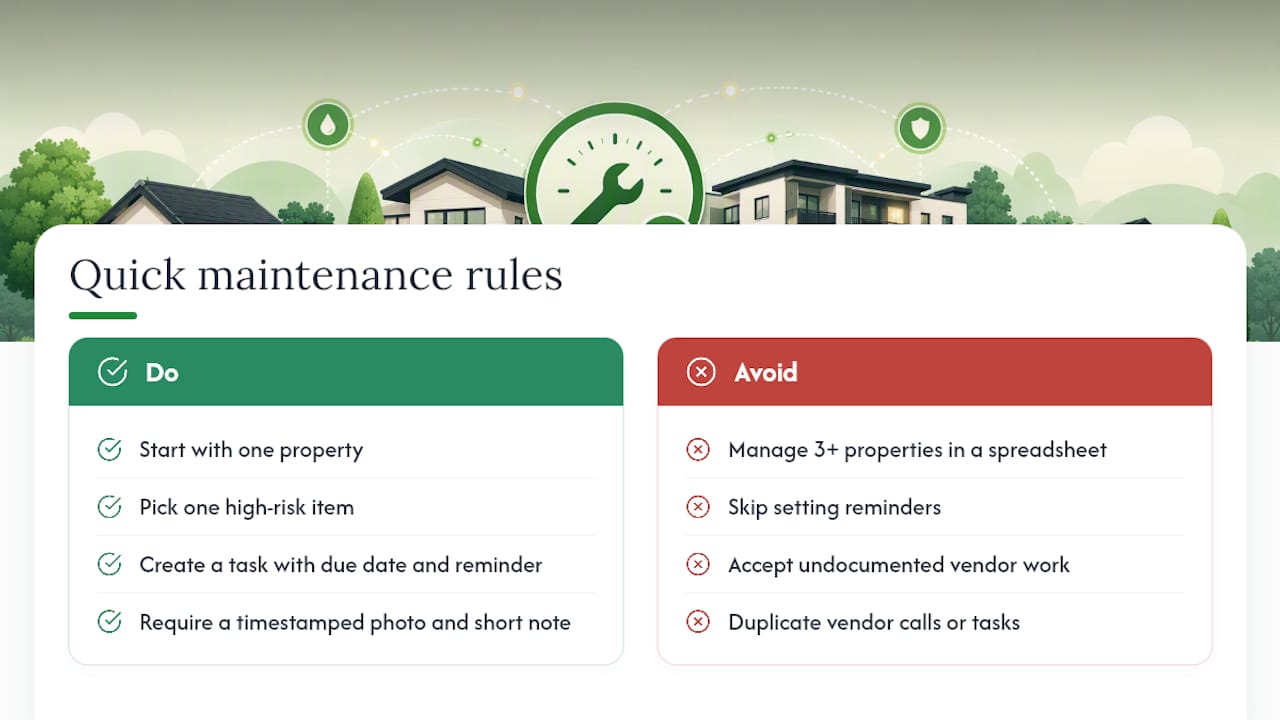
What proof should I require when a vendor completes a task? A timestamped photo and a short written note describing the work, at minimum. Attach the invoice or receipt to the property record right away so cost and warranty tracking stay accurate.
Sources
- Vacation rental work order management: stop losing maintenance tasks │ Breezeway
- Short-Term Rental Property Maintenance: How Airbnb and Vacation Rental Operators Manage it in 2026
- Home Maintenance Record System: Complete Guide (That Actually Works)
- The Ultimate Vacation Rental Maintenance Guide (Free Checklist)