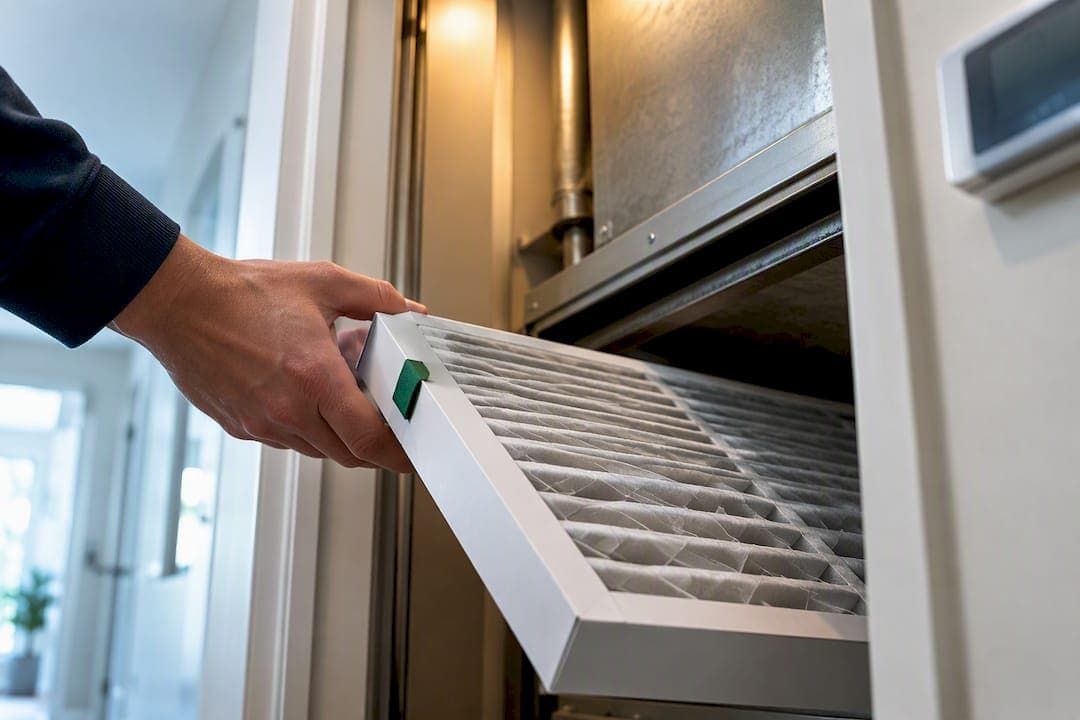
The fastest way to stop missing filter changes is pairing a runtime-aware thermostat or vendor reminder app with a phone calendar reorder buffer set two weeks ahead. Magnetic dials and subscription auto-ship work too, but they cover different gaps. Most homeowners get the best results starting with a smart thermostat or app timer, then adjusting the interval for pets, smoke, or heavy runtime.
TL;DR:
- Using a centralized dashboard for multiple properties ensures filter reminders are consistently tracked and reduces missed changes caused by scattered notifications.
- Runtime-based thermostats predict filter wear based on actual HVAC hours, making their alerts more accurate than calendar-based reminders during seasonal weather fluctuations.
- Combining digital reminders with physical tools like magnetic dials, stickers, or LED indicators provides reliable backup, especially in shared or multi-tenant systems.
- Setting reorder buffers at least two weeks ahead of estimated filter change intervals helps prevent delays and guarantees filters arrive before they clog.
- Adjusting the recommended change interval downward is essential when pet dander, wildfire smoke, or renovations increase airborne contaminants.
Table of Contents
- Which HVAC Filter Reminder Method Fits Your Home?
- How Do Thermostat Filter Reminders Actually Work?
- Simple Filter Reminder Tools That Don't Need an App
- How Do You Calculate the Right Filter Change Interval?
- Why Centralized Reminders Save Owners Real Money
- Set It Once, See It Everywhere With Property Command Center
- Tools and Resources for Setting Up Filter Reminders
- Sources
- FAQ
Which HVAC Filter Reminder Method Fits Your Home?
No single reminder method covers every situation, and the right pick depends on how many properties you manage and how hands off you want to be.
A repeating calendar event is the simplest option. Set it in Google Calendar or Apple Calendar with the filter size and MERV rating in the title, then build in a reorder buffer so the replacement filter shows up before the old one clogs. Vendor apps like the Filtrete Smart App go a step further: they let you set a customizable timer for any air filter, send a notification when filter life is running low, and link straight to a reorder page.
Runtime-based thermostat reminders differ from both. Instead of counting calendar days, they track how many hours your HVAC system has actually run and estimate wear from that number, which matters if your system barely runs in April but runs constantly in August.
Subscription and auto-ship services remove the ordering step entirely. A new filter shows up on schedule without you lifting a finger, though you lose some control over inventory and may end up with filters piling up if a season runs milder than expected. Physical gadgets, like dated stickers or magnetic dials mounted on the return vent, work as a low-tech backup, and filter-status indicators with LED alerts make sense on shared or larger systems where multiple people need a visual cue.
For owners juggling more than one property, the calculus changes. What works fine for one house becomes a coordination problem across three or four, since:
- Calendar reminders scatter across separate accounts and get missed when nobody owns the task.
- Vendor apps track one system well but don't consolidate across addresses.
- Subscriptions simplify ordering but still need someone checking that the filter actually got installed.
- A centralized dashboard that logs every property's HVAC schedule in one place solves the coordination gap the other methods leave open.
How Do Thermostat Filter Reminders Actually Work?
Smart thermostats calculate filter wear from system runtime, not the calendar. More heating and cooling hours means faster wear, so a thermostat that logs, say, 400 run hours a month will flag a filter change sooner than one logging 150.
Nest and similar smart-home platforms build this logic directly into their settings. On a Nest thermostat, filter reminders estimate need based on runtime and give you a toggle to turn the alert on or off, along with a place to reset the "last changed" date once you install a new filter. Skip that reset step and the thermostat keeps counting from the old filter's install date, which throws off every future estimate.
Here's a short checklist worth running every time you swap a filter:
- Open the thermostat app or the device settings menu and find the filter reminder section.
- Confirm the filter size and type match what you just installed.
- Reset the "last changed" or "last replaced" date to today.
- Check that the reminder toggle is still active, since some updates silently reset it.
- Note the date on your phone calendar as a backup in case the thermostat reminder gets missed or overridden.
Runtime estimates swing with the seasons. A mild spring might stretch a filter's real lifespan past what the thermostat predicts, while a brutal July heat wave can burn through it faster than the display suggests. When outdoor conditions turn extreme, or you can see or smell that the filter is struggling, override the automated estimate and check the filter in person.
Simple Filter Reminder Tools That Don't Need an App
Not everyone wants another app tracking another password. A calendar event still works fine, and it works better with three details in the title: the exact filter model or spec, the date it needs to be reordered, and a two-week buffer before the due date so the replacement arrives ahead of time.
Physical tools back this up well:
- A magnetic dial mounted on the filter housing gives a quick visual "change by" date without opening an app.
- Dated stickers written in permanent marker on the filter frame do the same job for close to nothing.
- A shared maintenance log, whether it's a notebook in the utility closet or a shared spreadsheet, keeps everyone honest about what actually got done.
- LED filter-status indicators, like the Setra Filter Alert, give a real-time warning signal and make sense for shared equipment where several people need to see the status at a glance.
Pro Tip: If more than one person manages a property (a spouse, a property manager, a maintenance contractor), put the reminder somewhere everyone can see it. A dial on the unit or a shared log beats a reminder buried in one person's private calendar.
For a broader routine that ties filter changes into everything else a house needs, a home preventive maintenance routine gives you a framework to build around.
How Do You Calculate the Right Filter Change Interval?
Manufacturer intervals are a starting point, not a fixed rule. Maintenance planners convert a filter's rated life in hours into a real calendar interval by dividing by your home's average daily runtime, then padding that number with a safety margin.
- Find the filter's rated life in hours, usually listed on the packaging or spec sheet.
- Estimate your system's average daily runtime in hours, which your thermostat may track automatically.
- Divide rated hours by daily runtime hours to get a base interval in days.
- Apply a safety margin, commonly a factor of 1.1 to 1.25, by dividing your base interval by that number to shorten it slightly.
- Set your reorder reminder about two weeks before that final date so the new filter arrives with room to spare.
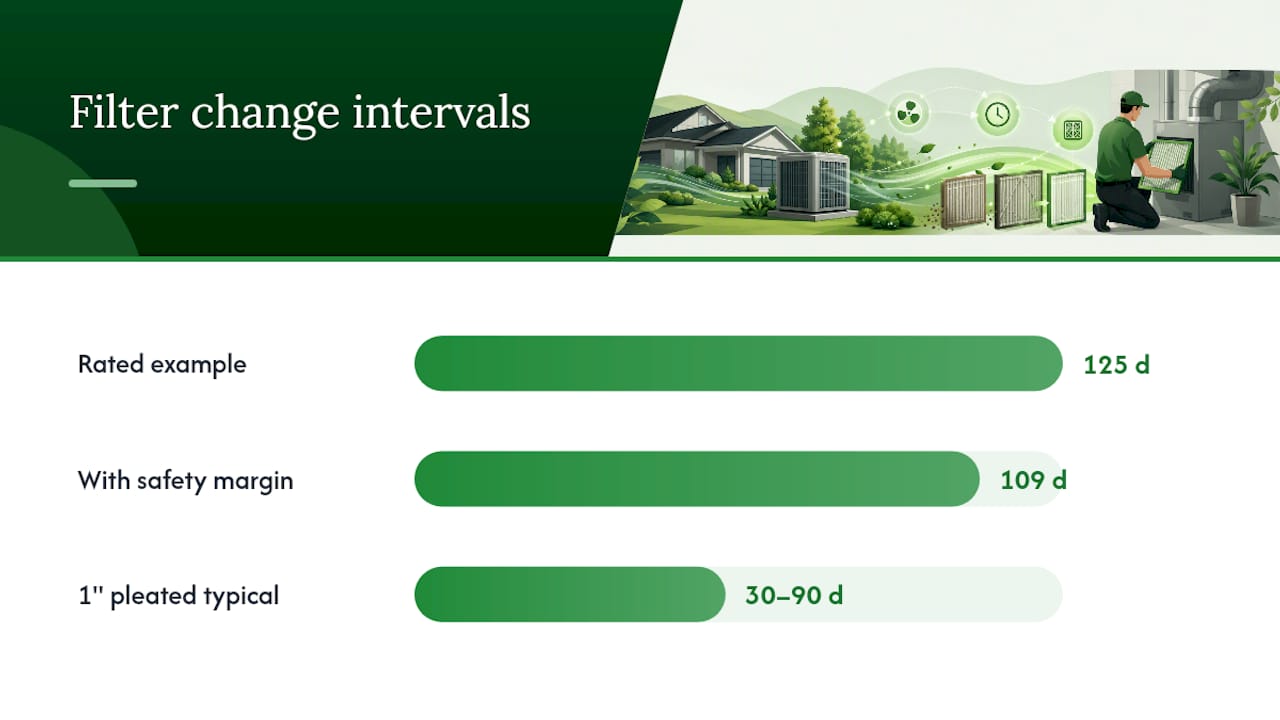
A filter rated for 1,000 hours in a home running the system 8 hours a day gives you a base interval of 125 days. Divide that by a 1.15 safety margin and you land closer to 109 days, roughly three and a half months. That's consistent with typical guidance, since 1 inch pleated filters usually need changing every 30 to 90 days while thicker 4 to 5 inch media filters can run 6 to 12 months depending on the home.
Pets, wildfire smoke, and renovation dust all shrink that number fast. If any of those apply, cut your calculated interval by a third and check the filter visually rather than trusting the math alone.
Why Centralized Reminders Save Owners Real Money
Ad hoc reminders fail in small property portfolios for a predictable reason: they live in one person's head, one phone, or one sticky note, and none of those survive a change in schedule, a new tenant relationship, or a busy month. I've seen the same failure mode repeat itself across owner after owner: the filter reminder gets set once, then quietly forgotten the first time life gets in the way.
The operational payoff of getting this right is bigger than most owners expect. A system that stays on schedule runs more efficiently, which shows up directly on utility bills, and it means fewer emergency HVAC calls from a system straining against a clogged filter. Documented maintenance also matters at resale or for insurance claims, since a buyer or adjuster who sees a logged history of filter changes reads it as evidence the whole system was cared for, not just the filter.
Owners managing two or three properties feel this hardest. One missed reminder on one property is annoying. Three missed reminders across three properties, discovered only when a tenant complains about weak airflow, is expensive.
— Francisco
Set It Once, See It Everywhere With Property Command Center
Juggling separate thermostat apps, sticky notes, and vendor contact lists across two or more properties is exactly the coordination gap that causes missed filter changes in the first place. Mypropertycommandcenter fixes that by putting every property's maintenance schedule, recurring reminders, and vendor contacts in a single dashboard instead of scattered across apps and inboxes.

The platform centralizes maintenance schedules and recurring reminders so a filter due date on your vacation rental shows up in the same place as the one on your primary home, alongside a vendor directory for the HVAC contractor you'd call if something goes wrong. A document vault stores warranties and manuals, so you're not digging through email when a filter spec or system manual goes missing. This setup fits owners with two or more properties and vacation rental hosts best, since that's where scattered reminders cause the most damage.
Mypropertycommandcenter offers two plans, Starter at $19 per month and Pro at $49 per month, with a 14 day free trial and no credit card required to start. If HVAC filter reminders are the one task that keeps slipping through the cracks across your properties, start the free trial and set your first reminder today.
Tools and Resources for Setting Up Filter Reminders
A few outside resources are worth bookmarking alongside whatever reminder system you choose:
- Google Home / Nest filter reminder settings walk through enabling and resetting runtime-based reminders on a smart thermostat.
- The Filter Change Interval Calculator from MFG Calcs converts rated filter hours into a safe calendar interval.
- The CalcBold filter replacement calculator generates a specific next-replacement date from filter type, install date, and usage.
- Rememberthefilter sends a single no-subscription reminder each cycle with filter specs and reorder links.
Sources
- Air filters and filter reminders - Google Home and Nest Help
- Filtrete™ Smart App Reminders for Any Air Filter
- Filter Change Interval Calculator | MFG Calcs
- How often should you actually change your filter? · Filtermap
- Filter Change Reminder
FAQ
How Can You Tell If an HVAC Filter Needs Changing?
Hold it up to a light. If you can't see light passing through the pleats, it's overdue. Other signs include weaker airflow from vents, dustier surfaces than usual, and a musty smell when the system kicks on.
Why Is My Thermostat Showing a Filter Warning?
Your thermostat tracked enough system runtime hours to hit its estimated filter life and triggered an alert. Check the filter visually before assuming it's accurate, since runtime estimates can run ahead of or behind the filter's actual condition depending on how extreme the recent weather has been.
How Often Should HVAC Filters Really Be Changed?
It depends on filter depth: standard 1 inch pleated filters typically need changing every 30 to 90 days, while thicker 4 to 5 inch media filters can last 6 to 12 months. Pets, allergies, smoke, and renovation dust all shorten those windows.
Can You Run an HVAC System Without a Filter for a Day?
Running the system with no filter at all, even briefly, lets dust and debris hit the coils and blower directly, which can cause damage that costs far more than a filter. If you're between filters, it's safer to leave the system off until the new one is in place.
Can Property Command Center Help Manage Filter Reminders Across Multiple Homes?
Yes. Mypropertycommandcenter centralizes maintenance schedules and recurring reminders for every property in one dashboard, so filter due dates for a vacation rental and a primary home show up in the same place instead of scattered across separate apps.