
For individual homeowners, families, and vacation-home hosts who need to track maintenance, tasks, vendors, and documents across multiple properties, Mypropertycommandcenter is the recommended pick. It consolidates everything into one clean dashboard without the tenant-screening menus, rent-collection workflows, or accounting complexity that most "property management" platforms push on you.
Start the 14-day free trial with no credit card required. Within 24 hours, add your properties, upload one key document per home (insurance policy or appliance warranty), and set your first recurring maintenance reminder. That single setup session is enough to feel the difference.
"The biggest hurdle is moving owners from passive storage to proactive management. Automated reminders turn forgotten maintenance into easy check-offs." — Elizabeth Dodson, co-founder of HomeZada
Realtor.com's My Home dashboard now serves 87 million homeowners, a clear signal that the market has moved: owners want a single place to see their properties, not five different apps. Home management software reduces missed maintenance and cost overruns by automating reminders and consolidating data, which is exactly where most scattered spreadsheet systems fail.
Pro Tip: Set up recurring maintenance reminders before you do anything else. That one step pays for the subscription faster than any other feature.
Table of Contents
- What does "landlord software" actually mean here?
- How do you choose the right landlord dashboard?
- What does a good landlord dashboard actually do?
- How Mypropertycommandcenter meets these needs
- A 7-step setup plan to go from chaos to a working dashboard
- Key Takeaways
- Why simple dashboards matter more than owners expect
- Try Mypropertycommandcenter with a 14-day free trial
- Useful sources
What does "landlord software" actually mean here?
Most search results for "best landlord software" return platforms built for professional property managers: tenant screening, rent collection, lease generation, and accounting ledgers. That is a different product for a different audience.
This article covers property-organization and dashboard software for individual owners. The core job is simple: keep maintenance schedules, vendor contacts, task lists, and key documents organized across multiple homes. No tenant portals. No rent rolls. No enterprise pricing.
What this article explicitly excludes:
- Tenant screening and background checks
- Rent collection and payment processing
- Lease management and e-signature workflows
- Accounting and tax reporting for property managers
- Enterprise multi-unit platforms built for agencies
Why does the scope matter? Owners who pick a platform built for professional managers end up paying for features they will never use, spending weeks on setup, and abandoning the tool within a month. The best property management software for owners looks very different from what a 500-unit portfolio manager needs.
How do you choose the right landlord dashboard?
The buying decision comes down to three tiers: must-have, nice-to-have, and avoid.
Must-have features:
- Automated maintenance reminders (recurring, per property)
- Multi-property overview on a single dashboard
- Vendor and contact directory
- Document vault for warranties, manuals, and insurance
- Mobile access with push notifications
- Data backups and encryption
Nice-to-have:
- Calendar and email integrations
- Compliance and expiry tracking for licenses and COIs
- Basic renovation or project tracking
- OTA calendar sync for short-term rental hosts
Red flags — walk away if you see these:
- No free trial or requires a credit card upfront
- Onboarding takes longer than a week to get basic value
- The main menu leads with tenant or rent features
- No mobile push notifications
- No data export or backup option
Questions to ask during any trial:
- How quickly can I import or add property data?
- Can I set recurring maintenance reminders per individual property?
- Where are my documents stored, and are backups automatic?
- Does the mobile app support push notifications for task reminders?
- Can I add vendors and link them to specific properties or tasks?
Pro Tip: During your trial, time how long it takes to add one property, one vendor, and one recurring reminder. If it takes more than 20 minutes, the interface is too complex for daily use.
Hosts scaling beyond two or three properties should also ask specifically about calendar sync and turnover scheduling, since those are the first operational gaps that cause double bookings and missed cleanings.
What does a good landlord dashboard actually do?
Here is a feature-by-feature breakdown of what well-built property-organization software delivers, and what to confirm during your trial:
| Feature | What to look for | Why it matters |
|---|---|---|
| Maintenance scheduling | Recurring reminders per property, customizable frequency | Prevents missed HVAC filters, inspections, and seasonal tasks |
| Multi-property dashboard | Single-screen overview of all properties and open tasks | Saves time switching between homes or spreadsheets |
| Vendor directory | Searchable contacts linked to properties and past jobs | Eliminates the "who did the plumbing last time?" problem |
| Document vault | Secure upload for warranties, manuals, insurance, deeds | One place to find any document in under 60 seconds |
| Task management | Create, assign, and track tasks with status updates | Keeps repairs and projects from falling through the cracks |
| Mobile access | iOS and Android app with push notifications | Lets you manage from anywhere, not just a desktop |
| Calendar integration | Sync with Google Calendar or iCal | Keeps maintenance dates visible in your existing workflow |
| Compliance/expiry tracking | Alerts for license renewals, COI expirations, inspections | Centralized deadline tracking prevents costly missed dates |
| Data security | Encrypted storage, automatic backups, data export | Protects documents and lets you leave if you ever need to |
| Scalability | Add properties without a major price jump | Grows with your portfolio without forcing a platform switch |
Centralizing vendor relationships, warranties, and inventory into a single system lets automation surface expiring warranties and recurring service patterns you would otherwise miss. For vacation-home hosts, calendar sync and turnover scheduling are non-negotiable once you manage more than two units. Without correct unit mapping, automated messages and access codes go to the wrong property.
Short-term rental hosts should also check short-term rental compliance requirements for their specific markets, since license and permit expiry tracking belongs in the same dashboard.
How Mypropertycommandcenter meets these needs
Mypropertycommandcenter is built specifically for the owner-operator audience: individual homeowners, families with multiple homes, and vacation-rental hosts who want clarity without complexity.
The multi-property dashboard shows every home's status, open tasks, and upcoming maintenance on one screen. The vendor directory stores contacts linked to specific properties and past jobs, so finding the right contractor takes seconds. The document vault handles warranties, manuals, insurance policies, and inspection reports. Task and maintenance scheduling supports recurring reminders so seasonal upkeep runs on autopilot.
Pricing snapshot:
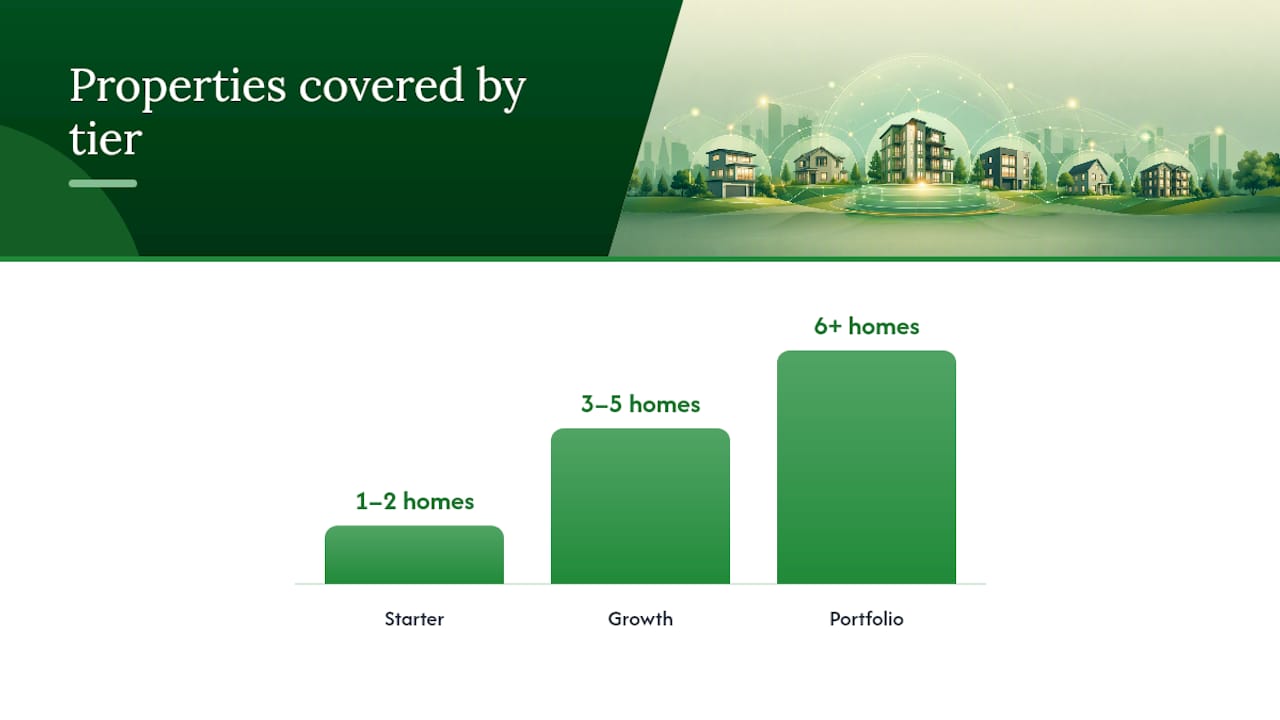
| Plan tier | Properties covered | Free trial |
|---|---|---|
| Starter | 1–2 properties | 14 days, no credit card |
| Growth | 3–5 properties | 14 days, no credit card |
| Portfolio | 6+ properties | 14 days, no credit card |
Full pricing details are on the Pricing page. Every tier starts with the same 14-day free trial, no credit card required.
Onboarding timeline: Most owners reach their first "aha" moment within 24 hours. Adding properties and uploading three key documents takes under an hour. Setting recurring maintenance reminders takes another 15 minutes. By day three, the dashboard reflects a real picture of your portfolio.
Pro Tip: Start with your highest-maintenance property first. Getting that one organized in the first session makes the value obvious before you spend time on the others.
A 7-step setup plan to go from chaos to a working dashboard
Follow these steps during your free trial to get real value before day three:
- Set recurring maintenance reminders (15 min) — HVAC filter changes, gutter cleaning, and smoke detector checks are the highest-value starting points. See the water heater maintenance guide for a practical checklist example.
- Configure your alert preferences (5 min) — Turn on push notifications for task due dates and maintenance reminders.
30-day goal: All properties added, vendor directory complete, recurring reminders active. 60-day goal: Document vault populated with warranties and insurance for every home. 90-day goal: Zero missed maintenance tasks; all compliance dates tracked.
Pro Tip: Avoid over-customizing in the first week. Get the basics running first. Owners who try to build a perfect system on day one usually quit before they get value.
Common pitfall: skipping vendor consolidation. Owners who add properties but leave the vendor directory empty end up back in their contacts app within a week, which defeats the purpose.
Key Takeaways
The best landlord software for individual owners is a simple multi-property dashboard, and Mypropertycommandcenter delivers that without the complexity of tenant-focused platforms.
| Point | Details |
|---|---|
| Scope matters | Choose software built for owner-operators, not professional property managers with tenant/rent features. |
| Three must-haves | Confirm automated reminders, a vendor directory, and a document vault before committing to any platform. |
| Fast time to value | Most owners see clear value within 24 hours using the 7-step setup plan above. |
| Compliance tracking | Centralized expiry tracking for licenses and COIs prevents missed deadlines across multiple properties. |
| Mypropertycommandcenter | Offers a 14-day free trial (no credit card) with tiered plans by property count for owners and families. |
Why simple dashboards matter more than owners expect
The conventional wisdom says landlord software is for professional managers. That framing has pushed individual owners toward tools that are genuinely wrong for them: platforms loaded with tenant portals, accounting ledgers, and lease workflows that an owner of two vacation homes will never touch.
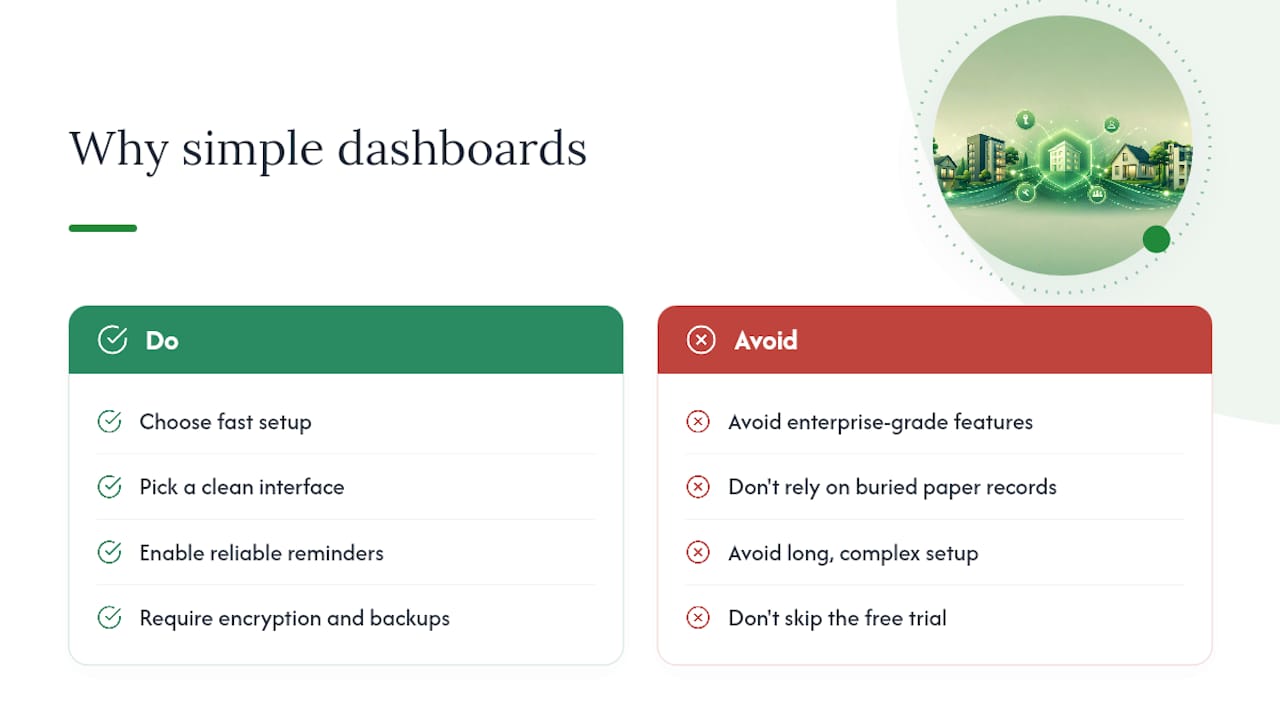
The real problem most owners face is not complexity. It is scattered information: a warranty in a drawer, a vendor's number in a text thread, a maintenance reminder that never got set. The "cost of chaos" from missed maintenance and emergency repairs typically outweighs an annual software subscription within the first year, as practitioners consistently observe. A simple dashboard does not need to be sophisticated to solve that. It needs to be used. That means fast setup, a clean interface, and reminders that actually fire.
Data security and onboarding support matter too. Mypropertycommandcenter stores documents with encryption and automatic backups, so your insurance policies and inspection reports are not sitting in an unprotected folder. And the 14-day trial gives you enough time to test the full workflow before spending a dollar.
Try Mypropertycommandcenter with a 14-day free trial
Managing three homes from a single dashboard, with every vendor contact, maintenance reminder, and warranty document in one place, is exactly what Mypropertycommandcenter was built for.
The 14-day free trial requires no credit card. Plans are tiered by property count, so you pay for what you actually manage. Start on the onboarding page, add your first property in under 10 minutes, and follow the 7-step setup plan above to get a working dashboard before the week is out.

Visit the Pricing page to see which tier fits your portfolio, or go straight to Properties to start adding your homes now.
Useful sources
The following sources informed this article and offer additional context on home management software, owner dashboards, and multi-property operations:
- As Home Renovation Costs Rise, Software Helps Homeowners Stay on Budget — Property Innovation Journal
- Realtor.com gives America’s 87 million homeowners a smarter way to manage their most valuable asset
- Your Home Is a $500K Asset — Stop Managing It Like a Minor Task
- Managing Multi-Unit Vacation Properties: Challenges and Solutions | Hostfully
- How to Manage Multiple Vacation Rentals without Losing Your Sanity | Outkeepr Blog