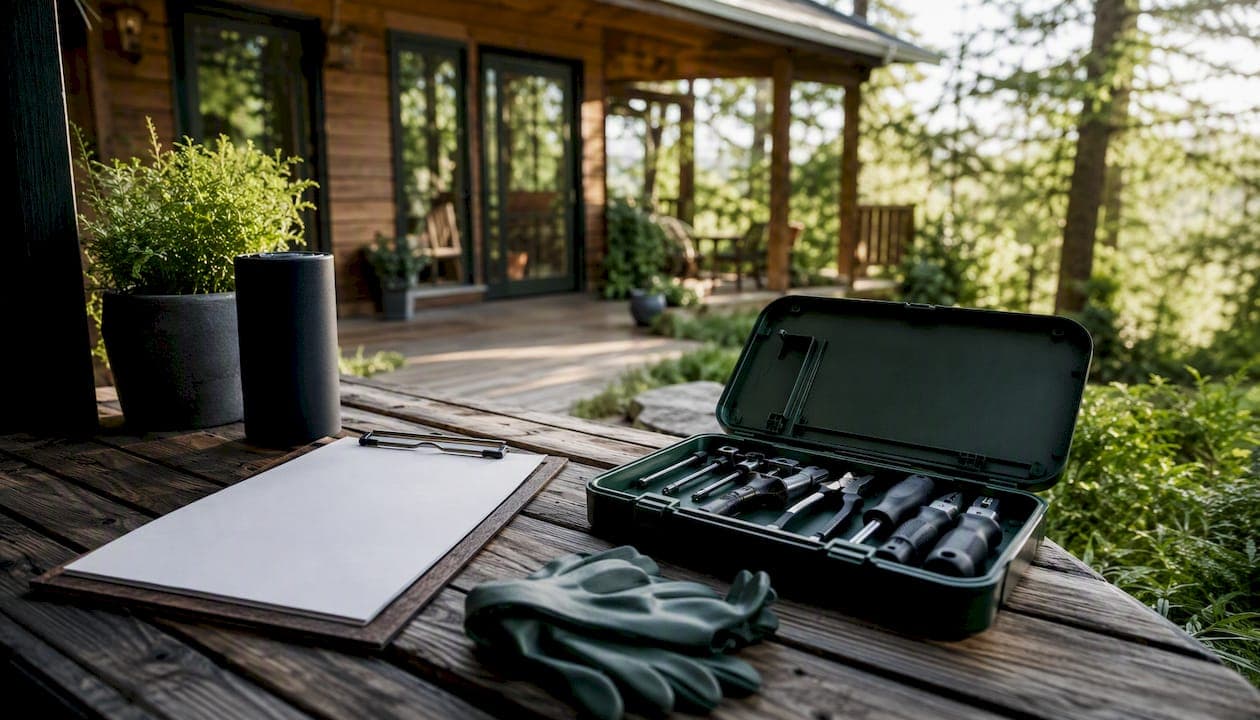
A solid vacation home checklist covers eight areas: per-turnover cleaning and staging, monthly and seasonal maintenance, vendor contacts and SLAs, inventory par levels, document storage, remote inspections, access and emergency protocols, and automation. Below is the one-page version you can print and use today, followed by deeper guidance on each area.
Your one-page quick-check (print this):
Per turnover (every checkout):
- Cleaner completes room-by-room checklist and submits photos
- Confirm smoke/CO detector function, Wi-Fi signal, and thermostat setting
- Restock consumables to par (TP, paper towels, soap, coffee starter)
- Check appliances: dishwasher, HVAC filter, garbage disposal
- Lock test on all entry points; confirm smart lock code reset
Monthly:
- Review maintenance log for open items
- Inspect HVAC filter and replace if needed
- Test smoke, CO, and fire extinguisher indicators
- Confirm vendor invoices match pre-authorized spend limits
Seasonal (Spring/Fall):
- HVAC service, gutter cleaning, exterior inspection
- Pest control walkthrough
- Water heater flush and water heater maintenance check
- Update insurance and permit files in document vault
Annual:
- Licensed electrician inspection (see rental property electrical inspection guidance for checklist items)
- Roof, plumbing, and structural review by licensed pros
- Full inventory audit and appliance warranty review
- Refresh emergency contact list and guest welcome materials
Always on file:
- Insurance policy + COI for every active contractor
- Appliance warranties, manuals, permit numbers
- Vendor directory with response-time SLAs
- Dated photo inspection log per property
Key Takeaways
A complete vacation home maintenance checklist assigns every task to a cadence (per-turnover, monthly, seasonal, annual) and an owner, so nothing waits until it breaks and no turnover catches you unprepared.
| Point | Details |
|---|---|
| Per-turnover checks are your best defense | Cleaner photo confirmation after every checkout catches most issues before the next guest arrives. |
| Reactive maintenance costs more | Emergency call-outs, refunds, and blocked nights are avoidable with a scheduled cadence and pre-vetted vendors. |
| Vendor bench before you need it | Keep a minimum of six vendor types on file with pre-authorized $300 spend limits and current insurance. |
| Document vault saves time and money | Store insurance, warranties, permits, and a dated maintenance log per property for faster claims and cleaner handoffs. |
| Mypropertycommandcenter centralizes it all | The platform consolidates maintenance schedules, vendor contacts, task reminders, and documents in one dashboard for multi-home owners. |
Table of Contents
- 1. Your vacation home checklist starts with a maintenance schedule
- 2. How to run a guest-turnover checklist that actually holds up
- 3. Building a vendor list that handles emergencies without you
- 4. Setting inventory par levels so turnovers never run short
- 5. What to keep in your document vault and for how long
- 6. How to inspect your property reliably from a distance
- 7. Access options and what to do when something goes wrong
- 8. How to centralize your checklist and stop relying on memory
- 9. Ready-to-use templates you can copy today
- The part most multi-home owners get wrong
- Mypropertycommandcenter brings all of this into one dashboard
- Sources
1. Your vacation home checklist starts with a maintenance schedule
Reactive maintenance is the most expensive way to run a vacation property. Emergency call-outs, partial refunds, and blocked calendar nights add up fast, and they almost always trace back to a skipped inspection. A cadence-driven maintenance program assigns every task to a frequency and an owner, so nothing waits until it breaks.
| Cadence | Core tasks | Who owns it |
|---|---|---|
| Per turnover | Appliance check, detector test, consumable restock, photo confirm | Cleaner |
| Monthly | Filter swap, log review, invoice reconciliation | Owner or handyman |
| Seasonal | HVAC service, gutter clean, pest control, exterior check | Handyman or licensed vendor |
| Annual | Electrical, roof, plumbing, water heater, full inventory audit | Licensed professionals |
Book licensed-pro visits during the off-season when schedules are open and rates are lower. Snowbird home owners especially benefit from locking in HVAC and plumbing inspections in October before the winter rush.
Pro Tip: Tie per-turnover inspections to your cleaner's photo-confirm workflow. When photos are required before the cleaner clocks out, you get visual proof of condition after every single stay without making an extra trip.
2. How to run a guest-turnover checklist that actually holds up
The two-minute walk-through after every checkout is the highest-value inspection in your entire program because it happens every time and costs no extra travel. Fold it into the cleaner's standard routine.
Room-by-room turnover sequence:
- Entry: test smart lock, confirm backup key is secured
- Living room: check furniture placement, remote batteries, TV function
- Kitchen: run dishwasher cycle, wipe surfaces, check fridge temp, restock starter supplies
- Bathrooms: restock TP and toiletries to par, inspect grout and caulk for mold
- Bedrooms: laundry confirmed clean and staged, check under beds and in closets for left items
- Outdoor areas: clear debris, check furniture condition, confirm grill is clean and propane full
- Whole-home: confirm thermostat setting, Wi-Fi signal, all lights functional
- Final: cleaner submits timestamped photos of each room before leaving
Cleaner brief template (copy into your PMS or messaging tool):
Property: [Name] | Check-in: [Date/Time] Complete room checklist above. Submit photos of kitchen, each bathroom, and main living area before departure. Flag any damage, missing items, or maintenance needs in the notes field. Restock from the supply closet per the par-level sheet posted inside the cabinet door.
Automated cleaner scheduling with photo confirmation removes the need for owners to verify every turnover in person, which is the only way multi-home management stays manageable.
3. Building a vendor list that handles emergencies without you
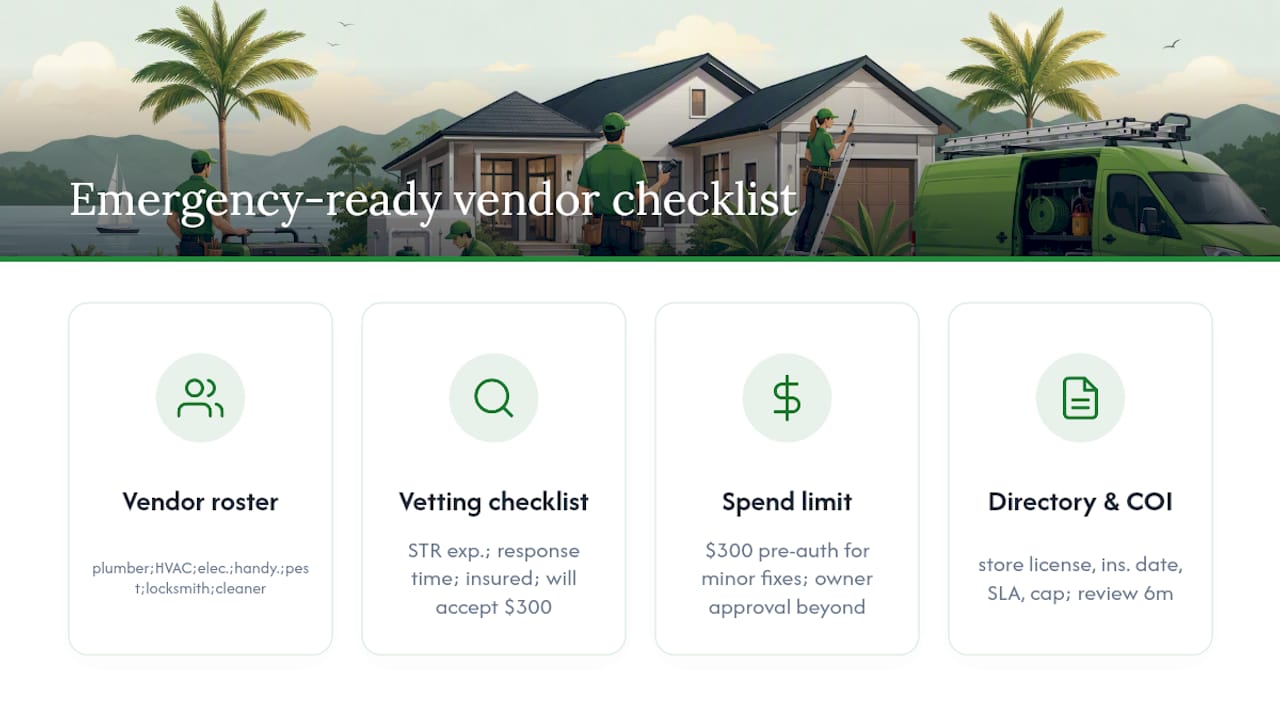
Your minimum vendor roster: plumber, HVAC technician, licensed electrician, handyman, pest control, locksmith, and a backup cleaner. Every one of those slots needs to be filled before you need them, not during a burst pipe at 11 PM.
Vet each vendor with four questions: Do you have STR experience? What is your typical response time for emergencies? Are you fully insured? Will you accept a pre-authorized spend limit of $300 without calling me first?
That $300 pre-authorization threshold is the practical sweet spot for most single-family vacation rentals. It covers a minor plumbing fix or a lock replacement without requiring owner approval, while keeping larger decisions in your hands. Defining vendor SLAs and spend limits upfront turns maintenance from a crisis into a process.
Pro Tip: A single local cleaner who can provide same-day turns and vendor referrals offers the highest operational return for remote owners. Treat that person as your on-the-ground partner, not just a cleaning contractor.
Store every vendor in a centralized vendor directory with their license number, insurance expiration date, response-time SLA, and billing limit. Review it every six months. Vendors retire, move, or let their insurance lapse.
For contractor vetting, keep a contractor certificate of insurance on file for every vendor doing work at your property.
4. Setting inventory par levels so turnovers never run short
Par levels are the minimum quantity of each consumable that must be on-site before a guest checks in. Set them once per property, post the list inside a supply cabinet, and require cleaners to flag anything below threshold.
| Item | Par level | Reorder threshold | Approx. cost |
|---|---|---|---|
| Toilet paper | 12 rolls | 4 rolls | ~$15/12-pack |
| Paper towels | 4 rolls | 1 roll | ~$10/4-pack |
| Dish soap + sponge | 2 bottles | 1 bottle | ~$6 |
| Laundry detergent pods | 20 pods | 8 pods | ~$12 |
| Coffee starter (pods/grounds) | 10 servings | 4 servings | ~$8 |
| Light bulbs (LED, mixed) | 4 bulbs | 2 bulbs | ~$10 |
| AA/AAA batteries | 8 each | 4 each | ~$8 |
| Hand soap (each bathroom) | 2 bottles | 1 bottle | ~$7 |
Replenishment works best as a three-layer system:
- Cleaner flags low items in the turnover report after each stay
- Owner or property manager places a monthly bulk restock order (Amazon Subscribe & Save works well for high-volume properties)
- Seasonal audit catches anything the per-turnover system missed
Track consumable costs per property monthly. Over a year, those numbers tell you whether a property's supply budget is creeping up, which often signals higher occupancy, guest misuse, or a cleaner who is not restocking accurately.
5. What to keep in your document vault and for how long
Every vacation home owner needs five categories of documents on file: insurance policies (property and liability), certificates of insurance for every contractor, appliance warranties and manuals, permit numbers and local STR license documentation, and tax records including rental income and expense receipts.
A dated maintenance log with photos and invoices per property speeds up warranty claims, supports resale, and makes co-host handoffs clean. Keep it in the same folder as the appliance manuals.
Retention guidance: keep tax records for at least seven years per IRS guidance for rental income. Insurance policies stay on file for the life of the property plus three years. Appliance warranties live in the file until the appliance is replaced. Short-term rental compliance documents, including local permits and safety certifications, should be renewed on their official schedule and stored with expiration dates visible.
Pro Tip: Encrypt your document vault folder and limit access to co-owners and your accountant. A shared Google Drive folder with restricted link access works for most owners; a dedicated property management platform with a built-in document vault is cleaner at scale.
6. How to inspect your property reliably from a distance
The goal of a remote inspection is simple: prove property condition and catch small problems before the next guest does. According to AirLift, smart locks and automated messaging can replace most in-person work, but visual verification still requires a human on-site or a structured photo protocol.
Remote inspection sequence:
- After every checkout: cleaner submits timestamped photos (see turnover checklist above)
- Monthly: review photo log for recurring issues (staining, wear, damage patterns)
- Seasonal: request a dedicated walkthrough video from your cleaner or handyman covering exterior, HVAC, water heater, and all appliances
- Annual: licensed-pro visit with written report filed in document vault
Photo log naming convention: [PropertyCode]_[YYYYMMDD]_[Room]_[Issue or "OK"]
Example: LakeCabin_20260415_Kitchen_DishwasherDoorHinge
Folder structure: one folder per property, subfolders by year, then by inspection date.
On sensors: smart leak detectors with auto-shutoff materially reduce catastrophic water damage risk and are worth listing with your insurer as risk-mitigation devices. For any sensor that records audio or video inside the property, US law and most STR platform policies require disclosure to guests before booking. Exterior cameras are generally permitted; interior recording devices are not, with narrow exceptions. When in doubt, disclose.
7. Access options and what to do when something goes wrong
The recommended access policy for remote owners: a keypad smart lock as the primary entry method, a physical lockbox with a backup key stored off-site (with your local cleaner or handyman), and a documented emergency contact sequence.
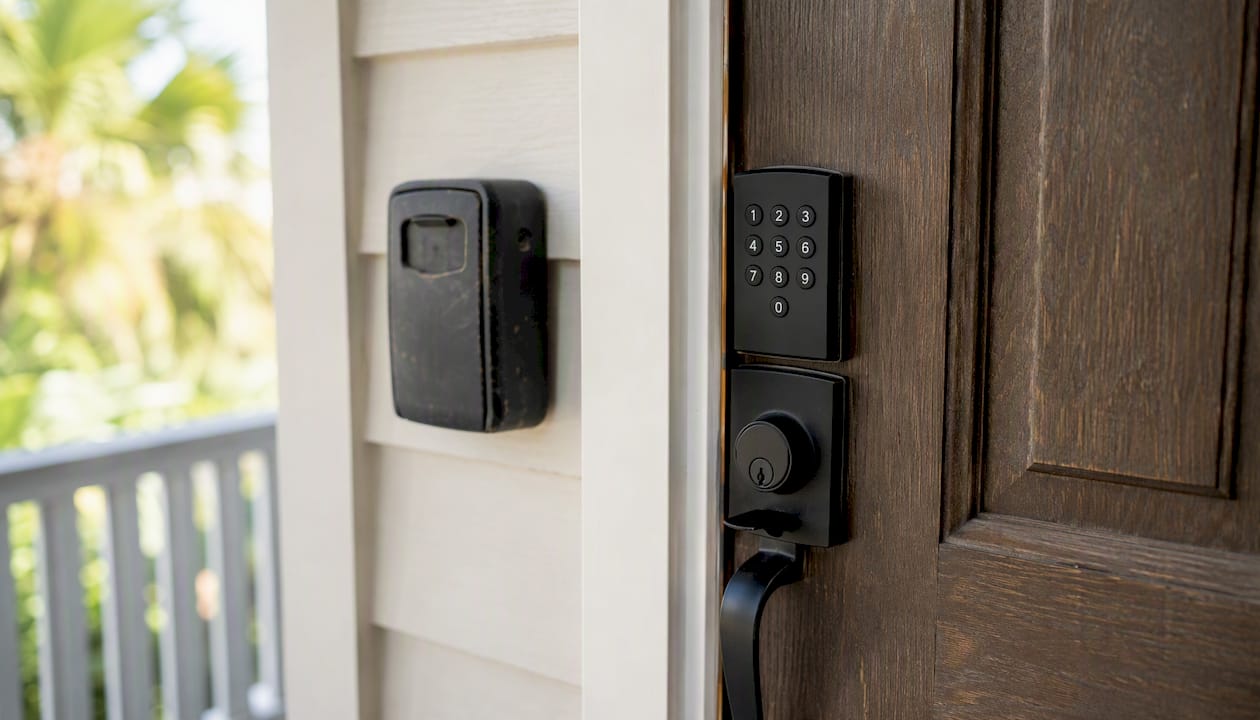
| Access method | Best for | Common failure mode |
|---|---|---|
| Keypad smart lock | Primary guest entry, code rotation per stay | Battery failure, connectivity loss |
| Mechanical lockbox | Backup for vendors and emergencies | Code sharing, physical wear |
| Concierge/co-host access | High-turnover markets, premium properties | Availability gaps, added cost |
Incident-response flow:
- Guest reports issue via messaging platform
- Owner or automated system acknowledges within 15 minutes
- If safety-related: contact emergency vendor immediately, pre-authorized up to $300
- If non-safety: assess via photos, dispatch handyman within 24 hours
- If property is uninhabitable: contact backup accommodation, issue partial or full refund per your policy
- Log incident with date, vendor, cost, and resolution in maintenance record
Keep this sequence in writing and share it with every vendor and co-host. When everyone knows the escalation path, emergencies stop becoming crises.
8. How to centralize your checklist and stop relying on memory
The one-sentence workflow: centralize property records, assign ownership for each cadence, automate reminders, and require photo evidence. According to AirLift, a four-pillar approach covering operations, physical layer, human layer, and decision layer is what separates remote owners who scale from those who stay stuck in reactive mode.
Practical automation steps:
- Set recurring maintenance reminders for every cadence (monthly filter swap, seasonal HVAC service, annual licensed-pro visits)
- Automate guest messaging for check-in instructions, mid-stay check-ins, and checkout reminders (automated messaging handles the majority of guest questions, per AirLift's data)
- Require photo confirmation from cleaners before marking a turnover complete
- Use a unified task list so every open item across all properties is visible in one place
Property management software built for individual owners handles this without the complexity of enterprise platforms. The key feature to look for: a dashboard that shows every property's status, open tasks, and upcoming reminders at a glance.
9. Ready-to-use templates you can copy today
Start with these four:
1. One-page master checklist — the printable version at the top of this article. Save it as a PDF, name it [PropertyName]_MasterChecklist_[Year], and post a printed copy inside each property's supply closet.
2. Cleaner photo-check template — the cleaner brief in Section 2. Paste it into your PMS, your cleaner's messaging thread, or a shared notes app. Update it whenever you add a new appliance or change a par level.
3. Vendor contact sheet — one row per vendor: name, trade, phone, email, license number, insurance expiration, response-time SLA, pre-authorized spend limit. Store in your document vault and your property management platform's vendor directory.
4. Inspection log PDF — columns: date, inspector, property, room/system, condition (OK / Needs Attention / Urgent), photo file name, action taken, cost. One log per property, updated after every inspection.
Pro Tip: Keep a dated folder per property and update templates at the start of each season. A template that still references an appliance you replaced two years ago creates confusion for cleaners and vendors. Version control takes five minutes twice a year.
The part most multi-home owners get wrong
Most owners I talk to spend their energy on the wrong tier. They obsess over the annual licensed-pro inspections, which matter, but those happen once a year. The per-turnover check is where most problems surface and where most owners are completely hands-off.
The cleaner's photo confirmation after every checkout is not a nice administrative touch. It is your primary quality-control mechanism. A dated photo log across 50 turnovers tells you more about a property's condition trajectory than any annual inspection ever will. When a guest complains about a broken drawer or a stained mattress, you either have a photo proving it was fine at checkout, or you do not. That difference determines whether you issue a refund.
The second thing owners underestimate: the vendor bench. Full-service property managers charge 20–40% of gross revenue partly because they bring a vetted vendor network. When you self-manage, that network is your responsibility. One reliable plumber and one reliable HVAC tech, both with pre-authorized spend limits and your property's address already in their system, is worth more than any software tool.
Keep one backup cleaner per market. Your primary cleaner will get sick on a holiday weekend. It will happen.
Mypropertycommandcenter brings all of this into one dashboard
Juggling a master checklist, a vendor directory, a document vault, and a maintenance calendar across multiple properties in separate spreadsheets is where things fall apart. Mypropertycommandcenter consolidates all of it: maintenance schedules with automated task reminders, a vendor directory with SLA tracking, and a document vault for warranties, permits, and insurance policies, all visible from a single dashboard.

Owners managing two or more properties typically spend the first week of onboarding importing their existing checklists and vendor contacts, then let the platform's automated alerts handle the cadence from there. No complex setup, no long-term contract. Start with a 14-day free trial and see how much of your current checklist workflow can run on autopilot.
Sources
- Remote Property Management: 12 Tips to Run Your Vacation Rental From Anywhere | AirLift Blog | AirLift
- Remote Airbnb Management: The Complete 2026 Guide for Short Term Rental Owners | Remote Airbnb Management: The Complete 2026 Guide for Short Term Rental Owners
- Vacation Rental Maintenance Checklist for 2026 | hostAI Blog
- The Vacation Rental Maintenance Checklist That Stops Small Problems Becoming Bad Reviews | GuestIntro Blog
- The Vacation Rental Maintenance Checklist That Makes Upkeep Easier — Rent Live Play