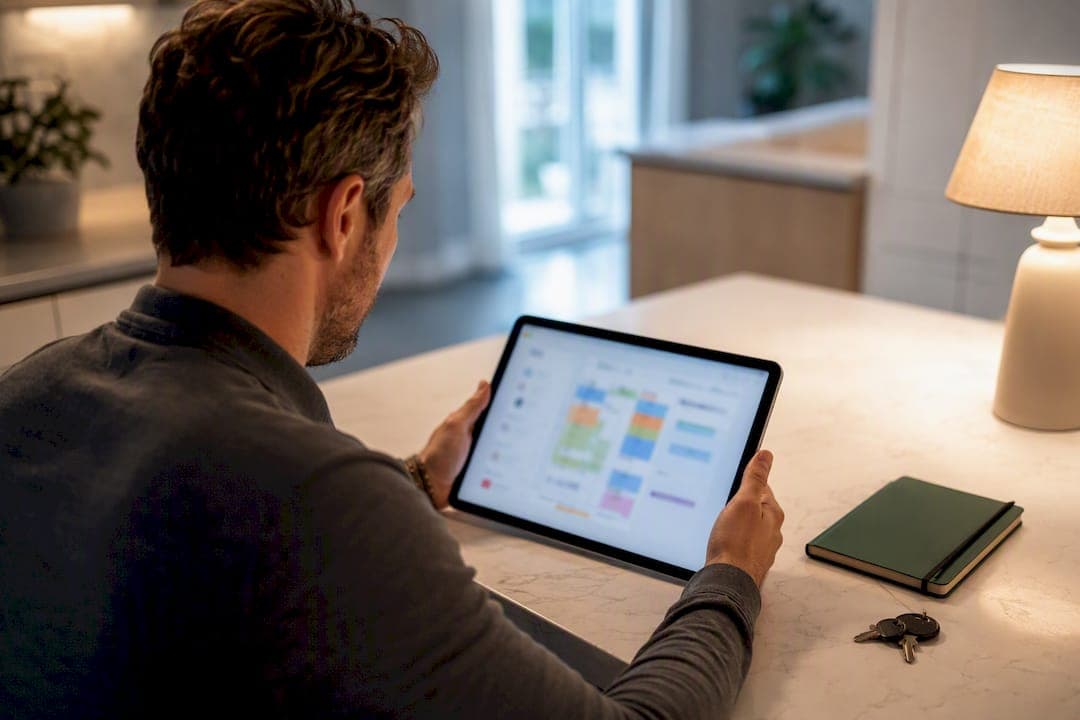
Run every home from one dashboard and four workflows: calendar sync, turnover automation, maintenance triage, and guest messaging. That combination is what stops spreadsheet chaos and 2 AM texts about a broken dishwasher. It works for two properties or six, and consumer tools like Property Command Center now build these exact workflows into a single, non-enterprise dashboard for individual owners.
TL;DR:
- Calendar synchronization should be prioritized, ensuring no double bookings occur, especially when managing three or more properties, to avoid costly errors.
- Implementing standardized workflows for turnovers, maintenance triage by priority, and guest messaging automations can save weekends and prevent service failures.
- Digitizing and organizing key property documents and permits into searchable, tagged folders reduces emergency delays and legal risks.
- Testing a multi-property dashboard for two weeks should focus on task tracking, calendar sync, vendor management, and avoiding enterprise-level pricing traps.
- Role-based access and strong data security are essential for protecting guest information, sensitive documents, and limiting system access to only necessary functions.
Table of Contents
- What Are Multi-Property Workflows, Exactly?
- Dashboard Essentials: What To Set Up Today
- Core Multi-Property Workflows To Build
- Organizing Documents Across Properties: A Weekend Fix
- How To Choose And Test A Dashboard In 7 to 14 Days
- How Property Command Center Supports These Workflows
- Core Recurring Task Cadences You Need To Set
- How Do You Track Tasks And Reminders Across Properties?
- Connecting Your Dashboard To Accounting Tools
- Staying Compliant Across Multiple Jurisdictions
- Adjusting Workflows By Property Type
- Who Gets Access, And What Should They See?
- Keeping Property And Guest Data Secure
- What I'd Automate First, And When I'd Hire Help
- Start The Dashboard: Try Property Command Center
- Sources
What Are Multi-Property Workflows, Exactly?
Multi-property workflows are the repeatable systems an individual owner uses to track tasks, vendors, documents, and guest communication across more than one home, without hiring a property management company or learning enterprise software. That distinction matters because most of what shows up when you search this phrase is built for professional managers running dozens of units, not a family with a lake house and a rental condo. The tools and habits below are scaled for you: two, three, maybe six properties, run by one person or a small household team.
Think of it as replacing three separate mental folders (each property's quirks, deadlines, and contacts) with one shared system. A property management system in this context isn't a $200-a-month enterprise platform. It's a dashboard, a set of workflow automation tools, and four workflows that repeat the same way every week regardless of which house needs attention.
Dashboard Essentials: What To Set Up Today
Before building workflows, your dashboard needs four core views populated correctly. Skipping this step is why most owners abandon a tool within a month, they load one property's data and never finish the rest.
Here's the setup order that actually works:
- Add every property first, even the one you're still renovating. Partial rollouts create blind spots.
- Set the correct time zone for each property. A vacation home three time zones away will scramble your task reminders if this gets skipped.
- Add emergency contacts per property, not one generic list. A plumber in one city is useless for a flood two states away.
- Build default task templates for turnover, seasonal maintenance, and inspections so you're not recreating checklists every time.
- Connect your booking calendars to the portfolio view first, this is your highest-value integration.
- Load your vendor directory by property and by trade (cleaner, HVAC, landscaper, handyman).
- Set buffer days between guest stays before you set anything else in the calendar.
Your four core dashboard views should be: a portfolio calendar showing all properties at once, an action inbox for pending tasks, a vendor contact list, and a document vault. Get calendar sync and buffer days right first. Everything else can wait a week.
Core Multi-Property Workflows To Build
These four workflows are the backbone of any serious approach to real estate workflows for small portfolios. Build them in this order.
Calendar sync comes first because double bookings are the single most expensive mistake an owner can make. A basic iCal export often lags by hours, which is long enough for two guests to book the same weekend. Hosts scaling past two or three properties commonly hit calendar, cleaning, and messaging bottlenecks, and channel managers or direct calendar sync reduce double bookings far more reliably than manual updates. Some sync methods lag enough that a channel manager or direct API connection works better than basic iCal feeds for near real-time availability. Build in buffer days, at least a full day between stays, so a late checkout never collides with an early check-in.
Turnover is where most owners lose their weekends. Automate cleaner assignment by property, require a photo-backed checklist before a listing goes live again, and always have a backup cleaner on file. A standardized turnover checklist with photo quality checks and a backup cleaner is one of the most effective controls for preventing service failures during peak season.
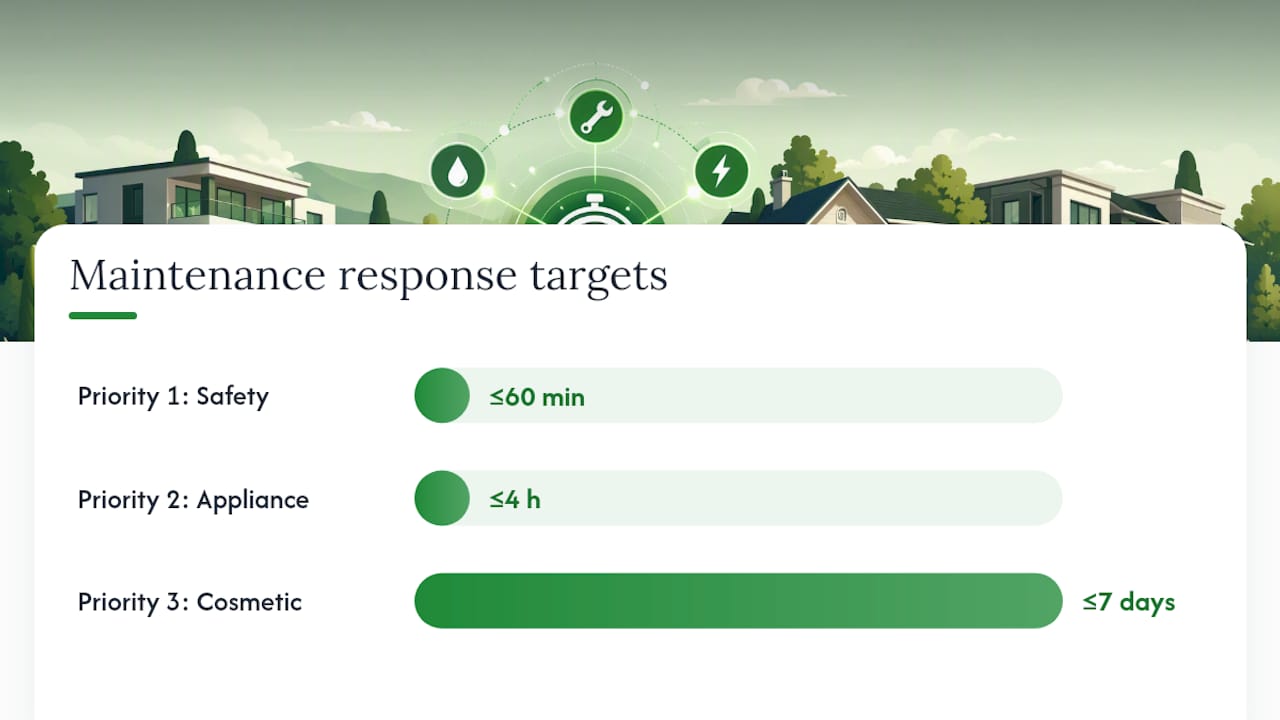
Maintenance needs triage rules, not a single inbox where everything looks equally urgent. Sort every request into three tiers:
- Priority one (safety, lockouts): respond within 60 minutes
- Priority two (appliance failure, no hot water): respond within 4 hours
- Priority three (cosmetic, non-urgent): schedule within the week
Standardized triage categories and response targets cut down on unnecessary escalations and panicked calls at odd hours. Route each tier to a specific vendor automatically, and set an owner-approval threshold (say, anything over $150) so small repairs don't wait on you.
Guest messaging rounds out the four. Build saved responses for check-in instructions, Wi-Fi passwords, and common complaints, then schedule pre-arrival and check-out messages so they send themselves.
Pro Tip: Keep a backup cleaner and a backup handyman on file for every property, not just your primary vendor. The first time your main cleaner cancels on a Saturday during peak season, you'll understand why this rule exists.
Organizing Documents Across Properties: A Weekend Fix
Every owner has a drawer, a folder, or a phone full of warranty cards and permit paperwork that nobody can find when it matters. Fixing this takes one weekend, not a renovation.
Digitize these first, in order of how often you'll need them:
- Appliance warranties and model plates (photograph the sticker, not just the receipt)
- HVAC, water heater, and roof service records
- Permits and inspection certificates
- Insurance policies and declarations pages
Digitizing warranties, serials, and permits while keeping fireproof originals balances quick access with legal protection. Structure your folders by property, then category, then year, and tag files with searchable terms like "furnace" or "roof" so you're not opening ten PDFs to find one.
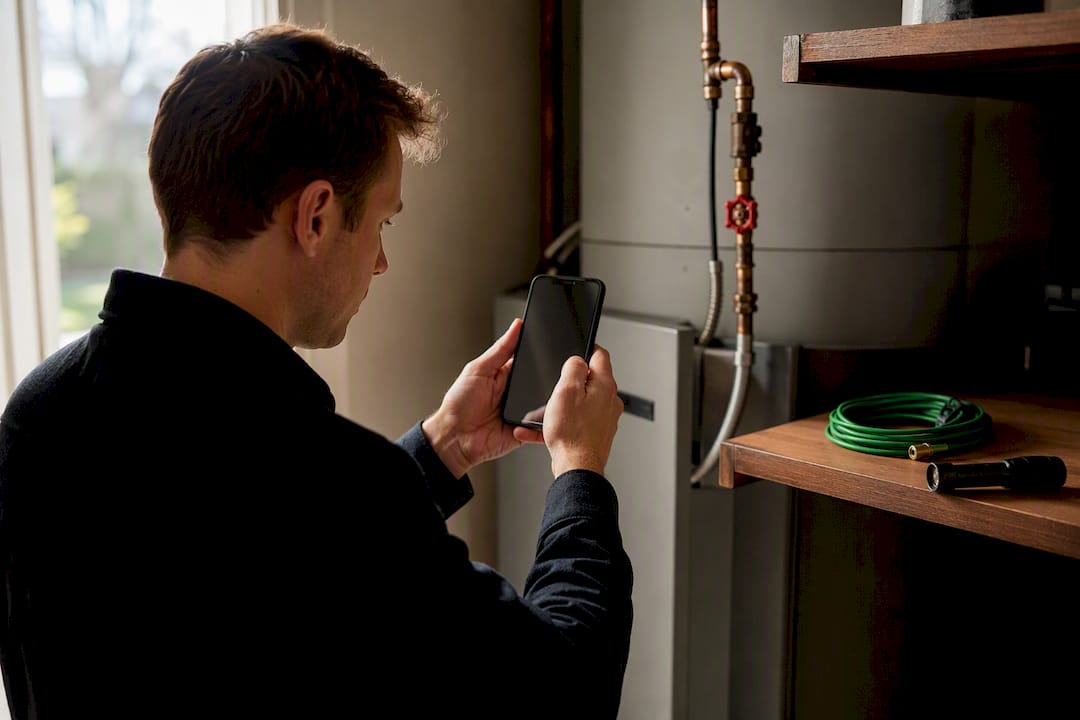
A simple weekend plan works well here: spend roughly 2.5 hours per property photographing shutoffs and model plates, gathering key documents, and uploading everything into tagged folders. Do it once, and you'll never dig through a junk drawer during an emergency again.
How To Choose And Test A Dashboard In 7 to 14 Days
Look for five things before you commit: a true multi-property view (not a single-property tool you're using five times), task and reminder tracking, a vendor directory, a document vault, and a mobile interface you'll actually open on your phone.
Avoid tools built for integrated property management at the enterprise level. If the sign-up flow asks about your leasing office or unit count in the hundreds, it is not built for you. Watch for per-property pricing traps that quietly triple your bill as you add homes, and walk away from anything lacking real calendar sync.
Run a 14-day test with three concrete goals:
- Fewer manual reminders sent to yourself or family
- Cleanings completed on schedule without a follow-up call
- Zero double bookings across all properties
If you're not hitting all three by day 14, the tool isn't right, regardless of how polished the interface looks.
How Property Command Center Supports These Workflows
Property Command Center builds these four workflows into one dashboard rather than five disconnected apps. The platform's vendor directory centralizes contacts by property and trade, so maintenance triage routes to the right person without a text-thread search. Task tracking and reminders live alongside a document vault for warranties, manuals, and insurance records, the same weekend organization plan described above, just with a place to put everything once it's scanned.
The gap between owning three homes and managing three homes well usually comes down to whether your systems live in one place or five.
That's the practical bet behind the product: fewer tabs, fewer sticky notes, one dashboard.
Core Recurring Task Cadences You Need To Set
Structure your task list into five cadences: daily, weekly, monthly, seasonal, and annual. This is the backbone of property management best practices for anyone running more than one home.
Daily tasks are mostly reactive: check guest messages, confirm cleaner arrivals, glance at the maintenance inbox.
Weekly tasks are where you catch problems early: review occupancy and revenue per property, check upcoming turnovers, confirm vendor availability for the coming week.
Monthly tasks include reconciling expenses, checking smoke detector batteries remotely through your local contact, and reviewing guest reviews for patterns.
Seasonal tasks are property-specific: gutter cleaning before fall, HVAC servicing before summer, pipe insulation before winter in colder climates.
Annual tasks cover permit renewals, insurance policy reviews, and a full walkthrough of every property if you can manage the travel.
Effective checklists cover all five cadences and should be reviewed annually to add or drop items as your properties age or your usage changes. A beach house checklist and a condo maintenance checklist look nothing alike, salt air and shared-wall HOA rules create entirely different seasonal demands. Build your cadence around what each property actually needs, not a generic template.
How Do You Track Tasks And Reminders Across Properties?
The mistake most owners make is running task lists that don't say which property they belong to. "Fix the fence" means nothing without a property tag attached, especially once you're juggling more than one address in your head.
Every task needs four fields: property, priority, assigned party (you, a vendor, a family member), and due date. Reminders should escalate if ignored, a task open for three days should notify you again, louder.
Multi-level tasks matter here too. A single turnover might spawn five sub-tasks: cleaning, inspection, restocking supplies, photo documentation, and guest key handoff. Track them as a linked set, not five separate to-dos floating in different apps. A dashboard that shows task dependencies, not just a flat list, saves you from marking a property "ready" when half the sub-tasks are still open.
Set a weekly review habit: fifteen minutes every Sunday to scan overdue items across every property, not per property. That habit alone catches most problems before they become emergencies.
Connecting Your Dashboard To Accounting Tools
Task tracking and financial tracking are different systems, but they need to talk to each other. Every maintenance expense, cleaning payment, and vendor invoice should flow somewhere you can pull an annual report without opening six bank statements.
At minimum, tag every expense by property at the point of entry, not months later during tax season. If your dashboard doesn't support direct accounting integration, export monthly summaries and import them into whatever bookkeeping tool you already use. The goal isn't a fully automated pipeline, most individual owners don't need that level of complexity, it's making sure a $400 HVAC repair on Property A doesn't get lumped into Property B's expense report.
Revenue tracking matters just as much as expenses. Owners who consolidate reporting into a handful of portfolio-level numbers, occupancy, average nightly rate, cleaning cost per turnover, catch underperforming properties earlier than owners tracking dozens of scattered metrics per home. Pick five numbers you'll actually check weekly instead of fifty you'll ignore.
If you're using a short-term rental platform, your payout reports usually export as CSV. That's often the fastest path into a spreadsheet or accounting tool without manual re-entry.
Staying Compliant Across Multiple Jurisdictions
Every property you own might sit under a different set of short-term rental rules, permit requirements, and tax obligations, even within the same state. This is the part of multi-level tasks management that gets skipped until a fine shows up.
Build a compliance folder per property inside your document vault: current permit, registration number, occupancy tax filings, and local ordinance summaries. Set an annual reminder to check whether local rules changed, many cities revise short-term rental ordinances yearly, and a permit that was valid last year might need renewal paperwork you didn't know about.
If your properties span state lines, don't assume insurance, occupancy tax rates, or safety inspection requirements match. A lockbox that's fine in one county might violate a local ordinance in another. This is one area where a quick call to a local real estate attorney or your municipality's licensing office beats guessing, the cost of an hour's consultation is far lower than a fine or forced booking cancellation.
Track renewal dates the same way you track maintenance: tagged by property, with a reminder set 60 days ahead so you're never renewing anything at the last minute.
Adjusting Workflows By Property Type
A single-family vacation rental, a small commercial unit, and a long-term family residence don't run on the same rhythm, even if they share a dashboard.
Vacation rentals need the tightest workflow: fast turnover cycles, guest messaging automation, and calendar sync that can't fail. These properties generate the most task volume per square foot of anything in your portfolio.
Residential family homes, the ones you're not renting out, run on a slower cadence. Seasonal maintenance and annual reviews matter more than daily task tracking, since there's no guest turnover driving the schedule.
Commercial or mixed-use spaces you might own on the side introduce different compliance needs, often different lease structures, insurance requirements, and inspection schedules than residential properties.
The workflow structure stays the same across all three: calendar (if applicable), maintenance triage, vendor routing, and documentation. What changes is frequency and urgency. A vacation rental's maintenance SLA needs to be tighter than a slow-turnover family home, because a broken air conditioner during a paid guest stay is a refund risk, not just an inconvenience.
Don't force every property into an identical checklist. Build a base template, then adjust cadence and urgency per property type.
Who Gets Access, And What Should They See?
Multi-property management often means more than one person touching the dashboard: a spouse, an adult child helping out, a part-time cleaner checking their assignments, or a property manager you've brought in for one specific home.
Role-based access control matters here even for a small operation. A cleaner needs to see their turnover checklist and photo upload requirement, not your financial reports or every property's document vault. A family member helping with one vacation home shouldn't automatically see maintenance records for a property they're not involved with.
Set access at three levels: full owner access (you and maybe a spouse), limited operational access (vendors, part-time help who see only assigned tasks), and view-only access (family members who want visibility without editing rights). This isn't about mistrust, it's about keeping the dashboard clean and reducing accidental changes to shared calendars or checklists.
Collaborative property management works best when everyone touching the system knows exactly what their role covers. If a cleaner marks a turnover complete without uploading the required photo, that's a permissions and workflow gap, not a trust problem, fix the checklist requirement, not the relationship.
Keeping Property And Guest Data Secure
Your dashboard holds guest names, payment references, lease documents, insurance policies, and sometimes lockbox codes. That's a meaningful amount of sensitive information sitting in one place, which is exactly why it needs to be treated carefully.
Use a dashboard that supports two-factor authentication and unique logins for anyone with access, never a shared password passed around by text message. If you're granting a cleaner or vendor limited access, make sure that access can be revoked instantly the day they stop working with you, not weeks later when you remember to update a spreadsheet.
Ask any tool you're considering where data is stored and whether documents in the vault are encrypted at rest. For efficient workflow solutions that touch financial and personal data, this isn't optional diligence, it's the same standard you'd expect from any service holding your banking information.
Guest data deserves the same caution. If your messaging workflow stores past guest phone numbers and emails for saved templates, make sure that data isn't exportable by anyone without owner-level access. A small operation is still a target, breaches don't only happen to large companies.
What I'd Automate First, And When I'd Hire Help
Automate anything that doesn't require a physical presence: messaging, calendar sync, reminders, document filing. Hire out anything that does: cleaning, repairs, inspections.
At three properties, automation earns back the most time relative to effort, this is where a dashboard pays for itself fastest. At five or more, most owners hit a wall automation can't solve: physical presence. That's the point to seriously consider part-time local help, even just a trusted person who can handle a same-day lockbox issue.
The checklist I'd follow scaling from one property to several: automate messaging first, standardize turnover checklists second, build maintenance triage rules third, and only then evaluate whether you need a local contact on the ground. Skipping straight to hiring before the workflows exist just adds a person to a broken system.
— Francisco
Start The Dashboard: Try Property Command Center
Every workflow described above, calendar sync, turnover automation, maintenance triage, and document storage, is what Property Command Center was actually built to run, without the enterprise complexity of tools made for professional management companies.

You can add every property, set up your vendor directory, and start tagging documents inside a single dashboard built specifically for individual owners, not agencies managing hundreds of units. Check the properties setup page to see how the multi-property view works, review pricing plans based on how many homes you're managing, and start your trial this week to run the 14-day test described earlier in this guide. If you've got a specific setup question, the property query page is the fastest way to get a direct answer before you commit.
Sources
- Property Management Checklist (Landlord Maintenance Guide)
- How to Manage Multiple Vacation Rental Listings Without Losing Your Mind | Outkeepr Blog
- How to Manage Multiple Properties: Systems, Software, and Scaling