
Organize warranties by creating an asset-linked document vault inside a property dashboard, then uploading each warranty with key metadata like purchase date, serial number, and expiration. Property Command Center is a purpose-built option for this: it ties every warranty to a specific asset and property so you can pull it up in seconds instead of digging through email or a shoebox. Start today by listing your assets and scanning the paperwork you can find.
TL;DR:
- Organizing warranties by asset, with detailed metadata and consistent naming, improves searchability, traceability, and management across multiple properties.
- Linking warranty records to vendor contacts and maintenance history ensures claims are supported and reduces audit preparation time by up to 90 percent.
- Setting reminders at 90, 30, and 7 days before expiration helps prevent warranties from lapsing unnoticed, and running mock claims annually tests your process.
- Using filters by serial number, vendor, or expiration date enables quick access to warranty documents during repairs or claims, streamlining response times.
- Storing original physical warranties securely in a fireproof safe and verifying registration status upon upload ensures valid coverage and legal defensibility.
Table of Contents
- What Does It Mean to Organize Warranties by Asset?
- How Do You Tag and Link Warranties to Vendors and Assets?
- How to Set Up Reminders So Warranties Never Lapse
- How Do You Pull a Warranty Fast During a Claim or Repair?
- Weekend Migration Checklist for 1 to 10 Properties
- Understanding Different Types of Warranties and Their Coverage
- How to Verify Warranty Validity and Registration
- Best Practices for Storing Physical Warranty Documents Securely
- Guidance on Transferring Warranties When Selling or Buying Assets
- Common Pitfalls and Errors in Warranty Organization to Avoid
- Why Francisco Recommends the Asset-First Approach
- Get Your Warranty Vault Running This Week
- Selected Resources for Deeper Reading
- Sources
What Does It Mean to Organize Warranties by Asset?
Most people who try to organize warranties start with a filing cabinet or a folder named "Warranties" on their laptop. That works fine for one house with a handful of appliances. It falls apart fast once you own a second property, a vacation rental, or a short-term rental with a rotating set of vendors and repairs.
The fix is an asset-first structure instead of a generic property folder. Every appliance, HVAC unit, roof, water heater, or major fixture gets its own record, and the warranty document attaches directly to that record rather than floating in a shared folder where it eventually gets buried under twelve other PDFs.
Here's what that record should carry as metadata:
- Property code (a short identifier like "LAKE01" or "MAIN02")
- Asset type and brand (water heater, Rheem)
- Serial number and model number
- Purchase date and warranty expiration date
- Vendor or installer contact
A workable filename convention looks like this: PropertyCode_AssetType_Serial_YYYYMMDD.pdf. So a water heater warranty at your lake house might be saved as LAKE01_WaterHeater_RH4471_20260214.pdf. It's not elegant, but it's searchable, sortable, and impossible to confuse with a different property's paperwork.
Co-locate related documents in the same asset record: the original invoice, the certificate of insurance if the installer carried one, and any inspection report tied to that unit. When a warranty gets renewed or extended, keep the old version rather than overwriting it. Scanned files should be saved as searchable PDF/A at 300 to 400 DPI so text stays legible and machine-readable for years, not just months.
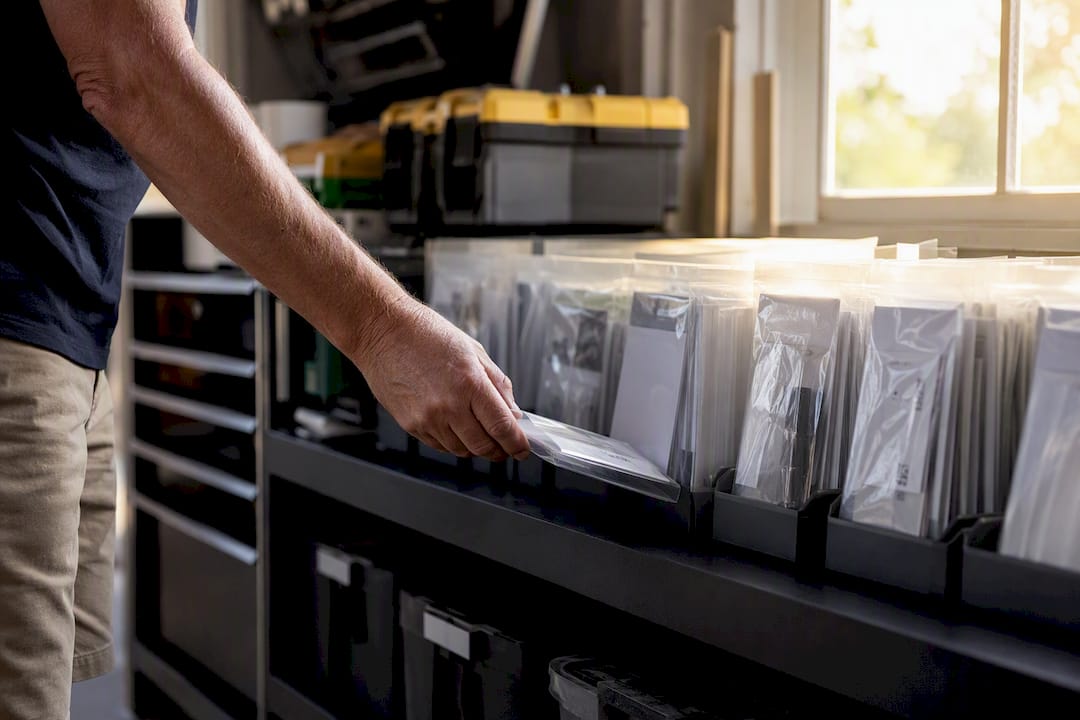
Pro Tip: Scan the manufacturer's registration card too, even if you already registered online. Installers sometimes skip the online step, and a physical registration card is often the only proof you have that a claim window is still open.
How Do You Tag and Link Warranties to Vendors and Assets?
A scanned PDF sitting in a folder is only half the job. The real value shows up when the warranty is searchable by text, not just by filename. Optical character recognition (OCR) extracts serial numbers, coverage terms, and dates directly from the scanned document, turning a static image into a field you can filter and search across your entire portfolio.
Tag each warranty with a short, consistent set of fields:
- Asset type (roof, appliance, HVAC, pool equipment)
- Coverage window (parts only, parts and labor, full replacement)
- Vendor name and contact
- Claim status (active, expired, pending)
Link the record to the vendor's contact profile and to any maintenance history tied to that asset. If your water heater has been serviced twice, the warranty record should show both visits, because a service history often determines whether a manufacturer honors a claim at all.
Digitizing these documents and linking them to specific assets cuts audit preparation time by roughly 90 percent in case studies of property operators who made the switch, largely because nobody has to search five email accounts to find one invoice.
Set permissions carefully. A property manager or co-owner might need full access, while a cleaning vendor for a short-term rental only needs visibility into the assets they service, not your insurance documents or purchase receipts.
How to Set Up Reminders So Warranties Never Lapse
A warranty you forget about is functionally the same as no warranty at all. The system needs to nudge you before deadlines, not after.
- Set reminder triggers at 90, 30, and 7 days before expiration, plus a same-week alert if a claim window is closing.
- Configure the workflow so that opening a claim automatically bundles the required documents: the warranty PDF, the original invoice, and any service history for that asset.
- Assign escalation rules. If a reminder goes unacknowledged after 48 hours, it should notify a second contact, whether that's a spouse, a co-owner, or a property manager.
- Run an annual audit where you spot-check five or six random assets and confirm the warranty data still matches reality.
A mock claim once a year is worth the twenty minutes it takes. Pick one asset, pretend you need to file a claim, and see how long it takes to assemble everything. If it takes more than a couple of minutes, your tagging needs work.
Pro Tip: Run your first mock claim on the asset with the shortest warranty window. If your process can handle that one under pressure, it can handle everything else.
How Do You Pull a Warranty Fast During a Claim or Repair?
When a technician is standing in your kitchen asking whether the dishwasher is still under warranty, you don't have time for a folder-by-folder search. Saved filters solve this: set one up by serial number, one by vendor, and one by expiration date, so a single click surfaces the exact document you need.
For an actual claim, a one-click export should generate a package containing:
- The warranty PDF with proof of purchase
- Timestamped photos of the issue
- Any signed work orders from prior service visits
- A maintenance log entry noting the failure date
Vendors and insurance adjusters both respond better to a bundled, timestamped package than to a loose stack of attachments. The audit-ready framework that governs legally defensible property records calls for four things: timestamped, photographic, linked, and signed. Meet those four and you rarely have to argue about whether a claim is legitimate.
Weekend Migration Checklist for 1 to 10 Properties
Moving from scattered paper and scans into a dashboard doesn't need to eat a month. Here's a plan that fits a weekend for most portfolios.
- Walk each property and list every major asset that carries a warranty: appliances, HVAC, roof, water heater, pool equipment.
- Gather the paperwork you can find in one pass. Don't chase missing documents yet, just flag the gaps.
- Scan in batches by property, applying the naming convention as you go, and attach the minimum metadata (asset type, serial, expiration) at upload.
- Run a retrieval test: search for three random assets and confirm you get instant results.
- Do one mock claim export to confirm the bundle looks right.
- Assign an owner for ongoing upkeep and set a recurring quarterly check.
Start with the property that generates the most maintenance calls. It's usually where the warranty gaps hurt the most, and proving the system there builds confidence in the whole portfolio. Consolidating scattered records this way can save operators several hours a week that used to go into manual reconciliation.
Pro Tip: Migrate your highest-maintenance property first, not your newest one. That's where the workflow gets stress-tested fastest.
Understanding Different Types of Warranties and Their Coverage
Not every warranty behaves the same way, and treating them all as interchangeable is where a lot of owners get burned. A manufacturer's warranty typically covers defects in materials or workmanship for a fixed period, often one to ten years depending on the product, and it's usually the narrowest form of coverage.
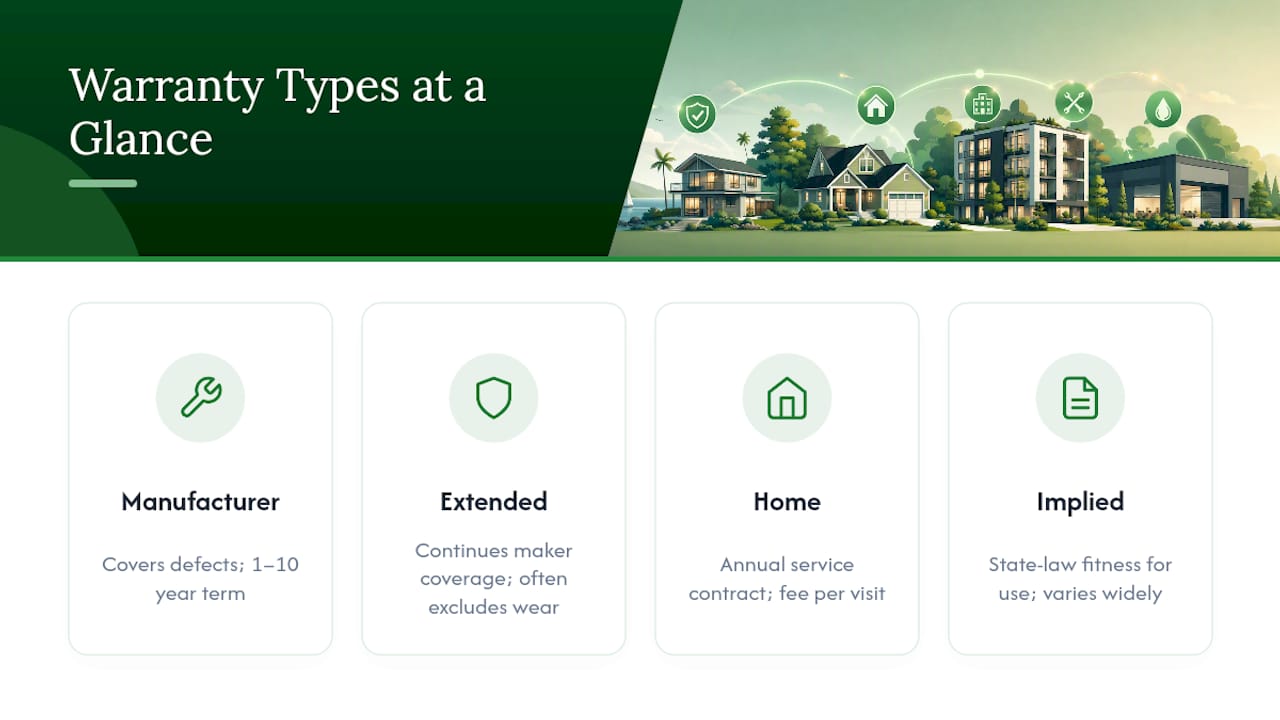
An extended warranty (sometimes sold as a service contract) picks up where the manufacturer's coverage ends, but read the fine print closely, because these often exclude wear-and-tear items or require proof of regular maintenance to stay valid.
A home warranty is a different animal entirely. It's a service contract, usually renewed annually, that covers repair or replacement of major systems and appliances regardless of who made them, in exchange for a service fee per visit. This matters for multi-property owners because a single home warranty plan can sometimes cover multiple systems across one property, while a rental property might carry separate manufacturer warranties for each appliance instead.
Implied warranties also exist under state law in many cases, covering basic fitness for use even without a written document, though these vary widely and rarely apply cleanly to appliances or fixtures. Knowing which category a given document falls into determines what you should even expect it to cover before you file a claim, and mislabeling a home warranty as a manufacturer warranty (or vice versa) in your records is a common source of confusion during an actual repair.
How to Verify Warranty Validity and Registration
A warranty that was never registered, or that lapsed because a previous owner didn't transfer it, is worth exactly nothing when you need it. Verification should happen the moment you upload a document, not the moment you file a claim.
Start with the manufacturer's website or customer service line and confirm the serial number matches an active registration. Most major appliance and HVAC manufacturers maintain a lookup tool for exactly this purpose. If the unit was purchased secondhand or came with the property at closing, check whether the warranty is transferable at all, because some manufacturer warranties explicitly void upon change of ownership unless registered within a specific window, often 30 to 90 days.
Cross-check the purchase date against the install date. Warranties are almost always calculated from purchase or installation, not from when you personally acquired the property, and a gap between those dates can shrink your remaining coverage more than you'd expect.
Keep a note in the asset record of exactly how and when you verified the warranty, including any confirmation number from the manufacturer. That single line of documentation can save you an argument later if a company claims a warranty was never properly registered.
Best Practices for Storing Physical Warranty Documents Securely
Digital storage doesn't eliminate the need for physical originals. Some manufacturers still require the original paper receipt or warranty card for a claim, particularly on higher-value items like roofing systems or built-in appliances.
Keep original paper documents in a fireproof, waterproof document box or safe, ideally at one central location rather than scattered across every property you own. A fire or flood at a vacation home shouldn't wipe out the only copy of a roof warranty for a house three states away.
Label physical folders to mirror your digital naming convention, so a paper file and its digital twin use the same property code and asset identifier. This matters more than it sounds. When you're standing in front of a filing cabinet trying to match a paper warranty to the right digital record, consistent naming turns a ten-minute search into a ten-second one.
Avoid storing originals in a garage, basement, or anywhere with humidity swings. Paper degrades, ink fades, and thermal-printed receipts (common for many retail purchases) can go blank within a couple of years if exposed to heat or sunlight. Photograph or scan those receipts immediately upon purchase rather than waiting, since the physical copy may not survive as long as the warranty period itself.
Guidance on Transferring Warranties When Selling or Buying Assets
Warranty transfer is one of the most overlooked steps in a property sale, and it cuts both ways depending on whether you're buying or selling.
If you're selling a property, gather the transferable warranties for major systems (roof, HVAC, water heater) and include them explicitly in the closing documents rather than assuming the buyer will find them later. A well-organized digital vault makes this almost trivial: export the relevant asset records as a package and hand it over at closing.
If you're buying, ask the seller directly which warranties exist and whether they're transferable, then verify each one independently rather than taking their word for it. Some manufacturers charge a small transfer fee and require notification within a set window after closing, often 30 days, so don't let this slip past the deadline.
For appliances or fixtures you're selling individually, such as pool equipment or a standalone generator, include the original warranty documentation and registration proof with the sale. A buyer who receives a working appliance but no warranty paperwork is effectively buying it as-is, even if coverage technically remains active. Update your own asset records the moment a transfer happens, removing the item from your vault so old warranties don't clutter searches for assets you no longer own.
Common Pitfalls and Errors in Warranty Organization to Avoid
The most common mistake is storing warranties by property instead of by asset, which forces you to open one giant folder and scroll every time you need a single document. The second most common mistake is inconsistent naming. If half your files are named "waterheater.pdf" and the other half follow a structured convention, search becomes unreliable exactly when you need it most.
A few other errors show up repeatedly:
- Forgetting to register a warranty online, then discovering during a claim that the manufacturer has no record of the purchase.
- Losing track of transferable warranties during a property sale, which can leave real coverage unclaimed by either party.
- Storing only the warranty document without the invoice, even though many manufacturers require proof of purchase date to honor a claim.
- Letting service history live somewhere separate from the warranty record, so a technician's prior repair notes never surface when they'd actually strengthen a claim.
- Treating a home warranty and a manufacturer warranty as the same thing, leading to confusion about what's actually covered.
Most of these mistakes share a root cause: warranties treated as static paperwork instead of living records tied to an asset's full history. Fix the structure once, and most of these errors stop happening on their own.
Why Francisco Recommends the Asset-First Approach
Most owners I've watched try to organize warranties fail for the same reason: they treat it as a filing project instead of a system that needs upkeep. A folder gets built once, feels great for three months, then quietly falls apart the moment a new appliance or a second property enters the picture.
The asset-first model works because it scales the same way whether you own one house or ten. Start with your highest-maintenance property, since that's where the payoff shows up fastest and where a broken process gets exposed quickest. A warranty claim tracking system built around specific assets, not generic folders, turns a stressful claim call into a two-minute lookup.
Property Command Center's dashboard was built around this exact logic: consolidating property status, maintenance schedules, vendor contacts, and documents in one place because scattered systems are the actual source of most warranty headaches, not a lack of effort from owners.
— Francisco
Get Your Warranty Vault Running This Week
Property Command Center gives multi-property owners something a spreadsheet or a shared drive never can: a document vault where every warranty is already linked to its asset, tagged, and searchable the moment it's uploaded. Instead of building your own folder structure and hoping it holds up, you get the asset records, reminder schedules, vendor directory, and one-click export bundles already built into the same dashboard where you track maintenance.

Plans scale by number of properties, so a family managing two vacation homes pays differently than someone running a portfolio of eight. Check pricing to see which tier matches your situation, and take advantage of the 14-day free trial with no credit card required. Onboarding walks you through importing existing documents property by property, so migrating a shoebox of paperwork doesn't feel like starting from zero. Visit the onboarding guide and start with your most maintenance-heavy property first.
Selected Resources for Deeper Reading
A few resources go further into the specifics touched on above. The audit-ready documentation framework breaks down the four pillars, timestamped, photographic, linked, and signed, that make property records hold up under legal or insurance scrutiny. For portfolio-level data habits, the vacation rental consolidation guide covers where to start when reconciling scattered systems across several properties.
On the operational side, The Right Way to Store Property Documents for Good walks through naming conventions in more depth, while Insurance Renewal Reminders That Actually Prevent Lapses applies the same reminder logic covered here to insurance policies instead of warranties. For portfolio compliance more broadly, Landlord Compliance's guide for private landlords covers how linked asset documentation supports audit readiness beyond warranties alone.
Sources
- Property Maintenance Audit and Compliance Readiness Guide
- The Audit-Ready Property: A Documentation Framework · DiscoveryMark