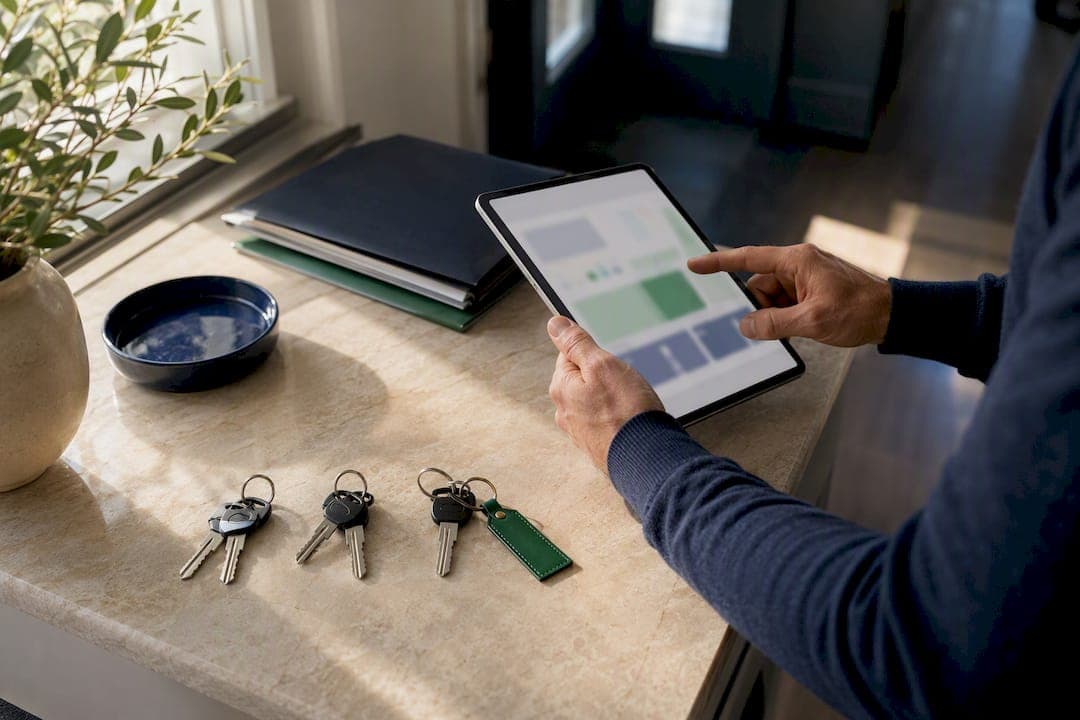
A property information hub is an owner-facing dashboard that consolidates property status, maintenance schedules, vendor contacts, documents, and alerts into one place. It exists to prevent the two most common failures in property ownership: lost work orders and scattered records buried across email threads and sticky notes. For owners juggling more than one home or rental, Property Command Center is built specifically for this job, and it's the tool worth trying first.
TL;DR:
- Most owners can fully set up a centralized property hub within 90 days through a staged process including property inventory, task migration, and vendor pilot testing.
- Key features to focus on are recurring task engines, vendor mobile dispatch, searchable document vaults, and automated reminders that escalate overdue tasks.
- Tracking vendor response times, completion rates, and documenting proof attached to tasks helps prevent maintenance breakdowns in larger portfolios.
- Automating routine checks like overdue tasks and vendor confirmations reduces management effort but manual judgment should remain centralized for cost and scope decisions.
- Affordable plans starting at $19 per month with free trials make centralized systems accessible for small and large property portfolios alike.
Table of Contents
- What does a property information hub actually organize?
- Which features matter most in a property data portal?
- How do you set up a hub across multiple properties in 90 days?
- How do you keep vendor and maintenance workflows from breaking down?
- What do owners actually gain from centralizing this data?
- An editorial take on running a hub without letting it run you
- Get Property Command Center Running on Your Properties
- Sources
- FAQ
What does a property information hub actually organize?
The core idea is simple: every task, document, and vendor record attaches to a specific property, not to a floating to-do list. That distinction matters more than it sounds. When a gutter cleaning task lives inside "123 Oak Street" instead of a generic calendar reminder, you can see instantly which home it belongs to, when it's due, and who handled it last time.
Good hubs separate task templates from task instances. A template says "clean gutters every 6 months." Each instance is the actual occurrence, tracked from assignment to completion. This recurrence logic is what the Vigilus write-up on maintenance tracking identifies as the design choice that prevents repeat failures as a portfolio grows.
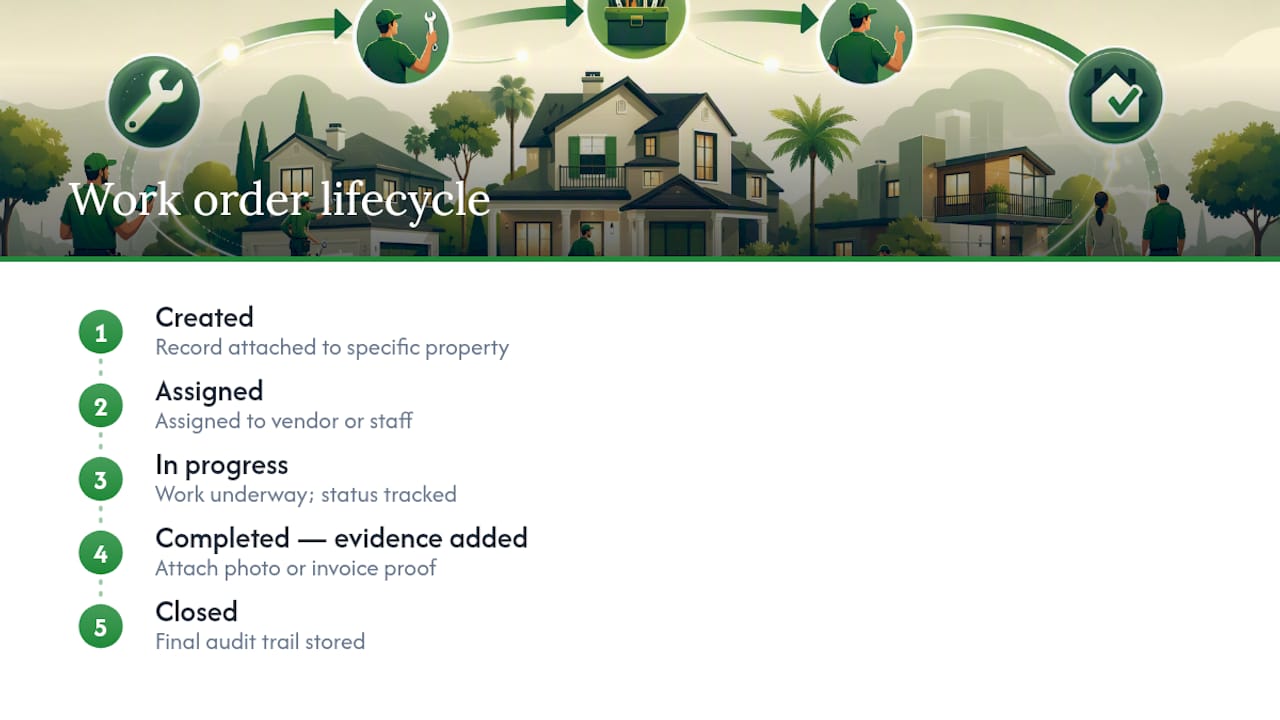
Every work order should move through a lifecycle: created, assigned, in progress, completed with evidence, closed. That evidence, usually a photo or invoice, creates an audit trail you can reference later if a vendor dispute or insurance question comes up. The payoff is a dashboard that answers two questions at a glance: what's due this week, and what's already overdue.
Which features matter most in a property data portal?
Not every feature matters equally. Some are cosmetic. Others are the difference between a system you trust and one you abandon after two months. Focus on these:
- A recurring task engine with property-specific views, so a quarterly HVAC filter change never depends on your memory.
- A vendor directory with mobile dispatch, so plumbers and landscapers get job details on their phones, not through a string of texts.
- A document vault that makes warranties, manuals, and insurance policies searchable by property, not buried in a downloads folder.
- Photo and invoice evidence attached directly to the task that generated them.
- Dashboards and automated reminders that escalate when something slips past its deadline.
Pro Tip: Before adopting any tool, test whether it lets you search "water heater" across every property at once. If it can't, your document vault isn't actually centralized. It's just organized folders with extra steps.
Vendor performance tracking deserves special mention. A hub that logs response times and completion rates for each vendor turns "I think Mike is reliable" into an actual record you can check.
How do you set up a hub across multiple properties in 90 days?
Rolling out a system across three, five, or ten properties at once creates chaos. A staged rollout works better, and it mirrors what larger operators do when they pilot centralization on a small subset before scaling.
- Weeks 1 to 2: Inventory every property. List addresses, key documents, appliance models, and vendor contacts. Create one record per property before anything else.
- Weeks 3 to 6: Build recurring task templates for seasonal and routine maintenance, then migrate any open work orders sitting in email or paper form.
- Weeks 7 to 10: Pilot vendor mobile dispatch and photo documentation on one or two properties. Adjust scopes of work based on what actually happens in the field.
- Weeks 11 to 12: Fine-tune dashboard views, set notification thresholds, and write down your standard operating procedures so the system survives a busy season.
Use this 90-day maintenance plan template as a starting checklist, and a property information sheet to speed up week one.
| Phase | Focus | KPI to watch |
|---|---|---|
| Weeks 1–2 | Property and document inventory | Number of properties fully profiled |
| Weeks 3–6 | Task templates and migration | Open work orders migrated |
| Weeks 7–10 | Vendor pilot | Vendor response time, photo compliance rate |
| Weeks 11–12 | Dashboard tuning | Overdue task count trending down |
How do you keep vendor and maintenance workflows from breaking down?
Portfolios fail quietly at first. What's manageable at two properties becomes unmanageable at ten without structure, a pattern the Streamline research on vacation rental work orders describes as the gap between "salvageable" and "systemic failure." A few rules prevent that slide:
- Assign every task with a clear scope of work, a deadline, and the evidence required to close it out, and require vendor confirmation before marking anything done.
- Capture photos before, during, and after the job, then attach the invoice to the same task record so the whole story lives in one place.
- Track response time, completion rate, and cost per job for each vendor so underperformance shows up in numbers, not just frustration.
- Set automated escalations that notify you when a task passes its deadline without a completion log.
This structure also does something less obvious: it turns your vendor directory into a performance record instead of just a contact list, which matters the next time you're deciding whether to renew a contractor relationship or find someone new.
What do owners actually gain from centralizing this data?
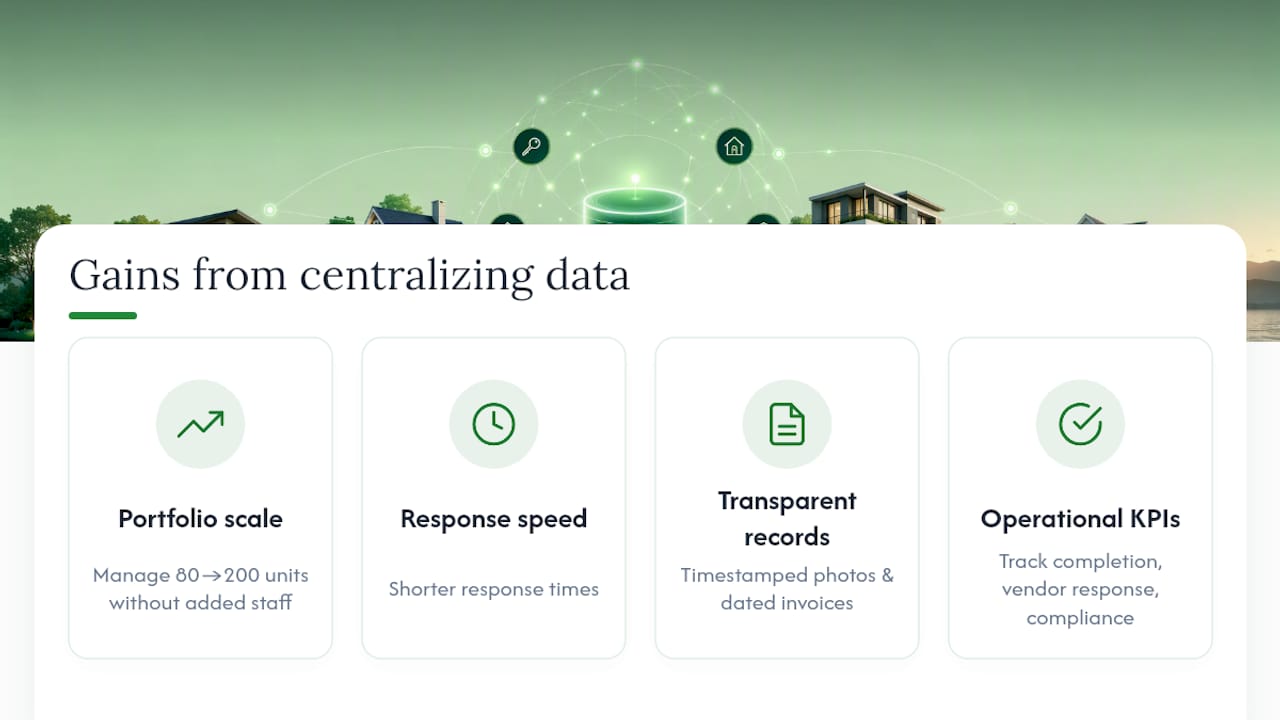
Centralizing property operations tends to shorten response times and free up mental bandwidth, according to reporting on how property managers optimize operations through consolidated systems. One case study of a portfolio scaling from 80 to 200 units found that automated turnovers and a centralized maintenance dashboard allowed the operator to manage far more units without adding staff in proportion.
For individual owners, the win is smaller in scale but identical in kind: fewer missed tasks, cleaner documentation, and predictable costs instead of surprise repair bills. Transparent records, timestamped photos, dated invoices, also build trust if you ever bring in help managing a property or need proof of maintenance history for insurance or resale.
Track key performance indicators such as task completion rates, vendor response times, and documentation compliance to monitor operations effectively.
An editorial take on running a hub without letting it run you
The best routine is boring: a five-minute Monday scan of what's overdue, a Friday check on vendor confirmations. Automate reminders and recurring tasks freely, but keep manual approval on anything that costs money or changes scope. What you should never automate is the judgment calls, whether to replace a roof instead of patching it, whether a vendor's price increase is fair. A hub should surface the data for that decision. It shouldn't make the decision for you.
— Francisco
Get Property Command Center Running on Your Properties
Some property management platforms are built around a property-first dashboard, a recurring task engine, a vendor directory with mobile dispatch, and a document vault for warranties, manuals, and insurance papers, all accessible in one login instead of multiple apps and scattered documents, providing structure for owners managing multiple homes or short-term rentals.

Two plans cover most portfolios: Starter runs $19 per month, and Pro runs $49 per month, with a 14-day free trial and no credit card required to start. If you want help mapping your properties and vendors during setup, the onboarding walkthrough covers exactly the 90-day sequence outlined above. Start your free trial today and have your first property profiled before the week is out.
Sources
- Centralization: How property managers optimize operations
- Vacation rental work order management: stop losing maintenance tasks
- Vacation Rental Case Study: Scaling to 200 Properties with Automated Maintenance & CMMS
FAQ
What is a property information hub?
A property information hub is a centralized, owner-facing dashboard that tracks property status, maintenance schedules, vendor contacts, documents, and alerts across multiple homes. It replaces scattered spreadsheets, email threads, and paper files with one searchable system.
How much does Property Command Center cost?
Property Command Center offers a Starter plan at $19 per month and a Pro plan at $49 per month, both available through a 14-day free trial with no credit card required.
How long does it take to set up a hub for multiple properties?
Most owners can fully centralize a small portfolio in about 90 days by following a staged plan: inventory in weeks 1 to 2, task templates and migration in weeks 3 to 6, vendor pilots in weeks 7 to 10, and final tuning in weeks 11 to 12.
Do I need separate software for vendor management?
No. A property information hub with a built-in vendor directory and mobile dispatch, like the one in Property Command Center, handles vendor coordination, response tracking, and job confirmation without a separate tool.
What's the biggest mistake owners make without a hub?
The most common failure is letting maintenance tasks live in scattered emails or memory instead of attaching them to a specific property with a deadline and required evidence. That gap is exactly what causes missed work orders as portfolios grow.