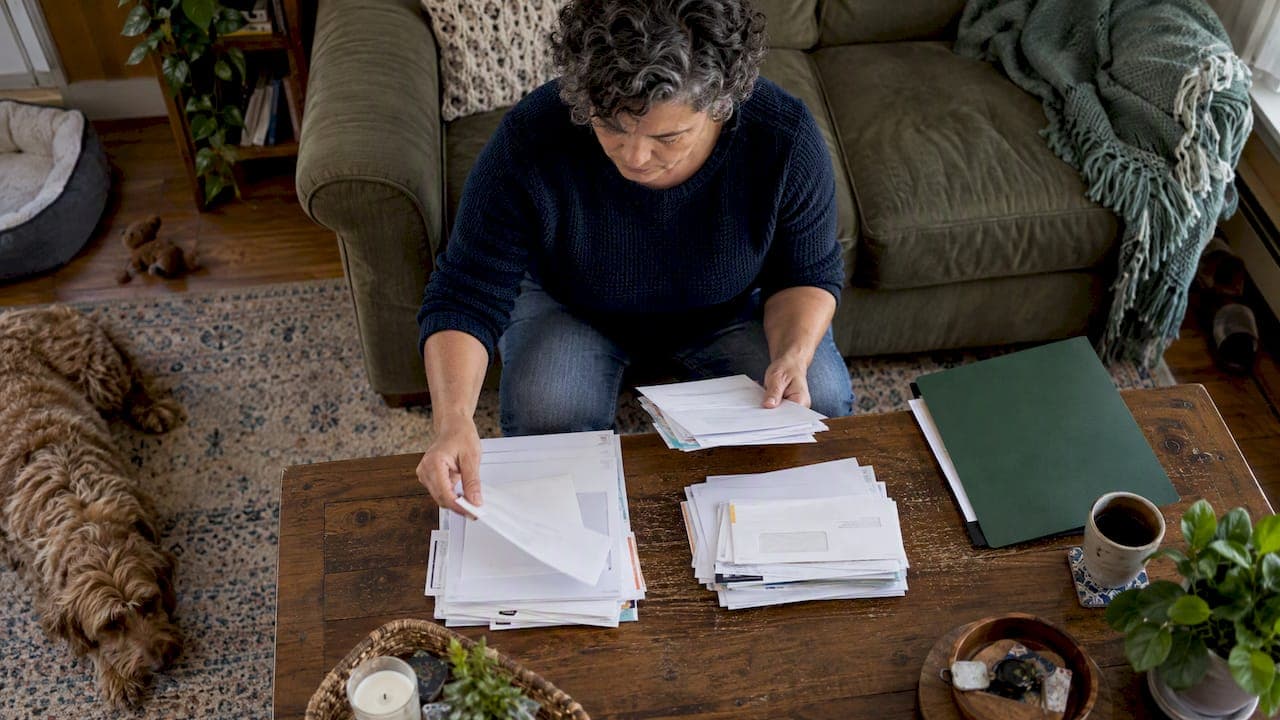
The simplest effective system combines one master bill calendar, one chosen payment method per bill, a secure place for documents, and a short weekly check-in. Start today by pulling together this month's utility bills, writing each due date and amount on a single calendar, and marking which ones you will automate. That one step turns scattered paperwork into a routine you can repeat every month.
TL;DR:
- Automate fixed amount bills through a dedicated bill account, but review variable charges manually or set a cap and alerts for unexpected withdrawals.
- Shred routine paid bills after confirming payment, but retain records needed for taxes, active disputes, warranties, insurance claims, or proof of ownership.
- For multiple properties, separate browser profiles, bill records, and provider contacts by address to prevent payment errors and calls about the wrong account.
- At each occupancy change, get final meter readings and closing statements, confirm service transfer dates in writing, and save the confirmations with the property records.
- Compare due dates with paydays, request changes when bills fall at a difficult time, and allow extra delivery time for mailed statements.
Table of Contents
- Paper, digital, or hybrid: pick the system that matches your habits
- Build a master bill calendar and align bills with paydays
- Autopay and automated controls: use automation without losing oversight
- What to keep, what to shred, and how to secure utility documents
- Spotting and fixing utility account fraud
- Tools, browser setup, and a repeatable weekly workflow
- A 30-day setup plan to move from chaos to a reliable system
- Guidance on managing multiple provider contacts efficiently
- How to handle utility account changes when tenants change or between occupancy periods
- Author perspective: championing simple, repeatable systems
- A discreet alternative: how a property dashboard can reduce paperwork and reminders
- FAQ
- Sources
Paper, digital, or hybrid: pick the system that matches your habits
The right system is the one you will actually keep using, not the one that looks the most organized on day one. Three approaches cover almost every situation.
A paper-first system uses physical folders labeled by utility or property, plus a short weekly review where you sort incoming mail into "pay now," "filed," or "shred." This works well if you have one home, limited internet access, or you are managing bills for a parent or relative in a caregiving role where a physical system is easier to hand off.
A digital-first system relies on cloud folders, a budgeting or reminder app, and scanned statements instead of paper. It fits owners comfortable with apps and anyone juggling more than one property, since digital folders scale without taking up drawer space.
A hybrid system scans critical documents (insurance, warranties, tax-relevant bills) while keeping paper originals only for items that require a signature or notarized copy, such as deeds or certain insurance claims.
Quick setup checklist regardless of which model you pick:
- Gather every active utility account and write down the provider, account number, and login.
- Choose one home for all active bills: a folder, an app, or both.
- Set a recurring weekly time to review what came in.
- Decide your shredding and backup rule before documents start piling up.
Build a master bill calendar and align bills with paydays
A master calendar is the backbone of the whole system, and the CFPB bill calendar and guidance offers a free worksheet built exactly for this purpose. It maps your bills against expected income so you can see cash flow at a glance instead of guessing.
Here is how to build one:
- List every utility bill you pay, including electric, gas, water, trash, internet, and any property-specific services.
- Add columns for bill name, account number, due date, usual amount, payment method, and late fee amount.
- Mark which bills have a fixed amount and which vary month to month.
- Plot each due date next to your pay dates to spot weeks where bills and income do not line up.
- Flag any bill due in the days right after a payday as a strong autopay candidate, and flag any bill due right before a payday as a candidate for a due-date change.
If a due date consistently lands at a bad time, call the provider and ask directly. A simple script works: "I'd like to request a change to my bill due date to better align with my pay schedule. Can you move it to the [date] of each month?" Most providers can accommodate this, and the CFPB's guidance on cash flow and bill payments lists changing due dates as one of the most practical ways to reduce late fees.
For mailed paper bills, build in extra days for postal delivery; for online-only accounts, note the exact time of day the payment posts, since some providers process late in the evening.
Pro Tip: Print or save the CFPB bill-calendar worksheet and fill it in by hand once: the physical act of writing each bill down makes the full picture stick faster than typing it into an app.
Autopay and automated controls: use automation without losing oversight
Automation saves time, but it can also quietly remove your ability to catch a mistake before it costs you. The decision comes down to whether a bill has a fixed or variable amount.
Fixed bills, like a flat internet or trash service fee, are good autopay candidates because the charge never surprises you. Variable bills, like electricity or water that change with usage and season, deserve more caution, since an unexpected spike can hit your account without warning.
According to the CFPB, providers are often required to send a notice before debiting your account when the amount varies, which gives you a short window to catch an error before it is withdrawn.
Build guardrails around automation instead of avoiding it entirely:
- Route all autopay bills through one dedicated bill account rather than your main checking account.
- Turn on text or email alerts for every withdrawal over a set amount.
- Reconcile autopay charges against your calendar once a week, not once a month.
- Cap variable-bill autopay at a dollar limit and switch to manual approval for anything above it.
A dedicated account also limits damage if a bill is miscalculated or a provider error occurs, since the rest of your finances stay untouched.
What to keep, what to shred, and how to secure utility documents
Most routine utility bills do not need to live in a drawer for years. The FTC's shredding guidance recommends shredding paid bills and receipts once you have confirmed payment, keeping only what you need for taxes, disputes, warranties, or proof of ownership.
A simple retention rule: shred a routine paid utility bill after one billing cycle unless it supports a tax deduction (common for a rental or home office) or you are actively disputing a charge. Keep final move-out statements and any document tied to a warranty or an insurance claim until the warranty expires or the claim closes.
Name files consistently so you can find anything in seconds: property address, utility type, and year-month, for example "123-Oak-St_Electric_2026-03." This single habit saves more time than any app.
For storage:
- Use an encrypted cloud folder for scanned statements and account records.
- Store logins and account numbers in a password manager rather than a spreadsheet.
- Keep an offline backup (external drive) for documents you cannot afford to lose.
Learn more about storing property documents for good if you manage records for more than one home.
Spotting and fixing utility account fraud
Utility fraud often shows up as a bill for a service you never requested, an account change you did not authorize, or a disconnect notice for an account you do not recognize. Catching it early limits the damage.
- Contact the provider immediately and ask them to freeze or close the unauthorized account.
- Document every call, including the date, the representative's name, and a reference number.
- Request written confirmation that the fraudulent account has been closed and any charges reversed.
- If the provider does not resolve it, escalate to your state's public utility commission.
- Check your NCTUE report, since utility accounts are reported there separately from standard credit bureaus.
- Follow the FTC's identity-theft recovery plan, which outlines contacting providers, filing with the FTC, and placing a credit freeze.
- Use the consumer complaint portal for your state PUC if the issue remains unresolved after escalation.
Keep every piece of correspondence in one folder labeled by the fraud case, since disputes often take weeks and you will need the paper trail more than once.
Tools, browser setup, and a repeatable weekly workflow
A handful of tool categories cover almost everything: a shared calendar, a reminder app, secure cloud storage, one dedicated bill-paying bank account, and email filters that sort provider messages automatically. You do not need more than that to run a reliable system.
One technical habit prevents a common and frustrating mistake: use a separate browser profile or login for each property or account. Saved passwords and autofill can otherwise overwrite a payment method on the wrong account, especially when you manage utilities for more than one address. Keeping sessions separate also avoids accidentally applying a payment to the wrong property.
If overflowing email is part of the problem, a tool like theNeedle can help surface overdue or high-priority provider emails instead of letting them get buried, which is especially useful if bill reminders tend to disappear into a crowded inbox.
A weekly checklist keeps the whole system running without becoming a chore:
- Review the calendar for bills due in the next seven days.
- Confirm any autopay charges cleared correctly against the amount expected.
- File or shred paper statements from the past week.
- Scan for any new provider emails that need a reply or action.
- Check for upcoming due-date or rate changes on variable bills.
For owners with more than one property, grouping documents and reminders by address instead of by date prevents the kind of cross-property mix-up that causes duplicate payments or missed bills. A property command center style dashboard applies this same idea: one document vault, one set of reminders, and one vendor contact list per property instead of scattered folders. Pairing that structure with a vendor contact organization system means you are never digging through old emails to find a provider's phone number.
Pro Tip: Set your email filters to label provider messages by property name, not just by utility type: it makes the weekly review faster when you manage more than one address.
Once you can confirm a payment went through without checking three different places, as covered in payment tracking, the weekly check becomes a five-minute task instead of a chore.
A 30-day setup plan to move from chaos to a reliable system
You do not need a perfect system on day one. A four-week plan gets you from scattered bills to a working routine.
- Week 1, gather: Collect every utility account, login, and the last three months of statements. Build your master bill calendar using the CFPB worksheet as a template.
- Week 2, schedule: Map every due date against your paydays, request any due-date changes needed, and decide which bills are fixed versus variable.
- Week 3, automate selectively: Set up autopay for fixed bills only, route them through a dedicated bill account, and turn on alerts for every withdrawal.
- Week 4, digitize and finalize: Scan the documents you are keeping, shred the rest, set your folder naming convention, and schedule your recurring weekly review.
Test the system before trusting it fully: simulate a billing cycle by walking through what happens when a bill arrives, confirming it lands on your calendar, gets paid or flagged, and gets filed or shredded afterward. If a step takes more than a couple of minutes, simplify it.
After the first month, check what broke. Common fixes include moving a due date that still feels misaligned, adding an alert threshold that was set too high, or realizing a variable bill needs manual review instead of autopay. Adjust once, then let the routine run.
Guidance on managing multiple provider contacts efficiently
Juggling contact information for electric, gas, water, trash, and internet providers across more than one address gets confusing fast, especially when each provider has a different customer service line, account portal, and reference number format.
Keep one contact sheet per property rather than one long list for everything. Include the provider name, customer service number, account number, online portal login, and the typical hold-time pattern you have noticed (some providers are faster to reach early morning, for example).

When you need to call a provider, pull up that property's sheet first rather than searching your email for the last time you contacted them. This single habit cuts resolution time significantly, since you are not re-explaining your account history every time.
Review and update the contact sheet whenever a provider changes its number, portal, or billing contact, which happens more often than most people expect. A quick note with the date of the last update helps you know when information might be stale.
For owners managing several properties, organizing provider contacts by address rather than by utility type avoids the common mistake of calling the wrong office about the wrong account. This approach pairs naturally with the same per-property grouping you use for bills and documents, so everything about one address lives in one place.
How to handle utility account changes when tenants change or between occupancy periods
Utility transitions between occupants are one of the easiest places for a bill to slip through unnoticed, especially with a short vacancy between a move-out and a new move-in.
Before a tenant or occupant leaves, request final meter readings and a closing statement from each provider, and get the exact date service will end in writing. This prevents a dispute later over who was responsible for usage on a specific day.
During a vacancy, decide whether to keep service active in your name or suspend it, based on whether the property needs heat, water, or power for maintenance and showings. Many providers allow a vacant-property rate or a temporary hold, so it is worth asking directly rather than assuming you must cancel entirely.
When a new occupant moves in, confirm the exact date service transfers into their name, and keep a copy of the transfer confirmation for your own records in case a bill is misapplied during the handoff.
Update your property contact sheet and document vault immediately after each transition, including the new occupant's start date and the final reading from the previous one. Treating each occupancy change as its own short checklist, rather than an afterthought, prevents the gap where a bill goes unpaid or is charged to the wrong party.
Author perspective: championing simple, repeatable systems
The temptation is always to reach for the most feature-heavy app available, but the owners who stay organized long term are usually the ones running the simplest routine they will not abandon after two months. A calendar, one payment method per bill, and a weekly five-minute check beats a complicated system nobody maintains. A single dashboard instead of scattered tools reflects that same instinct toward fewer moving parts rather than more.
— Francisco
A discreet alternative: how a property dashboard can reduce paperwork and reminders
If you are managing more than one property, a dashboard can take over the parts of this system that get tedious fast: tracking documents, sending reminders, and keeping vendor contacts in one place. A document vault can hold warranties, insurance papers, and account records by property, while built-in reminders flag upcoming bills and maintenance without a separate app for each.

This setup fits best for owners juggling multiple homes, vacation properties, or short-term rentals who want one place to check instead of five. You can view pricing for the Starter and Pro plans or browse the vendor directory to see how contacts are organized by property, and a 14-day free trial requires no credit card to start.
FAQ
How do I organize bills and papers?
Sort incoming bills into a single master calendar with due dates and amounts, then file or shred each paper statement within a week using a consistent naming convention like address, utility, and year-month. The CFPB bill-calendar worksheet gives a ready-made template for this.
What is the smartest way to pay bills?
Automate fixed-amount bills through a dedicated bill-paying account, and keep variable bills on manual review so you can catch an unexpected spike before it is withdrawn. The CFPB notes that providers are often required to send a notice before debiting a varying amount, which gives you time to react.
What is a utility account?
A utility account is the billing relationship you hold with a provider of an essential service such as electricity, gas, water, trash, or internet for a specific property. Each account typically has its own account number, due date, and payment history separate from your other accounts.
How do I organize a utility closet?
Group physical items by property and label shelves or bins for meter information, shutoff instructions, and any paper manuals tied to utility equipment like a water heater or breaker panel. Pairing the physical space with a digital document vault means you always have a backup if the paper copy is lost or damaged.
How long should I keep paid utility bills?
Shred most paid utility bills shortly after confirming payment unless you need them for taxes, a dispute, or a warranty claim, following the FTC's shredding guidance. Keep final statements tied to a move-out or a warranty until that item is no longer relevant.
Sources
- CFPB bill calendar and guidance
- How automatic payments from a bank account work — CFPB
- A pack rat's guide to shredding — FTC
- Identity Theft: A Recovery Plan — FTC