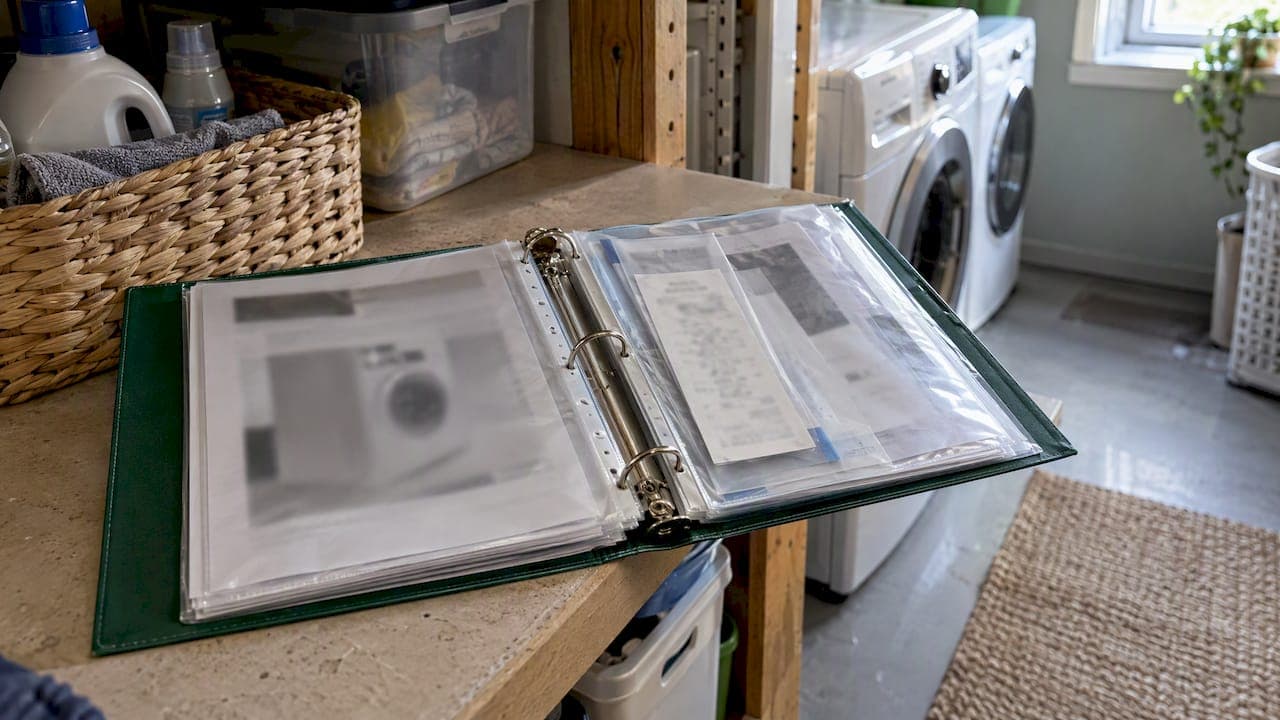
The best appliance manuals organizer is one record per appliance. Each record holds the manual, the receipt, the warranty terms, the model and serial numbers, and the service history. Keep those records in a labeled binder, in a clearly named digital folder, or in an app. Pick one place, use the same labels every time, and review it twice a year. This guide shows how to build that system, what to keep and toss, and how to run it when you own more than one home.
TL;DR
- Build one record per appliance, not one pile per document type. Manual, receipt, warranty and service notes live together.
- Keep the model number, serial number, purchase date, retailer and warranty end date for every major appliance. Manufacturers ask for proof of purchase when you claim warranty service.
- Use a binder with sheet protectors, a scanned folder with consistent file names, or both. Consistency beats a perfect scheme.
- With more than one property, sort by property first, then by appliance or topic.
- Lost a manual? Search the manufacturer's site by model number. You almost never need to buy one.
Table of Contents
- Why a drawer of manuals stops working
- What to keep for each appliance
- Five ways to organize appliance manuals
- How to build your organizer in an afternoon
- Organizing manuals across more than one property
- Perspective: the manual is the smallest part of the problem
- Where to find a missing appliance manual
- Keep it alive: reminders and vendors
- Try it in Property Command Center
- FAQ
- Sources
Why a drawer of manuals stops working
Most households start the same way: a kitchen drawer, a shoebox, or a file folder that grows until nobody opens it. The pain shows up on the day something breaks. You need the model number, the purchase date and the warranty terms, and they are in three places or none.
The paperwork matters more than it seems. Manufacturer instructions are direct about it. A Whirlpool dishwasher manual tells owners to record the model and serial numbers, found near the dishwasher door, and says proof of purchase is required for warranty service. A Whirlpool refrigerator manual asks you to have the model and serial number, a description of the problem and the dealer's proof of purchase ready when you call. A GE refrigerator warranty for U.S. customers says the same about the original purchase date and suggests stapling the receipt to the warranty documentation.
So the job of an organizer is not to hold every page. It is to let you answer three questions in under a minute: what is this appliance, when did I buy it, and what does the warranty cover?

What to keep for each appliance
Start with the major appliances: refrigerator, range or oven, dishwasher, washer, dryer, water heater, HVAC equipment, garbage disposal, and anything with a long warranty. Small gadgets can share one folder.
For each major appliance, a good record holds:
- The manual. The paper copy or a PDF.
- Proof of purchase. A receipt or order confirmation. Fabric's guide puts it as three things kept together: proof of purchase, the warranty or guarantee document, and the manual. Warranty terms are sometimes printed inside the manual.
- Identifiers. Exact make and model, serial number, purchase date and price, and the retailer or installer.
- Warranty details. The manufacturer warranty, any extended warranty, and the end date if you know it.
- Installation paperwork. Including the installer's contact information.
- Service history. Itemtopia suggests logging each service event with its date, the work performed, the company and contact, the cost, warranty coverage, and recommendations for next time.
That last item is the one people skip and later wish they had. If a technician says the compressor was replaced two years ago, a dated note can settle a warranty question or help you decide between repairing and replacing. We cover a lightweight way to do this in tracking service history with six fields.
Read your own warranty, not a summary
Warranties differ by product and brand. As an example of the shape, the GE refrigerator manual describes one year of coverage from original purchase for defects and five years for the sealed refrigerating system. It excludes things such as food loss, improper installation and misuse. That is an older sample document, so check the terms that came with your own unit. Write the end date on the record so you do not have to reread the fine print each time.
What you can throw away
A good system also gets smaller. These are safe to remove, according to Clutter Science:
- Duplicate manuals.
- Marketing inserts and advertising that came in the box.
- Records for items you no longer own.
One caution from Small Home Rhythm: hold on to records for sold or discarded items if tax, legal or property-transfer needs call for them. If you are unsure, ask your tax preparer or attorney before shredding anything tied to a rental, a sale or a renovation.
Five ways to organize appliance manuals
There is no single correct container. These five cover most households. Pick the one you will actually use.
| System | Best for | Main strength | Main weakness |
|---|---|---|---|
| Three-ring binder | One home, paper lovers | Visible, easy to prune | Only one copy, one location |
| Accordion or file box by category | Small collections | Cheap and fast to set up | Gets crowded and hides old paper |
| Scanned folders | Anyone who travels | Searchable, shareable | Needs consistent file names and backups |
| Appliance-tracking app | Tech-friendly owners | Scan a nameplate, pull up records | Another account to maintain |
| One dashboard for all homes | Owners of 2+ properties | Records, tasks and vendors together | Subscription cost |
1. The binder
The binder is the classic for a reason. Somewhat Simple Living recommends replacing an overfilled file with one or more labeled three-ring binders, plastic sheet protectors, optional sticky-note tabs and a pencil pouch for small tools or hardware like spare Allen keys. The author's reasoning is that a visible binder makes it easier to search and to pull out obsolete paperwork than a stuffed general file.
A practical layout: tabs by room (Kitchen, Laundry, Utility, Outdoor, Electronics), and inside each tab one sheet protector per appliance. Put the manual, the receipt and a printed record card in that sleeve. Shelve the binder in a dry, central spot. Clutter Science suggests keeping the main collection in a household-admin area rather than beside each appliance, with quick-reference maintenance notes left at the point of use, such as a filter size on the inside of a cabinet door.
2. The file box
If a binder feels like too much, Cary Prince Organizing lays out a simple method: gather manuals from around the home, sort them by function or location (home, kitchen, bath, garden, garage, A/V), and give each category its own labeled file in one accessible box. It is fast. The tradeoff is that a file box tends to swallow paper quietly, so schedule the pruning below.
3. Scanned folders
A digital copy solves the two weak points of paper: it can be lost to a flood or a move, and it only exists in one place. Scan or download the PDF manual, then name it so you can find it later. The Small Home Rhythm guide points out that a name like 2026-04-12 — Dishwasher — Brand Model — Receipt.pdf is far easier to search than scan0043.pdf.
ClickUp recommends a digital filing system of folders and subfolders organized by document category and type. For maintenance work, UpKeep advises storing PDF manuals and warranties electronically by asset, with access controls and mobile availability so the person on site can open them. Even in a home setting, the idea holds: whoever is standing in front of a broken dryer should be able to open its record on a phone.

If you go this route, back up the folder. Our digital home records playbook covers keeping one main vault plus backups.
4. A home organization app
Some apps let you scan an appliance's nameplate and retrieve manuals and warranty information from it. This Old House describes this approach in its June 2026 update, along with storing receipts, contracts and warranties in cloud-accessible records. Apps are convenient, but check what happens to your records if you stop paying or the app shuts down, and keep your own export.
5. One dashboard across all your properties
When you own a primary home, a lake house and a rental you host, the manuals are only part of the problem. Warranties, repair history, vendor phone numbers and maintenance reminders all multiply. That is where a single dashboard beats three binders in three places. We cover that below.
How to build your organizer in an afternoon
- Gather. Pull every manual, warranty card and appliance receipt from drawers, closets, the garage and the junk drawer. Check the appliances themselves: many have a nameplate with the model and serial number.
- Sort by appliance. Make one pile per appliance you actually own. Anything without an owner goes in a discard pile.
- Prune. Remove duplicates, ads and records for items you no longer own, subject to the tax and legal caution above.
- Make a record card. For each appliance, write the model, serial number, purchase date, retailer, warranty end date and the contact for the installer or last technician. Small Home Rhythm lists nearly the same fields.
- Choose labels and stick to them. Fabric's perspective is that consistency matters more than a perfect taxonomy: a system works when you can work out its logic later. Organize by room, by category or by purchase date, and add tags if your tool allows more than one route to the same item.
- Scan. Photograph or scan each record and name the files with date, appliance, brand and document type.
- Store. Put the binder or box somewhere dry and central, and note in your digital folder where the paper lives.
- Schedule a review. Small Home Rhythm recommends a twice-a-year pass: remove records for donated, sold or discarded products, add new appliances, check warranty expirations and verify that important digital files are backed up. Pair it with a seasonal chore, such as changing smoke detector batteries.
The repair receipt is the document most likely to be lost between review days. Our guide on capturing repair receipts in one minute shows how to file one at the moment you get it.
Organizing manuals across more than one property
The single-home systems above break down at property number two. Same-brand dishwashers in two houses get mixed up. The cabin's water heater manual ends up in the main house binder. Nobody knows which home the extended warranty applies to.
The fix is a hierarchy. Sun Life Tech recommends organizing records by property and unit, then by topic: a top-level Properties folder, a folder for each property, and inside it unit-level folders for topics such as Maintenance. Applied to appliances, it looks like this:
- Properties
- Main House
- Appliances
- Dishwasher
- Refrigerator
- Warranties
- Appliances
- Lake House
- Appliances
- Warranties
- Main House
Keep the appliance record names identical across homes so that searching "Dishwasher" shows you every dishwasher you own, labeled by property. For physical paper, use a separate binder per property, color-coded, rather than one master binder you carry around.
If you host short-term rentals, add one more layer: the manual guests need (the thermostat, the coffee maker) is different from the one you need (the water heater). Keep a short guest-facing sheet at the property and the full records in your own system. A property binder you build over 30, 60 and 90 days is a good frame for that, and a one-page property information sheet is a good first document for each home.
Appliance records and your insurance
A clear list of what you own, with makes, models and purchase prices, also helps when you review coverage. If you are weighing higher-value items, this overview of scheduled personal property coverage explains how an inventory fits into that conversation. The record card you build for warranty reasons does double duty.
Perspective: the manual is the smallest part of the problem
We talk to a lot of owners who juggle several homes, and the pattern is consistent. They do not lose the manual because they are careless. They lose it because the manual lives in a different place from the receipt, the technician's number, the reminder to replace a filter and the notes from last year's repair. Each of those is easy to store. Connecting them is the hard part.
That is why we built Property Command Center around one dashboard instead of a stack of folders. Property status, maintenance schedules, vendor contacts and documents such as warranties, manuals and insurance papers sit in the same place, for each home. We deliberately left out landlord and tenant tools. The people we build for own homes, vacation properties and short-term rentals, and they want clarity without learning heavy software.
Our advice, whether or not you ever use our product: start with the record per appliance, keep the labels boring, and make the review a habit. A plain system you maintain beats an elaborate one you abandon after a month.
— Francisco
Where to find a missing appliance manual
A missing manual is rarely a real loss. Most manufacturers post owner manuals for free.
- Find the model number. It is usually on a label or nameplate on the appliance. For the dishwasher in the Whirlpool manual cited above, the numbers are near the door. Refrigerators often list them inside the cabinet. Photograph the label right away and file the picture in the record.
- Use the manufacturer's manual page. Brands such as Whirlpool and Maytag let you enter a model number to download manuals and literature. Maytag's page also points to its customer service if you cannot find a document.
- Search the model number plus the word manual. Prefer the brand's own domain over third-party archives.
- Contact customer service. If the appliance is older and the file is not online, call the manufacturer with your model and serial numbers.
- Save it immediately. Download the PDF, rename it and add it to the appliance record.
If you cannot find the receipt, look for an order confirmation in your email, a retailer account purchase history or a card statement. Then add a note to the record so you have it next time.
Keep it alive: reminders and vendors
A record that sits still goes stale. Three small habits keep it current:
- Log every service visit the day it happens: date, what was done, who did it and what it cost.
- Calendar the warranty end date a month ahead, so you can inspect the appliance while coverage is still active.
- Store your trusted vendors with the appliance, so the plumber's number sits next to the water heater record instead of in a text thread. If you manage this across homes, our approach to automating property tasks in a weekend shows how reminders can do the nagging for you.
If a partner, a house sitter or an adult child may need to step in, decide what they can see and share it deliberately. We outline a four-step sharing system for that.
Try it in Property Command Center
If your appliance records already span more than one address, a spreadsheet and a binder per house will keep falling behind. Property Command Center gives you one dashboard with a document vault for warranties, manuals and insurance papers, a vendor directory, task and repair tracking, and maintenance reminders for homes, vacation rentals and short-term rentals. There is a 14-day free trial with no credit card required. After that, plans are Starter at $19 per month and Pro at $49 per month, based on the number of properties you manage. You can also see how the vendor directory works. If you want to start smaller, one capture point for home documents is a good first step on any system.
FAQ
What is the best way to organize owner's manuals?
Group everything by appliance, not by document type, so the manual, receipt, warranty and service notes sit together. Then arrange the appliance records by room or category in a binder, file box or digital folder. Use the same labels every time and review the system twice a year.
Should I keep paper manuals if I can download them?
You can usually recycle the manual itself if you save a PDF copy, since manufacturers post most manuals online. Keep the receipt or order confirmation and the warranty terms, because warranty service typically requires proof of purchase. Scan those too, and back up the scans.
Where should I store appliance manuals?
Put the main collection in a dry, central spot, such as a shelf in a home office or utility room, and keep a digital copy as backup. Leave only quick-reference notes, like a filter size, near the appliance. Avoid damp basements and garages.
How do I organize manuals for a vacation home or rental?
Keep a separate binder or folder for each property, then sort appliances inside it. Use identical record names across properties so you can search all of them at once. For rentals, keep a short guest-facing sheet at the property and the full records in your own files.
Sources
- Whirlpool dishwasher user instructions
- Whirlpool refrigerator owner's manual
- GE/Hotpoint refrigerator warranty
- GE refrigerator manual
- Fabric: how to store warranties and manuals
- Itemtopia: track home appliances, manuals and service history
- Clutter Science: organize appliance manuals and warranty documents
- Small Home Rhythm: organize appliance manuals, warranties and receipts
- Somewhat Simple Living: how to organize manuals and warranty info
- Cary Prince Organizing: organizing warranties and manuals
- ClickUp: how to organize user manuals and warranties
- UpKeep: where to store equipment manuals and warranties
- This Old House: Future House home organization app
- Sun Life Tech: document organization guide
- Whirlpool manuals and literature
- Maytag manuals and literature