
A good property dashboard template gives every property the same five blocks: a status snapshot, a maintenance log with due dates, a document vault, a vendor directory, and a short list of dated reminders. Build those once, copy them for each address, and you can answer "what happened here, who did it, and what is due next?" in under a minute. This guide lays out each block field by field, shows how to keep the records consistent across several properties, and explains where a spreadsheet stops being enough.
TL;DR
- Use one identical template per property: status, maintenance history, documents, vendors, reminders.
- Standardize names, dates and categories before you add a second property, so the portfolio view stays accurate.
- Store documents under one folder per address with the same subfolders, and scan new paperwork right after each service visit.
- Review the dashboard quarterly for upcoming warranty expirations and insurance renewals, and once a year for everything else.
- A spreadsheet works for one or two properties. Past that, import tools and automatic reminders save the most time.
Table of Contents
- What a property dashboard is for
- The five blocks every template needs
- Keeping records consistent across multiple properties
- Build it in a spreadsheet: a 90-minute plan
- Keeping it current without it becoming a second job
- Common mistakes when setting up a property dashboard
- Perspective
- When a spreadsheet is enough, and when to move on
- Try the template as software
- FAQ
- Sources
What a property dashboard is for
Most "property dashboard" templates you will find online are built for property managers. They track occupancy, rent rolls, vacancy rates and broker performance, and they assume a team and a data warehouse behind them. If you own a handful of homes, rentals or vacation properties yourself, that is the wrong tool.
An owner's dashboard has a different job. It is a memory. It tells you when the HVAC was last serviced, which plumber fixed the leak at the lake house, where the water heater warranty is, and what is coming due this month. The research on dashboard design points the same way: views should differ by role, with owners needing portfolio-level summaries while field staff need task lists of open work. As an owner you are both, so your template needs a summary on top and a task list underneath.
If you want to see what finished versions look like first, our property dashboard examples for owners with multiple properties walk through several layouts.
The five blocks every template needs
Keep the template boring and repeatable. Each block below can be a tab in a spreadsheet, a page in a notes tool, or a section in dedicated software.
1. Property snapshot
This is the top of the page for each property. It should fit on one screen.
| Field | Example entry | Why it earns a place |
|---|---|---|
| Property nickname and address | Lake House, 42 Pine Rd | One label used everywhere |
| Property type and use | Second home, short-term rental, long-term rental | Drives which tasks apply |
| Year built, square footage | 1994, 2,100 sq ft | Handy for insurers and contractors |
| Key systems | Gas furnace, 50-gal water heater, septic | Maintenance schedules start here |
| Current status | Occupied, vacant, guest-ready, needs repair | The one-glance health check |
| Open tasks | 3 open, 1 overdue | Pulled from the maintenance block |
| Next important date | Insurance renewal, 14 Jan | Pulled from the reminders block |
The last three fields should be calculated or linked, not typed again. Anything you type twice will drift out of date.
2. Maintenance log and schedule
This is the block that does the most work. Keep two things separate: the recurring rule ("service furnace every October") and the individual job ("furnace service, 10 Oct, done by Alex's HVAC, $140"). When you finish a job, the rule should generate the next one. In a spreadsheet that means a "next due" column that adds the interval to the last completed date.
Use these columns for every entry:
- Property
- System or area (roof, HVAC, plumbing, appliances, exterior)
- Work performed
- Date completed
- Vendor
- Cost
- Next due date
- Link to the invoice or photo
We cover a lean version of this in track service history in 90 days with six fields, and if you want a ready-made sheet, see our maintenance log templates by use case.
3. Document vault
Every property gets one top-level folder named by address. Inside, use the same five subfolders every time: tax records, insurance, warranties, ownership and title, and maintenance and repairs. This is the structure one record-keeping guide recommends, along with a file naming pattern of folder, date, description and vendor, for example Warranties_2025-03-14_WaterHeater_Rheem.pdf.
The dashboard itself should hold a link to each key document, not a copy. Your table of contents is the dashboard; the files live in the vault.
For how long to keep things, rental income and expense records support your tax return, and the IRS notes that good recordkeeping throughout the year makes preparing a return easier. Ask your CPA how long to hold each category for your situation, then put that period in your template as a "keep until" column.
4. Vendor directory
A vendor list is more than names and phone numbers. Use these fields:
- Business name and contact person
- Trade (plumbing, HVAC, cleaning, landscaping, electrical)
- Properties served
- Phone and email
- License or insurance expiration date
- Last job and what you paid
- Quality note: on time, clean work, would rehire (yes or no)
Linking each vendor to the jobs they performed turns a contact list into a track record. After a year you will know who you would call first and who you would not. Our guide to vendor performance tracking in 90 days shows how to score vendors without making it a chore.
5. Reminders and key dates
This block is a plain dated list, sorted by due date, covering:
- Insurance renewals
- Warranty expirations
- Seasonal maintenance (gutters, HVAC, winterizing, smoke detector batteries)
- Permit, license or registration renewals for short-term rentals where your city requires them
- Lease end dates, if you rent the property long term
- Property tax due dates
Set each reminder to fire two to four weeks before the date, early enough to act. Warranty and insurance dates are where a missed reminder costs real money, so give them the longest lead time.
Keeping records consistent across multiple properties
The second property is where templates usually break. You copy the first sheet, rename a few columns, and by the fourth property the categories no longer match. A few rules prevent that.
Use one master list of categories. Decide the system names (HVAC, plumbing, roof, appliances, exterior, electrical) and use them everywhere. If one property says "AC" and another says "HVAC", your filters will miss half the history. Dashboard guidance for portfolios stresses the same idea: standardized definitions for each metric keep numbers comparable across properties.
Use one date format. Pick YYYY-MM-DD or MM/DD/YYYY and never mix them.
Use one status vocabulary. Open, scheduled, done, overdue. Not "pending", "in progress", "later" and "waiting".
Keep one source of truth per fact. The roof age lives in the snapshot. Other places link to it.
Build the portfolio view last. Once each property has its page, a single summary table lists every property with its status, open tasks and next due date. Our guide to managing multiple properties with one simple dashboard plan and the rental portfolio dashboard article both show how that summary looks in practice.

Build it in a spreadsheet: a 90-minute plan
A spreadsheet is a fine place to start, and a good way to learn what you actually need. Here is a realistic first pass for up to three properties.
- Create the tabs (10 minutes). Portfolio, Maintenance, Vendors, Documents, Reminders.
- Fill the Portfolio tab (15 minutes). One row per property with the snapshot fields above.
- List your systems (15 minutes). For each property, write down the furnace, water heater, roof, appliances and anything with a warranty.
- Enter the last known service date (20 minutes). Use invoices, emails and texts. "Unknown" is a valid entry, and a due date today.
- Add vendors (10 minutes). Start with the five you call most.
- Set up the vault (10 minutes). One folder per address, five subfolders, and links in the Documents tab.
- Add reminders (10 minutes). Use your calendar for the alerts. A spreadsheet will not nudge you on its own unless you add a rule or an automation.
If you prefer a notes-and-databases tool to a spreadsheet, our quick setup guide for owners using a workspace app covers the structure. Owners who like automation can also use a no-code tool to watch for scheduled email exports and save them to one central folder, which cuts down on manual filing.
If your maintenance plan feels too big, start with two checks per property rather than twenty. Our maintenance calendar setup guide explains which two.
Keeping it current without it becoming a second job
A template is only useful if the data is fresh. Three habits do most of the work:
- Scan right after the visit. Photograph the invoice before you leave the driveway and file it with the standard name. Scanning documents immediately after service visits is the habit that keeps a vault from falling behind.
- Quarterly check (15 minutes). Look at upcoming warranty expirations and confirm each recent job has its paperwork.
- Annual review (1 hour). Update the snapshot, archive old records, check vendor licenses and insurance coverage, and reset the seasonal schedule.
For active properties such as short-term rentals, add a weekly two-minute look at open tasks. Turnover problems found on Sunday are cheaper than ones found by a guest on Friday. Our maintenance task tracking guide for small portfolios goes deeper on that rhythm.
Common mistakes when setting up a property dashboard
Tracking too much. Owners add fifty columns and abandon the sheet by month two. Start with the fields in this article and add one only when you have asked a question the sheet could not answer.
Copying rent-and-tenant dashboards. Occupancy charts and rent roll widgets are built for managers of large buildings. If you want to remember what happened at each property, they crowd out the information you need.
Typing the same fact in two places. Duplicated data goes stale. Link instead.
Storing documents in personal folders with no naming rule. A file called "scan0042.pdf" is lost the day you save it.
Skipping the "next due" column. A log that only looks backward is a diary. The value is in the date that tells you what to do next.
Giving vendors access to everything. If you share a dashboard with a contractor, share only the jobs assigned to them. Role-based access keeps financial and portfolio-wide information private.

Never reviewing it. A dashboard nobody opens is just another folder. Put the quarterly check on your calendar the day you finish the setup.
Perspective
Owners rarely tell us they lack information. They tell us it is in six places: a spreadsheet from three years ago, a Gmail thread with the plumber, a PDF warranty on a laptop, and a note on a phone.
That is why we built Property Command Center around organization rather than rent collection. A template is a good first step, but the real cost of a spreadsheet is the upkeep: retyping, renaming, remembering to update. Our approach is to let Smart Setup read the files, emails and spreadsheets you already have and turn them into a record for each property, then use portfolio import so you are not entering homes one at a time.
We think every property deserves a living record: maintenance history, documents, vendors, tasks and reminders in one place. When that record exists, the dashboard stops being a project and becomes a habit you actually keep.
Francisco
When a spreadsheet is enough, and when to move on
A spreadsheet template is a sound choice for one or two properties with few systems. You control it, it costs nothing, and it teaches you which fields matter.
The move to dedicated software makes sense when you notice any of these:
- You have three or more properties and the tabs are getting hard to keep consistent.
- Reminders live in a separate calendar that you forget to update.
- Documents are scattered across email, cloud folders and paper.
- You are managing vacation rentals or short-term rentals with frequent vendor visits.
- You dread the annual cleanup.
If that sounds familiar, our roundup of landlord software options for owners compares the types of tools available and what each is good at.
Try the template as software
Property Command Center takes the five blocks above and builds them for you. Smart Setup extracts and organizes information from your existing files, emails and spreadsheets, and portfolio import brings in several properties at once. Each property becomes a record with its maintenance history, documents, vendors, tasks and reminders.
Plans are Starter at $19 per month and Pro at $49 per month, with tiers based on the number of properties. Every plan starts with a 14-day free trial, and no credit card is required.
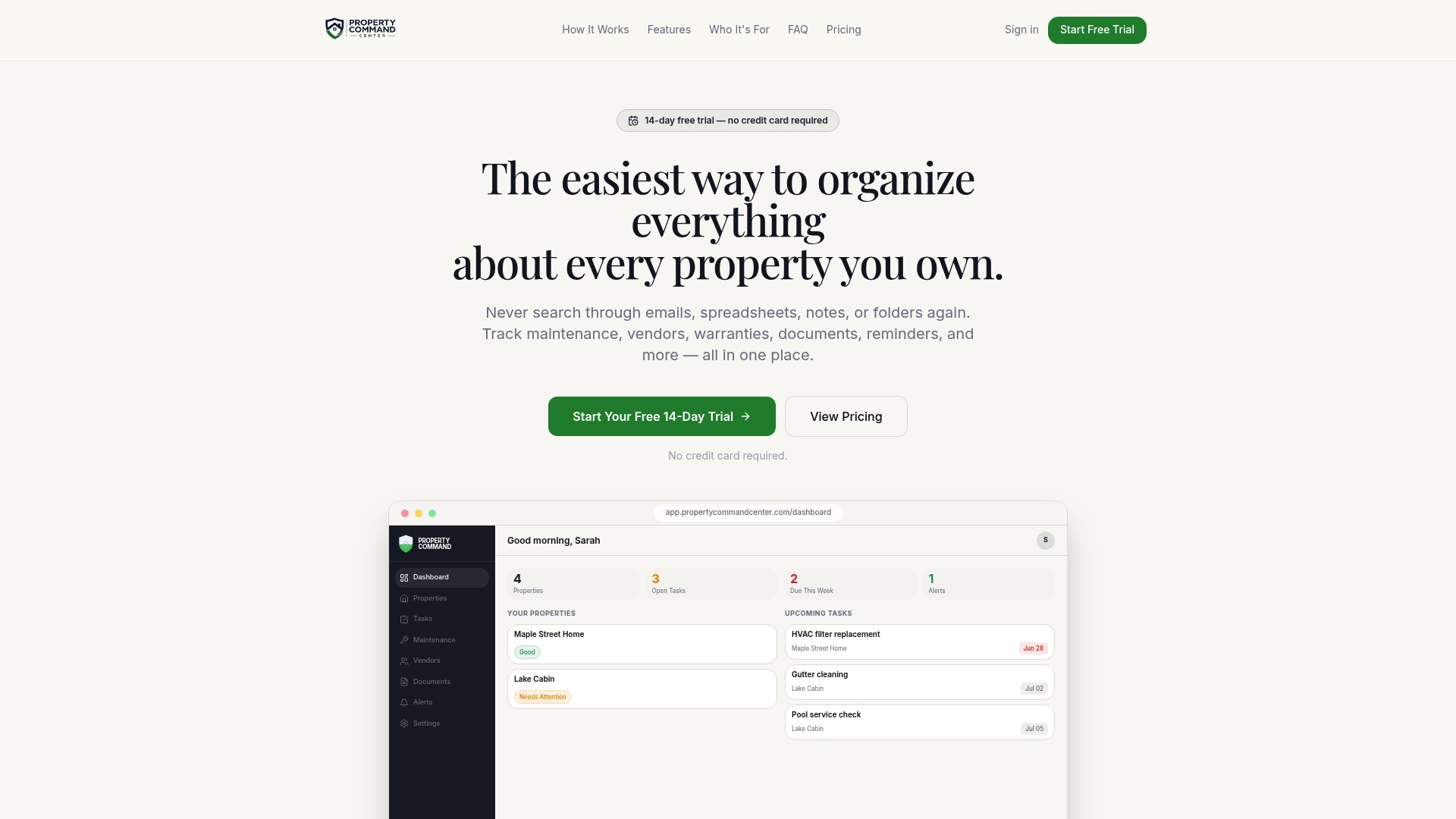
When you are ready, start your setup here and bring in your first property.
FAQ
What should a property dashboard template include?
At minimum: a property snapshot, a maintenance log with next due dates, a document vault, a vendor directory and a dated reminder list. These five blocks cover what owners most often need to find. Add fields only when a real question demands them.
Can I use a free spreadsheet as a property dashboard?
Yes, especially for one or two properties. Use separate tabs for properties, maintenance, vendors, documents and reminders, and standardize your categories and date format from the start. The weak spot is upkeep, because a spreadsheet will not remind you or file documents on its own without added rules.
How often should I update my property records?
Update after every service visit, check upcoming warranty expirations and maintenance paperwork each quarter, and do a fuller review once a year. Short-term rental hosts also benefit from a quick weekly look at open tasks.
How do I organize documents for several properties?
Create one folder per property address with the same subfolders in each: tax, insurance, warranties, ownership and title, and maintenance and repairs. Name files with the folder, date, description and vendor so they sort and search cleanly. Link the key ones from your dashboard rather than copying them.
Do I need property management software if I do not manage tenants?
Not necessarily. Rent and tenant tools solve a different problem. If your need is remembering maintenance history, vendors, warranties and due dates across your properties, a records-focused tool or a well-built template is the better fit.
Sources
- Unified Dashboards for Multi-Property Portfolios
- Homeowner Record Keeping System: Build One That Works
- IRS: Good recordkeeping year-round helps taxpayers avoid tax time frustration
- Property Management Dashboard: KPIs, Examples and Best Practices
- Create an AI Property Management Dashboard 2026
- Facility Management template