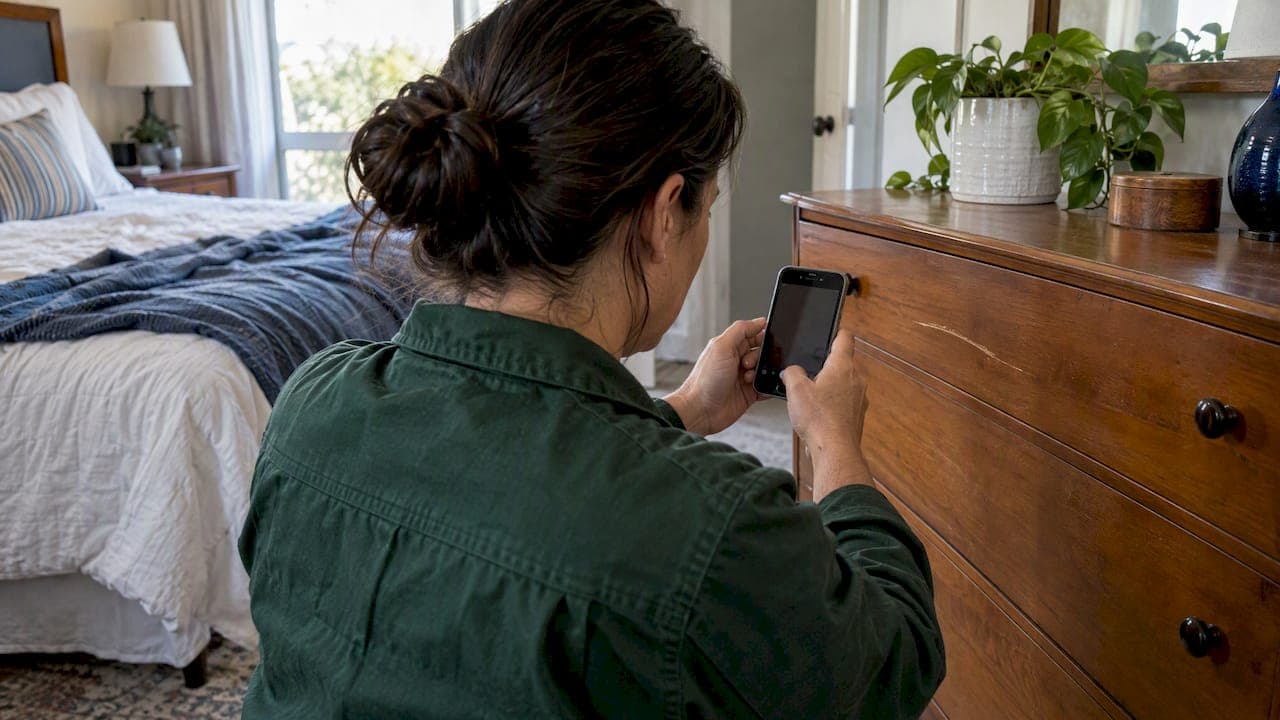
Good guest damage documentation comes down to three things: a dated record of the property's condition before the stay, a same-day record of what changed after checkout, and a short paper trail that ties the two together. If you have those, a claim is a matter of attaching files. If you don't, it becomes your word against the guest's.
This guide is for owners who run a vacation home, a short-term rental or a long-term rental themselves, without a management company. It covers what to photograph and when, how to package evidence, the deadlines that can sink a claim, and how to keep records for several properties from turning into a camera roll nobody can search.
TL;DR
- Photograph every room before each stay, not once at listing time. Then photograph again after checkout, from the same angles, on the same day.
- Include an "anchor" in key shots, such as a dated note or the item next to a key packet, so nobody can argue about when or where a photo was taken.
- Submit Airbnb reimbursement requests within 14 days of checkout, and file as early as you can. Check each platform's current deadline too.
- Keep original files. Cropping, filters and editing strip the metadata that proves authenticity.
- Store photos, receipts, estimates and messages per property and per stay, in one place you can open in a minute.
Table of Contents
- Why documentation decides the outcome
- Build the baseline before the guest arrives
- Document the damage the same day
- Package the evidence so a reviewer can say yes
- Know the deadlines and rules that apply to you
- Our perspective: documentation fails when it is scattered
- Make documentation part of turnover
- Keep it all in one place with Property Command Center
- Build a lightweight system you will actually use
- FAQ
- Sources
Why documentation decides the outcome
Damage disputes rarely turn on whether something is broken. They turn on whether you can show it was fine before and broken after, and that the guest did it. A scratched dresser top might be real, but without proof of its condition at the last turnover, a reviewer has no way to rule out that it was there for months.

Three parties may ask for your evidence: the booking platform, the guest (or their card issuer), and sometimes a court or a state agency. Each wants slightly different things, but a well-built record satisfies all three.
The honest limit of any record
Documentation does not guarantee reimbursement. Platforms decide claims under their own rules, and normal wear and tear is generally not something a guest pays for. Your job is to make the facts easy to verify, not to make every scuff a claim. Owners who file small, doubtful claims often lose credibility for the large, clear ones.
Build the baseline before the guest arrives
The most useful photos you will ever take are the ones from before check-in. Listing photos taken once, years ago, won't do the job: furniture moves, paint gets touched up, and appliances get replaced.
Take a fresh set after every turnover
The best moment is right after cleaning and restocking, when the unit is guest-ready. This is the same moment a cleaner is already walking every room. If you use a two-step check, with the cleaner finishing and then you or a local contact verifying, the second pass is a natural time to shoot the baseline. Our piece on a two-layer quality check for vacation rental inspections lays out that sequence.
What to capture, room by room
Work the same route every time so gaps are obvious. A practical shot list:
- Each room, four corners. One wide photo from each corner shows walls, ceilings, flooring and furniture placement.
- Floors and carpets. Low-angle shots in good light show stains and scratches. Add a close-up of any existing flaw so it is on record as pre-existing.
- Walls and doors. Look for scuffs, dents in drywall and door damage at handle height.
- Furniture. Both sides of upholstery, table tops, mattress surfaces (with the protector pulled back if you want a clean record) and headboards.
- Kitchen. Inside the oven, the refrigerator, cabinet interiors, and the small appliances you supply.
- Bathrooms. Grout, tub and shower surfaces, toilet seats and lids, mirrors.
- Electronics and valuables. TV screens (powered on), remotes, game consoles, speakers, with serial numbers visible if you ever need to file a replacement claim.
- Outdoor areas. Deck boards, railings, grill, hot tub cover and water condition, patio furniture, fences.
- Meters and systems. Thermostat setting, breaker panel, water heater, and any smart-lock or camera status screens.
Two more habits pay off. Shoot a short walkthrough video as a backup to the stills, narrating the date and unit. And shoot in good light with every light on, because shadows hide damage in a photo just as they do in person.
Use an anchor in the frame
Seasoned managers use an anchor photo: a shot where something that proves the date or the place sits alongside the item, such as a rental contract, key packet or the current date. A sheet of paper with the date and unit name, placed on the bed or counter in one wide shot per room, does the same thing at almost no cost.
Document the damage the same day
When you find damage, the clock starts. Many platform claim windows are short, and memories and message threads go stale quickly.
Step by step
- Stop cleaning that area. Don't repair, wipe or throw anything away until it is photographed. If something is hazardous, such as broken glass, photograph it first and then make it safe.
- Photograph wide, then medium, then close. The wide shot shows where it is, the medium shot shows the item in context, and the close shot shows the damage itself. Add a coin, ruler or your hand for scale.
- Match your baseline. Take the shot from the same angle as the pre-stay photo, so a reviewer can flip between the two. Experts who help hosts with claims recommend a tidy, labeled set that links each damaged item to the earlier listing photo, rather than a large batch of loose images.
- Record a short video. Walk from the entrance to the damage without cutting, saying the date and address aloud.
- Note what is missing. Photograph the empty spot where an item was, next to the earlier photo or inventory entry showing it there.
- Get a statement from anyone who found it. If a cleaner, neighbor or local contact discovered the problem, ask them to write down what they saw, when, and in what condition the unit was otherwise.
- Get a repair estimate or replacement price. A written quote, receipt or product link supports the amount you ask for. Keep the invoice after the repair.
- Write a plain account. Three to six sentences: what happened, when you found it, what the condition was at the previous turnover, and what you are asking for.
Keep your files original
Don't edit, filter or crop the images you plan to submit. Editing can destroy the metadata such as timestamp, GPS location and device information, which can matter when a claim is contested. If a photo needs a closer look, take a second, closer photo rather than cropping the first.
Package the evidence so a reviewer can say yes
A claim reviewer sees dozens of cases. A clear package is easier to approve than a pile.
A simple evidence folder
For each incident, assemble:
| Item | What it shows |
|---|---|
| Before photos (last turnover) | Condition prior to the stay |
| After photos (checkout day) | Condition after the stay |
| Anchor shot or dated note | Date and location |
| Short walkthrough video | Context and scale |
| Repair quote or receipt | The amount you are asking for |
| Messages with the guest | What was said, and when |
| Written statements | Third-party observations |
| Your short written account | The story in order |
Name files so they sort themselves: property, date, room, and a short label, for example "lakehouse_2026-10-12_kitchen_cabinet-before.jpg". A reviewer, an insurer or you in eight months should know what each file is without opening it.
Keep communication on the record
Talk to the guest through the booking platform's messaging, where the thread is stored and time-stamped. Stay factual. Describe what you found, attach two or three of the clearest photos, and say what you are asking for. If the conversation moves to text or phone, send a short written summary through the platform afterward.
Know the deadlines and rules that apply to you
Short-term rental platforms
On Airbnb, host damage protection is part of AirCover for Hosts. It is described as reimbursement of up to $3 million rather than insurance, and the reimbursement request goes through the Resolution Center within 14 days of the guest's checkout. Missing that window can disqualify the claim, so photograph on checkout day and file right away rather than at day 13.
Other platforms and direct bookings have their own time limits, deposit mechanics and evidence requirements, and the published guidance varies. Read the current host terms for every channel you list on, and write each deadline in your property record. For direct bookings, your rental agreement and any damage deposit terms govern, so make sure they are clear before arrival.

Long-term rentals and security deposits
If you also rent a unit to a tenant for months at a time, state law governs what you can withhold, and documentation is often required rather than just helpful:
- California. Landlords must provide photographs when withholding part of a deposit for repairs or cleaning, under Assembly Bill 2801, with the requirement phased in from April 2025.
- Washington. RCW 59.18.280 sets a 30-day window after the tenancy ends for the written statement of the basis for retaining a deposit, and the statute lists the remedies if a landlord fails to follow it.
The Federal Trade Commission has also treated unfair deposit practices as a consumer protection issue. In a complaint against a large landlord, it alleged that security deposits were withheld for ordinary wear and tear and for pre-existing conditions. The lesson for a small owner is practical: charge only for damage you can show is beyond normal use.
Rules differ by state and sometimes by city. If you are withholding a deposit or facing a dispute, check your state's landlord-tenant statute or talk to a local landlord-tenant attorney. A small-claims court or your state attorney general's consumer office can also point you to the right forms.
Our perspective: documentation fails when it is scattered
We built Property Command Center for owners who run several homes without a staff, and the same pattern shows up again and again. Owners rarely fail at taking photos. They fail at finding them. The checkout photos are on a phone, the cleaner's note is in a text thread, the quote is in an email, and the before pictures sit in a folder named after the wrong property.
So our view is simple. Treat each property as a file, and each stay as a page in it. Every property should have a place for its documents, its vendors and its maintenance history, and every incident should attach to that place. That is the thinking behind the dashboard: status, tasks, vendor contacts and a document vault in one spot, without the weight of enterprise software or tenant and rent features an owner who self-manages a vacation home doesn't need.
Three habits we recommend, whatever tools you use:
- Make the baseline a task, not a hope. Put the pre-stay photo set on the turnover checklist, assigned to a named person. A step that isn't scheduled gets skipped on the busiest weekend.
- File the same day. Evidence is strongest, and deadlines safest, when you assemble the package on checkout day.
- Keep repair paperwork with the incident. The quote, the invoice and the receipt belong next to the photos. Our walkthrough on capturing repair receipts in one minute shows how to do it across several properties.
— Francisco
Make documentation part of turnover
The cheapest time to document is while you are already on site. Fold the photo routine into your existing turnover steps rather than adding a separate chore.
A turnover sequence that builds records as it goes
- Checkout day, before cleaning: walk the unit with your phone, capture any damage or missing items, and note anything unusual in one line.
- During cleaning: ask the cleaner to message you immediately about anything broken, stained or missing, with a photo. A cleaner's note is useful third-party evidence.
- After cleaning: shoot the baseline set for the next guest, with the anchor in each room.
- Same day: drop all files into the property's record, label them, and set a reminder for the claim deadline if you found damage.
Our guides on a sequenced rental turnover checklist and a rental make-ready checklist go deeper on the order of operations, and the rental document checklist covers the paperwork you want on file for each unit.
Remote owners
If you don't live near the property, the routine depends on a person you trust. Give your cleaner or local contact a written shot list and a shared place to upload, and make "photos uploaded" a condition of marking the turnover complete. Our vacation home checklist for remote owners covers how to set that up.
What not to do
- Don't rely on a single wide shot per room. It rarely shows the damage clearly.
- Don't photograph only the damage. Without context, it could be anywhere.
- Don't delete "duplicate" photos until the claim window has closed.
- Don't inflate a claim with ordinary wear. It weakens the claim that is real.
- Don't post the guest's details or your accusations publicly. Keep the dispute in the platform and your records.
Keep it all in one place with Property Command Center
If your documentation currently lives across a phone, an inbox and a spreadsheet, a single record per property saves real time during a claim. Property Command Center gives you a dashboard for each home, a document vault for warranties, manuals and insurance papers, a vendor directory for the cleaner or repair person you call after an incident, and reminders you can use for claim deadlines and turnover tasks.
Plans are billed monthly: Starter is $19 per month and Pro is $49 per month, with a 14-day free trial and no credit card required. You can also keep your repair and cleaning contacts together in the vendor directory.
Build a lightweight system you will actually use
The best system is the one your cleaner and you will follow on a bad day. Keep it small.
- One folder structure. Property, then year, then stay or incident. Never invent a new scheme per property.
- One shot list per property. Print it or keep it in the turnover task so it is the same every time.
- One person responsible. Whoever does the turnover owns the photos, and you check they arrived.
- One calendar reminder per claim. Set it for the day after you find damage, and again two days before the platform deadline.
- One review per season. Look at last season's incidents, update the shot list for the areas that got damaged, and note which fixtures to replace with sturdier ones. Our small owner recordkeeping guide can help you tie this to your maintenance schedule.
The records also help beyond claims. A dated baseline separates guest damage from deferred maintenance, which matters when a guest points to a problem that was already your responsibility. If you also rent long-term, our piece on landlord maintenance responsibilities explains what falls on you.
FAQ
How soon after checkout should I document guest damage?
The same day, ideally before anyone cleans. Platform windows can be short, and Airbnb's host damage protection asks for a reimbursement request within 14 days of checkout. Check the current terms for any other platform you use.
How many photos do I need?
There is no official number. Aim for a wide, medium and close shot of each damaged item, plus matching before photos, rather than hundreds of loose images. A smaller labeled set that pairs before and after is easier for a reviewer to approve than a large unsorted one.
Can I edit or crop photos before submitting them?
It's best not to. Editing can remove timestamp and location metadata that helps prove when and where a photo was taken. Submit originals, and take extra close-ups instead of cropping.
Do I need photos to keep a long-term tenant's deposit?
In some states, yes. California, for example, requires photographs when a landlord withholds part of a deposit for repairs or cleaning. Check your own state's statute or ask a local landlord-tenant attorney before withholding anything.
Sources
- Airbnb Help Center: Host damage protection (AirCover for Hosts)
- Lockii: Checklist for end-of-hire photo documentation
- Thanks For Visiting: Airbnb damage claims, a guide
- SF.gov: Security deposits and photograph requirements
- Washington State Legislature: RCW 59.18.280
- FTC: Complaint for permanent injunction, monetary judgment, and other relief