
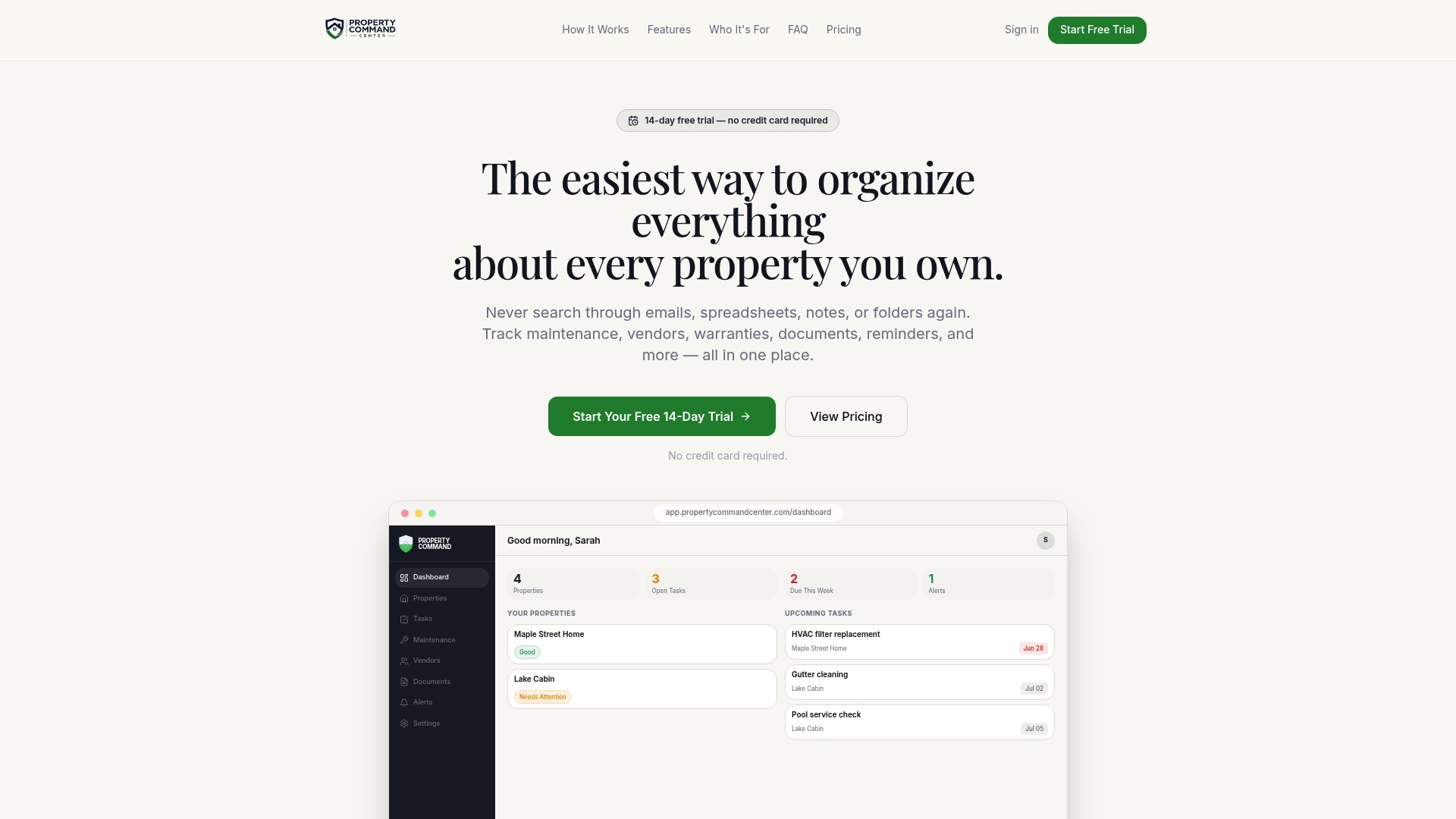
The best warranty expiration reminder is one tied to the property record the warranty belongs to. A reminder alone says "water heater, soon." A reminder attached to the document, the serial number, the install date, the installer and the claim instructions lets you act the same day. If you own several homes or rentals, that connection is the difference between a free repair and a bill. Property Command Center is built for this: one record per property, with documents, vendors, tasks and reminders in the same place, and a 14-day free trial that needs no credit card.
This guide shows what to record, when to set alerts, how to check whether a warranty is still active, and what to do in the weeks before coverage ends.
TL;DR
- Store every warranty with its property, its asset and its actual document, not just an expiration date in a calendar.
- Record the start date exactly as the document defines it, the coverage type, exclusions, and how to file a claim.
- Set at least two alerts: roughly 90 days before expiration, to inspect and file, and one on the expiration date itself.
- Verify uncertain coverage with the manufacturer's serial-number lookup, and save proof of the result.
- When a manufacturer warranty ends, decide then whether an extended plan, a service agreement or self-funding makes sense for that asset.
Table of Contents
- Why warranties expire unnoticed
- What to record for every warranty
- How far ahead to set the reminder
- Make the reminder impossible to miss
- How to tell whether a warranty is still active
- Coordinate warranties with maintenance and service history
- Filing the claim before time runs out
- What to do when the warranty ends
- Where spreadsheets and folders break down
- Start tracking warranties in one place
- FAQ
- Sources
Why warranties expire unnoticed
Most warranties lapse quietly. Nobody sends a notice that your furnace's parts coverage ends next month. The information lives in a box, an email from the installer, a PDF in a folder named "House stuff," or the memory of whoever bought it.
One home makes this manageable. Three homes, or a lake house plus two rentals, does not. Each property has its own appliances, roof, HVAC, water heater, flooring, windows and contractors, and each of those may carry different coverage with different start dates. Add a caretaker or cleaner who sees problems first, and the person with the claim rights is often not the person who notices the issue.
The fix is not a better memory. It is a system where the date, the document and the action sit together.
What to record for every warranty
A reminder is only as good as the record behind it. Before you set any alert, capture these fields for each covered item:
- Property and location. Which house, and where in it (garage, upstairs unit, mechanical room).
- Item and identifiers. Product description, model number and serial number. These are usually on the rating plate or nameplate on the equipment.
- Who issued the warranty. The manufacturer, the installer or contractor, or a third-party plan provider. These are different promises with different claim routes.
- Start date and end date. Use the exact dates, not "5 years." The start may be the purchase date, the installation date or the closing date, depending on the document, so read how it defines the trigger.
- What is covered. Many warranties cover parts only and exclude labor. Note the exclusions and wear items too.
- Conditions. Some warranties require registration, annual servicing or licensed installation. Missing a condition can void coverage even before the end date.
- Claim route. Phone number, portal, who is authorized to do the repair, and whether you must give written notice.
- Where the paperwork is. Attach the receipt, the signed agreement and the full warranty text to the record, so no one relies on a summary.
That last point matters more than it seems. A summary that says "10-year warranty" leaves out the conditions that decide whether a claim is paid. Keep the full text next to the date.
If you want a weekend-sized plan for gathering all of this, our guide to organizing warranties by asset walks through it item by item. For the receipts that prove purchase and installation, see how to capture repair receipts in one minute.
How far ahead to set the reminder
There is no legal rule for this. It is a practical decision, and the practical answer is that you need enough time to notice a problem, schedule an inspection, and file before the deadline. Many claims need a technician visit, a diagnosis or a part order, and none of that happens in a day.
A schedule that works for most owners:
| Alert | Purpose | What to do |
|---|---|---|
| 90 days before | Inspection window | Look at or run the item, ask caretakers or tenants about issues, review exclusions |
| 30 days before | Last scheduling window | Book a service visit for anything suspect, gather the receipt and serial number |
| Expiration date | Final check | Confirm nothing is pending, note the end of coverage, decide on what comes next |
Use the 90-day alert for the big-ticket items: HVAC, water heaters, roofs, major appliances, windows. Smaller items can use a single 30-day alert. For items with annual conditions, such as required servicing, set a separate recurring reminder tied to that condition, because skipping it can matter more than the end date.
For vacation homes the lead time should be longer. If you are on site only a few times a year, a 90-day alert may arrive between visits. Set the alert early enough to coincide with your next planned trip or to have a local vendor look at the item on your behalf.
Make the reminder impossible to miss
A reminder fails when it lives in one person's calendar or one email inbox. Three habits prevent that.

Put the alert where you already work. If maintenance tasks, vendors and documents live in one place, the warranty alert shows up alongside the work it triggers. A reminder that says "call the HVAC installer, here is the contract and the number" gets done. A bare calendar ping gets snoozed.
Turn the alert into a task. The reminder should create a specific action: inspect, photograph the serial plate, run a test cycle, ask the guest-turnover cleaner about problems. Our maintenance task tracking guide covers how to keep those tasks visible across a small portfolio.
Do a short monthly pass. Once a month, spend a few minutes looking at what expires in the next 60 days across all properties, and whether anything new was bought, installed or replaced. New installs are where warranties get lost, because the paperwork arrives when you are busy with the project. Folding this into your maintenance calendar is easier than starting a separate habit; two simple checks are enough to start.
How to tell whether a warranty is still active
Sometimes the paperwork is gone, or the item came with the house. You can often still check coverage directly with the manufacturer.
- Find the nameplate. Model and serial numbers are on a rating plate on the unit. Take a clear photo.
- Use the manufacturer's lookup. Many brands run a warranty portal. Bradford White, for example, lets you enter a water heater's serial number in its Warranty Check to see the warranty length and expiration date.
- Read what the result covers. One HVAC service company's warranty checker guide explains that you enter the model and serial number from the nameplate in the manufacturer's portal to see status, coverage dates and what is included. It also notes that most warranties are parts-only, covering items such as compressors and coils but not labor or refrigerant.
- Save the proof. Take a screenshot of the confirmation and attach it to the property record, with the date you checked.
That third point changes how you budget. If a compressor fails inside the warranty window but labor is excluded, you still pay the technician. The record should say so, so the number you plan for is the real one.
If you are bringing in years of existing files, our Smart Setup is designed to help extract and organize information from existing files, emails and spreadsheets, so a pile of old PDFs becomes searchable records instead of a weekend of retyping.
Coordinate warranties with maintenance and service history
Warranty and maintenance are the same story told twice. A manufacturer may require servicing at set intervals, and a claim may be questioned if you cannot show it happened. A service record also tells you whether a failing item had been giving signs earlier, which helps when you describe the problem to the claims line.
Keep these linked:
- The service log for each asset. Date, vendor, what was done, cost, and the invoice.
- The warranty record for the same asset. So the log and the coverage sit side by side.
- The vendor record. The installer's contact, and whether they are authorized for warranty work.
After every service call, update the record the same week. A habit of updating after each visit is what keeps a record from going stale, and it is especially useful for second homes where a caretaker or local handyman is your eyes. Our guide to tracking service history with six fields shows a minimal format you can keep up.
Short-term rental hosts have extra pressure here. Appliances run harder with frequent turnover, so problems appear sooner and coverage is used faster. A regular maintenance cadence for rentals catches faults while they are still inside the warranty window.
Filing the claim before time runs out
When an alert fires and something is wrong, the sequence matters:
- Pull the record. Confirm the end date, the covered parts and the claim route.
- Document the problem. Photos, a short video, the date you noticed it, and who reported it.
- Notify in the way the warranty requires. If it says in writing, send it in writing and keep a copy.
- Use an authorized repair route. Using someone not named in the terms can complicate a claim.
- Log everything. Reference numbers, names, dates, and what was promised.
The notice date is usually what counts, so file as soon as you suspect a defect rather than after you have collected every quote. For more on tracking open claims across properties, see our overview of warranty claim tracking.
What to do when the warranty ends
Expiration is a decision point, not just a deadline. For each major asset, choose one of these before the date passes:
- Replace or repair now, if the 90-day inspection found a problem and the claim is covered.
- Buy an extended plan. Terms vary by provider. As one example, the Assurant plan sold through US Appliance covers functional parts and labor with no deductibles, and its coverage starts the day after the manufacturer warranty expires. That gap-free start is the detail to look for in any plan, and it only works if you buy before the original coverage lapses.
- Move to a service agreement with a vendor who already knows the property.
- Budget for the cost yourself. Note the asset's age and expected replacement window in the record so the expense is planned, not a surprise.
Whichever you choose, update the record: new coverage dates, new document, new alert. The cycle restarts.
Where spreadsheets and folders break down

A spreadsheet can hold the dates, and for one property it often works. It breaks when you own several, because the sheet holds the date but not the document, the document is in a different folder, the installer's number is in an old email, and no one is notified. Every extra property multiplies the places to look.
What owners with multiple properties need is not more storage but a connected record: warranties, maintenance history, vendors, tasks and reminders attached to each property and each asset. That is what the platform is built around, and portfolio import tools let you bring in several properties at once instead of entering them one at a time.
Our perspective
We built Property Command Center around a simple observation: owners rarely lose a warranty because they did not care. They lose it because the date lived in one place, the paperwork in another, and the person who needed to act had neither.
That is why we treat the property, not the calendar, as the center. Each property becomes a living record with its maintenance history, documents, vendors, tasks and reminders together. When a warranty alert arrives, the full document, the installer and the service history are already one click away.
We also think owners should not have to retype what they already have. Your spreadsheets, Gmail threads, PDFs and notes already contain most of the information. Smart Setup is designed to extract and organize it, and portfolio import brings in several properties together, so the work of setting up is a fraction of the work of maintaining scattered files.
Traditional landlord software focuses on rent and tenants. We focus on property knowledge: what happened, who did the work, where the paper is, and what is coming due. For anyone managing their own homes and rentals, that is what stops expensive surprises.
Francisco
Start tracking warranties in one place
Property Command Center gives each property a record that holds its warranties, documents, vendors, maintenance history and reminders. Plans are priced by the number of properties: Starter is $19 per month and Pro is $49 per month, and you can try it free for 14 days without a credit card. See the plans on the pricing page, or start from the Property Command Center home page.
FAQ
How do I know if my warranty has expired?
Check the end date in the original document, remembering that the start date may be the purchase, installation or closing date. If the paperwork is missing, use the manufacturer's warranty lookup with the model and serial number from the nameplate, then save a screenshot of the result with your property records.
How far in advance should I set a warranty expiration reminder?
A 90-day alert for major items and a second one on the expiration date give you time to inspect, schedule a technician and file. For second homes you visit rarely, set the first alert early enough to fall before your next trip or to arrange a local vendor visit.
What should I record for each warranty?
The property and location, the item with model and serial number, who issued the warranty, exact start and end dates, what is covered and excluded, any required servicing or registration, the claim route, and the full document. A shorthand such as "5 years" is not enough to act on.
What should I do when a warranty expires?
Decide before the date passes. Make any covered claim first, then choose between an extended plan, a service agreement or setting money aside for the asset. If you buy a plan, check when its coverage starts, since some begin the day after the manufacturer warranty ends. Then record the new dates and alerts.
Do I need a different system for rentals and vacation homes?
The fields are the same, but the timing differs. Rentals with frequent turnover use appliances harder, and vacation homes have fewer eyes on site. Both benefit from alerts that create tasks, and from records updated after every visit or service call.
Sources
- Bradford White Warranty Center
- HVAC Warranty Checker, The Cooling Company
- Extended Service Plans, US Appliance