
Good cleaner scheduling comes down to three things: a protected turnover window between checkout and the next check-in, a cleaner who confirms every job instead of assuming it, and one place where the schedule, instructions and history live. Get those three right and most missed cleans, rushed turnovers and last-minute scrambles go away. This guide shows you how to build that system, whether you host one cabin or run several rentals.
TL;DR
- Build the schedule from the calendar: each checkout creates a cleaning job with a fixed start, a finish and a buffer before check-in.
- Aim for a turnover window of about five hours, and keep the last stretch for inspection and fixes, not cleaning.
- When a booking changes, update the job, then get the cleaner to acknowledge it. A calendar change alone is not a confirmation.
- Give every cleaner a property-specific instruction sheet, and record each completed clean so the next person can pick up where the last left off.
- Keep cleaners, schedules and property details together, so one owner can run many rentals without digging through texts.
Table of Contents
- Start with the turnover window
- Same-day turnovers, back-to-backs and gaps
- When to schedule mid-stay cleanings
- What to give your cleaner
- Handling booking changes without double-booking your cleaner
- Keep records of every clean
- Organize cleaners, schedules and property details in one place
- Our perspective
- Put your cleaner schedule in one place
- A simple weekly routine
- FAQ
- Sources
Start with the turnover window
The turnover window is the time between one guest's checkout and the next guest's check-in. Everything fits inside it: cleaning, inspection, restocking and any small repair. One host guide calls a five-hour window, such as an 11 AM checkout and 4 PM check-in, the sweet spot, and notes that shorter windows add stress and raise the odds of missed details.
That same guide lays out an example you can copy as a starting template:
| Time | Step |
|---|---|
| 11:00 to 11:30 | Walkthrough after checkout, note damage and left items |
| 11:30 to 2:30 | Turnover cleaning |
| 2:30 to 3:00 | Restocking and final inspection |
| 3:00 to 4:00 | Buffer for problems |
The buffer is the part hosts skip and later regret. Cleaning guidance from a professional service makes the same point: leave the final part of the window for inspection and problem-solving. If check-in is at 3:00 p.m., do not plan for the cleaner to finish at 2:58.
If your window is too short
You have two levers: an earlier checkout or a later check-in. Either one buys cleaning time, but both change the guest experience, so the right setting depends on your property and booking pattern. A beach house with families arriving on Saturdays can hold a firm 10 AM checkout. A downtown condo with business travelers may do better with a later check-in and flexible checkout.
A simple way to decide: look at your last ten turnovers. Note how long the clean actually took and how often the buffer was used. If the buffer was gone more than a couple of times, widen the window.
For a deeper walk through the calendar-first approach, see our five-stage Airbnb cleaning schedule.
Same-day turnovers, back-to-backs and gaps
Not every turnover looks the same, so give each type a default.
- Same-day turnover: the full window above. Book the cleaner for a fixed start time, not "sometime after checkout."
- Back-to-back with a long gap: you can schedule the clean closer to the next arrival, which keeps the home fresh. Still schedule it a day ahead if you can, since cleaners fill up.
- Owner stay next: treat it like a guest turnover. Owners are the guests most likely to notice a missed detail.
- Long vacancy: a lighter check and dusting visit every few weeks catches problems early. Our vacation home checklist for remote owners covers what to look at.
Write the default for each type into your cleaner's instructions once, and you will stop re-explaining it every booking.
When to schedule mid-stay cleanings
Mid-stay cleaning is for longer bookings. A cleaning company's guidance on long stays suggests one visit at the midpoint for two-to-four-week stays, and every two weeks as the baseline for stays of a month or more, moving to weekly for pets, large groups or beach units. The full checkout turnover still happens. Mid-stay visits add to it and never replace it.

There is a maintenance angle too. The same source gives early problem detection as a reason for these visits: continuous occupancy can let mold or pest problems grow unnoticed until checkout. A cleaner who is in the unit every two weeks is also your eyes on a slow drip, a stuck window or a dead smoke detector battery. Ask them to report what they see, and log it.
Set your policy in the listing and the booking message, so guests know a visit is coming and agree on a time.
What to give your cleaner
A cleaner who has to guess will clean to their own standard, not yours. A one-page sheet per property fixes that. Include:
- Access: door codes or lockbox location, parking, alarm steps, and who to call if access fails.
- Scope by room: the checklist you expect, including the items that are easy to miss, such as inside the oven, under cushions, shower drains and outdoor furniture.
- Supplies: where cleaning supplies live, what to restock (toilet paper, soap, coffee, trash bags) and where the backup stock is.
- Linens and laundry: how many sets per bed, where clean ones are stored, whether laundry is done on site or taken away.
- Property quirks: the sticky back door, the delicate countertop that cannot take certain cleaners, the hot tub procedure.
- Reporting: what to photograph (damage, stains, left items, low supplies) and where to send it.
- Timing: the start time, the finish target and the point at which they should call you if they are running behind.
If you want a ready-made inspection layer on top of the clean, our two-layer QA guide for vacation rental inspection shows how a cleaner's self-check and your own quick review work together. And for the repairs that tend to surface at turnover, the rental make-ready checklist helps you sequence them.
Handling booking changes without double-booking your cleaner
Bookings move. Guests extend, leave early, switch units or request a later checkout. Each change can break a cleaning job that was set days ago.
Scheduling guidance on this stresses a clear routine: when a booking changes, update the service requirement and window, confirm the assigned cleaner accepts the new plan, and flag capacity conflicts when the realistic window no longer fits. In plain terms:
- Update the job first. Change the date, start time and window to match the new booking.
- Message the cleaner directly. Tell them what changed and ask for a yes or no. Silence is not a yes.
- Check for conflicts. If the cleaner has another property that day, decide whether the new time still works or whether you need a backup.
- Close the loop. Once confirmed, note it on the job so you can see at a glance which jobs are locked in.
Build a bench
Every host eventually loses a cleaner on the worst possible day. Keep a primary and at least one backup per property, and share the same instruction sheet with both. Record each one's availability pattern, such as which days they do not work and how much notice they need, so a calendar change does not turn into a phone-tree.
If you juggle several rentals, add one more rule: never let two properties share the same cleaner window unless the drive time and job length genuinely fit. Write the realistic duration of each clean into the property record, based on actual past jobs, not hopeful guesses.
Keep records of every clean
A schedule tells you what should happen. A record tells you what did. A cleaning documentation guide for property managers says a practical record should let someone else answer what and where work was scheduled, which items were completed, what changed, and who owns follow-up.
A lightweight record per turnover can capture:
- Property and area
- Date, arrival time and completion time
- Scope status: completed, partial, not completed or not applicable
- Exceptions, with a description and location
- Photo or note when needed
- Follow-up owner, due date and the date it was closed
This pays off when a guest claims the place was dirty, when a cleaner reports a leak, or when you are deciding whether to keep a cleaner at all. It also feeds maintenance. A cleaner's note about a stained ceiling is the start of a repair job, and that job should land on your task list with a vendor and a due date.
For recurring maintenance and asset care, the EPA's building guidance recommends keeping an equipment list, equipment history and schedules, so that the same facts do not have to be rediscovered each time a vendor does work. The same logic applies to a rental: the cleaner's notes, the plumber's invoice and the HVAC filter date all belong in one history. Our guide to tracking service history with six fields shows a simple way to start, and the vendor performance tracking guide covers how to judge cleaners and other vendors over time.
Organize cleaners, schedules and property details in one place
Most hosts start with a calendar, a text thread and a spreadsheet. It works for one property. At three or four, the cracks show: which cleaner covers which home, where is the lockbox code, when was the deep clean last done, who has the supply list.
A workable setup has four parts:
- A contact directory for cleaners, backups, handymen and other vendors, with phone, rates, availability and notes.
- A property record for each home with access details, the instruction sheet, the supply list and quirks.
- A task and reminder layer for recurring jobs: deep cleans, mid-stay visits, linen replacement and inspections.
- A history log for completed cleans, issues found and follow-ups closed.
Whether you use folders, a shared drive or software, the test is the same: could a trusted friend step in tomorrow and run this property from what is written down? If the answer is no, the knowledge lives in your head, and that is the real scheduling risk. For a broader look at the documents behind this, see our rental document checklist and our rental turnover checklist. If you also want to plan inspections around your cleans, read our rental inspection schedule guide.
Our perspective
Most hosts do not have a scheduling problem. They have a scattered-information problem. The cleaner's number is in a text thread, the access code is in an email, the last deep clean is in a spreadsheet nobody updated, and the warranty for the washer that keeps flooding is in a drawer.
We built Property Command Center around that idea. Our approach is that every property should be a living record: maintenance history, documents, vendors, tasks and reminders in one place, so the person cleaning, the person fixing and the person owning are all working from the same facts.
Traditional landlord software is built for rent, leasing and tenants. We focus on property knowledge instead, and that is what a good cleaning schedule actually depends on. Our Smart Setup is designed to pull information from the spreadsheets, files and emails you already have, so you do not start from a blank page.
If you take one thing from this article, take this: write it down once, in one place, and let every cleaner, handyman and future you use it.
Francisco
Put your cleaner schedule in one place
Property Command Center is built for owners who self-manage several homes, vacation rentals or short-term rentals. You can keep your cleaner and vendor contacts, property instructions, recurring tasks, reminders and service history together, and import existing information from spreadsheets and files instead of retyping it. Plans are Starter at $19 per month and Pro at $49 per month, and there is a 14-day free trial with no credit card required.
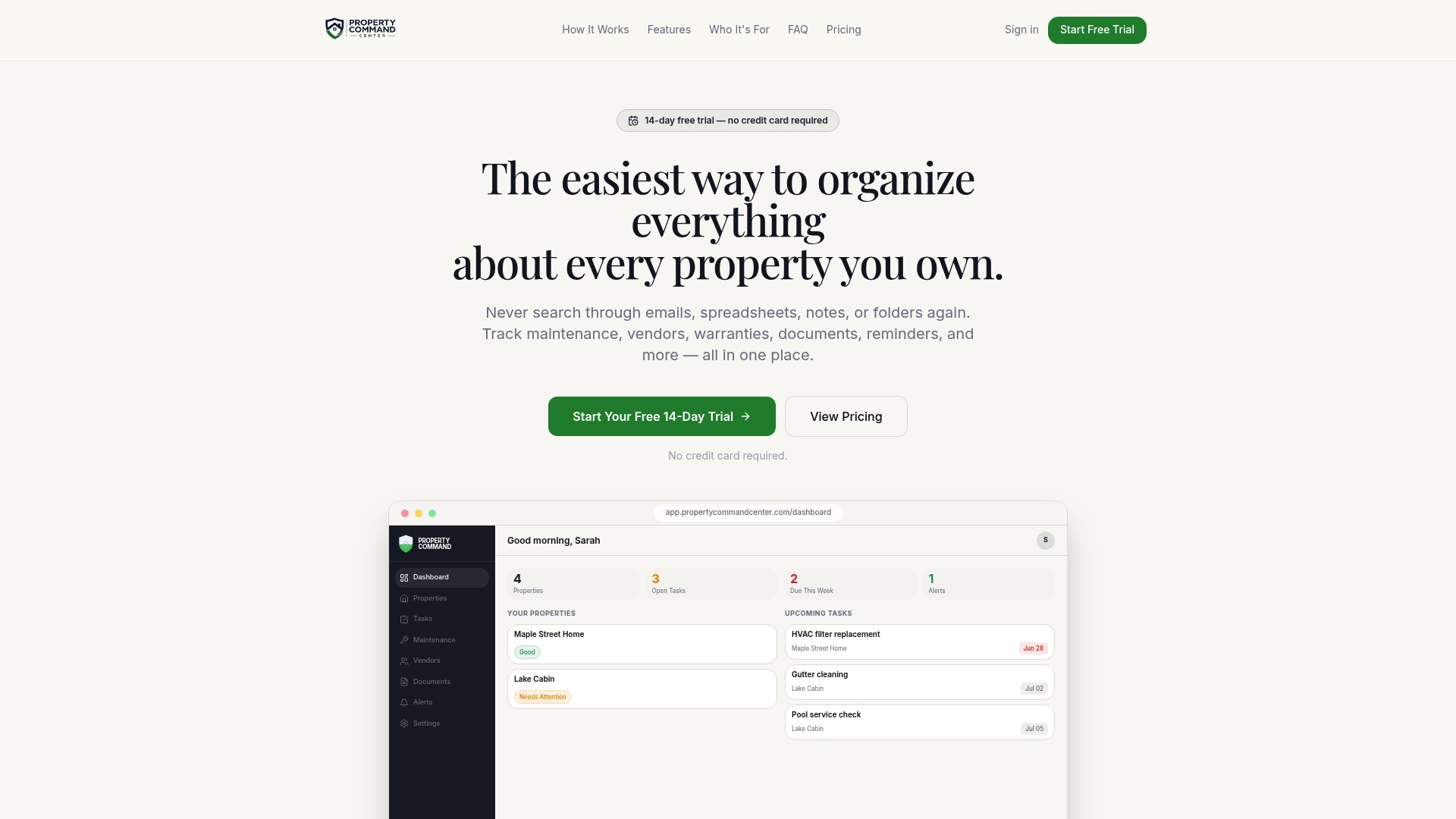
When you are ready, start on the Property Command Center site and set up your first property.
A simple weekly routine
Once the system exists, upkeep takes minutes:
- Monday: review the next two weeks of checkouts and confirm each cleaner is booked and has acknowledged the job.
- After each turnover: log completion, exceptions and follow-ups the same day, while details are fresh.
- Monthly: compare actual clean durations to your window, and adjust check-in or checkout times if the buffer keeps disappearing.
- Quarterly: review each cleaner, refresh the instruction sheets and check supplies and linen counts.
FAQ
How far ahead should I schedule my cleaner?
Schedule recurring turnovers as soon as a booking is confirmed, and reconfirm a few days before the checkout date. Busy weekends fill up fast, so give your cleaner as much notice as you can. When a booking changes, update the job and get a clear yes from the cleaner.
How long should a turnover window be?
One host guide suggests about five hours between checkout and check-in, including a buffer. Your best number depends on the size of the home and the thoroughness you expect. Track real clean times for a few turnovers and set the window from that.
Do I need mid-stay cleanings?
For stays of two to four weeks, a single midpoint visit is a common suggestion. For month-long stays, every two weeks is a common baseline. They also give you a regular chance to spot small maintenance problems early.
What should I do when my cleaner cancels last minute?
Call your backup first, and send the same instruction sheet you give your primary cleaner. Keep backup contacts and their availability in your property records, so you are not searching through old messages. Afterward, note the cancellation in your vendor history.
Sources
- How to Set Up a Cleaning Schedule for Your Vacation Rental
- Airbnb Cleaning Timing That Keeps Guests Happy
- Mid-Stay Cleanings for Long-Term Airbnb Guests
- Cleaning Service Documentation for Property Managers
- IAQ Building Education and Assessment Model (I-BEAM), EPA