
Home maintenance automation, for an owner with more than one property, is mostly not about gadgets. It is about making sure the right task, vendor and document surface at the right time without you remembering it. Connected devices help, but the part that fails first in most portfolios is the record: when the HVAC was last serviced, who did it, and where the warranty lives. The most reliable setup is one central place that holds each property's history and fires reminders from it. That is what Property Command Center is built for, and the rest of this guide shows how to get there.
TL;DR
- Automate in two layers: devices that watch the property (locks, thermostats, leak sensors) and a system of record that schedules and remembers the work.
- Start with recurring tasks that have a fixed rhythm: HVAC filters, seasonal inspections, pool and appliance service, and cleaning turnovers.
- Log six things after every visit: date, vendor, system and component, work performed, itemized cost, next service due.
- Judge results with simple operational measures such as time spent on requests, not a made-up ROI percentage.
- Our Starter plan is $19 per month and Pro is $49 per month, with a 14-day free trial and no credit card.
Table of Contents
- What home maintenance automation actually means for an owner
- Which maintenance tasks are worth automating first
- Set up automated schedules across several properties
- Keep the records that protect you at tax time and at sale
- Where connected devices fit
- How to tell whether it is working
- Perspective
- Try it on your own portfolio
- FAQ
- Sources
What home maintenance automation actually means for an owner
Search this phrase and you mostly find lists of smart-home installers and gadget roundups. Those answer a different question: how to control lights and thermostats from a phone. If you own a rental, a vacation home or several properties, you need two things at once.
The first is remote control and monitoring. CEDIA, the home technology professional association, describes managing a holiday home remotely with smart locks, climate control, lighting and security systems, where booking schedules can adjust security alerts and energy use to occupancy.
The second is the maintenance routine itself: the filter that must be changed, the gutter that must be cleared before the rainy season, the water heater that is now eleven years old. No sensor knows your water heater's install date or that the plumber who flushed it last year charged $180. That knowledge lives in your emails, a spreadsheet tab, a PDF and your memory. Automating that means turning it into a structured record that generates reminders and tasks on its own.
We treat these as two layers:
| Layer | What it does | Examples | Where it falls short alone |
|---|---|---|---|
| Device layer | Watches and controls the property in real time | Smart locks, thermostats, leak sensors, cameras | It alerts you, but does not know vendors, warranties or history |
| Record and schedule layer | Remembers what happened and what is due | Maintenance calendar, vendor directory, document vault, reminders | It needs accurate information put in once |
Most owners buy the device layer first and then wonder why they still miss service dates. The record layer is the one that prevents the missed dates.
Which maintenance tasks are worth automating first
The best candidates are tasks that repeat on a predictable schedule and cost far more to skip than to do.
HVAC filters and service. The National Apartment Association notes that preventive service for HVAC, electrical components, pools, dishwashers and washers can reduce downtime and help avoid repeated breakdowns. Filters are the simplest case. A study of 7,772 single-family rental units over 18 months, summarized by Second Nature, found nearly 40% fewer HVAC service tickets among units that received scheduled filter delivery. Whatever the exact figure at your properties, the lesson is that a dated, repeating prompt beats good intentions. For a runtime-based approach, see our guide to HVAC filter reminders.
Seasonal checks. Gutters, smoke and carbon monoxide detectors, outdoor faucets before freezing weather, roof and exterior walkthroughs. These happen once or twice a year, which is exactly why they get forgotten. Our post on maintenance calendar setup starts with two checks so the calendar does not become a project of its own.

Appliance, pool and water-system service. Anything with a service interval or a warranty clock: water heaters, softeners, pool equipment, septic, generators.
Short-term rental turnovers. Deep cleans, linen and supply restocks, hot tub servicing and mid-season walkthroughs run on cadences rather than on single dates. We lay these out in four cadences for short-term rental maintenance.
Document deadlines. Insurance renewals, warranty expirations, permit and license dates. Nothing breaks when these pass, until the day you need the document.
Set up automated schedules across several properties
This is the step most guides skip. Here is the routine, with where each step tends to go wrong.
1. Gather what you already have
Pull together spreadsheets, Drive folders, email threads with contractors, PDFs of invoices, warranty cards and manuals. You do not need to clean them first. The common mistake is treating cleanup as a prerequisite and never starting. In Property Command Center, Smart Setup is designed to extract and organize information from existing files, emails and spreadsheets, and portfolio import lets you bring in multiple properties without entering them one at a time.
2. Give each property a record, organized by system
Organize by home system (HVAC, plumbing, electrical, roof, appliances, exterior) rather than by date or vendor. A date-ordered folder is easy to start and impossible to search a year later. Each property in Property Command Center becomes a living record with its maintenance history, documents, vendors, tasks and reminders in one place, so the structure is already there.
3. Record six fields for every service visit
The fields that make a history useful, as a recordkeeping guide lays out, are: date, vendor contact and license, system and component, work performed, itemized cost, and next service due. The last field is what turns a log into a schedule. If you skip it, you will have a tidy archive and no reminders. Our six-field service history guide walks through a 90-day rollout for multi-home owners.

4. Attach the reminder to the interval, not to a date you picked
A reminder set for "March 15" drifts the moment a service happens early or late. A reminder tied to "six months after the last service" keeps itself accurate. When you log a visit with its next-due date, the following task should generate from it. Our walkthrough on automating property tasks across multiple homes shows how to do the first pass in a weekend.
5. Put vendors where the tasks are
Every recurring task should point to the person who does it. When a reminder fires and you have to dig through texts for the plumber's number, the automation has saved you nothing. Keeping a vendor directory tied to each property means the task, the contact and the past invoices sit together. Communication can be automated too: AI call answering for property teams handles routine inbound calls and booking requests, which suits owners who do not want to field every guest or vendor call.
6. Review once a month, ten minutes
Open the portfolio view, clear overdue items, and look ahead 30 days. This is the whole routine. If a task keeps being overdue, the cadence is wrong or the vendor is not working out; fix that instead of snoozing.
For a deeper look at the task side, read our guide to maintenance task tracking for small portfolios.
Keep the records that protect you at tax time and at sale
Automation is also a recordkeeping system. The IRS tells rental owners to maintain good records of rental income and expenses and to be able to document them if a return is selected for audit. Receipts and invoices for repairs belong with the property they relate to, not in one pile.
A practical habit: attach the invoice to the service record at the moment you log the visit. Then the receipt, the vendor, the amount and the next due date are one entry. For owners of several rentals, that also keeps expenses separated property by property, which is how you will want to report them. Ask your CPA how long to keep each type of document in your situation, since it depends on the document and on your tax circumstances.
Warranties and manuals follow the same rule. A warranty you cannot find is a warranty you do not have. Store the PDF against the appliance it covers, with the purchase date and expiration in the record so the reminder arrives before coverage ends. Our guide to rental property maintenance schedules and recordkeeping covers this for small owners.
Where connected devices fit
Devices are valuable as the eyes of the system. A leak sensor under a water heater, a smart thermostat that reports temperature extremes at an empty vacation home, a smart lock that gives each guest or vendor a code: these give you early warning and remove physical key handoffs. The Smart Tech for Multifamily report found participants reporting a 20% maintenance-efficiency boost from no longer needing to pull keys for access.
When choosing devices, check three things:
- Guest-friendliness. CEDIA says controls in rental homes should be intuitive for guests, and that integrating several systems takes professional installation.
- Integration. The same multifamily report says smart-building solutions work best when connected to resident apps or property-management systems, rather than running as isolated apps.
- What happens after the alert. An alert that a pipe is leaking is only useful if you can reach the right plumber and know where the shutoff and the home's history are. That is a record-layer problem.
If you manage a second home from far away, our guide to managing a vacation home remotely starts with one automation to switch on this week, and our remote home management plan covers a 90-day build.
How to tell whether it is working
Resist the urge to compute a single ROI number. The National Apartment Association cautions that one industry-wide preventive-maintenance ROI percentage is hard to establish, because operators budget differently and costs and returns vary. The Smart Tech for Multifamily report suggests that where monetary ROI is hard to measure, operational measures such as time spent on maintenance requests, work orders completed and labor expenses can indicate effectiveness.
For an owner of two to twenty properties, a useful scorecard is small:
- Missed or late tasks per quarter. It should trend toward zero.
- Time to find a document. If locating a warranty or invoice takes more than a minute, the vault is not working.
- Emergency repairs versus scheduled ones. More scheduled work and fewer emergency calls is the goal.
- Hours per month you spend on upkeep logistics. Note it before you start and again after three months.
The same NAA summary, drawing on Ball State University research, reports that maintenance teams spent about 18% of their time on preventive maintenance, and that 70% of surveyed operators had a formal preventive-maintenance program. Individual owners rarely have a team, so the formal program is exactly what a system of record supplies.
Perspective
We built Property Command Center around a simple observation: owners rarely lack information, they lack one place for it. The facts about a property are scattered across spreadsheets, Gmail, Google Drive, PDFs and notes, and every missed filter change or lapsed warranty traces back to that scatter.
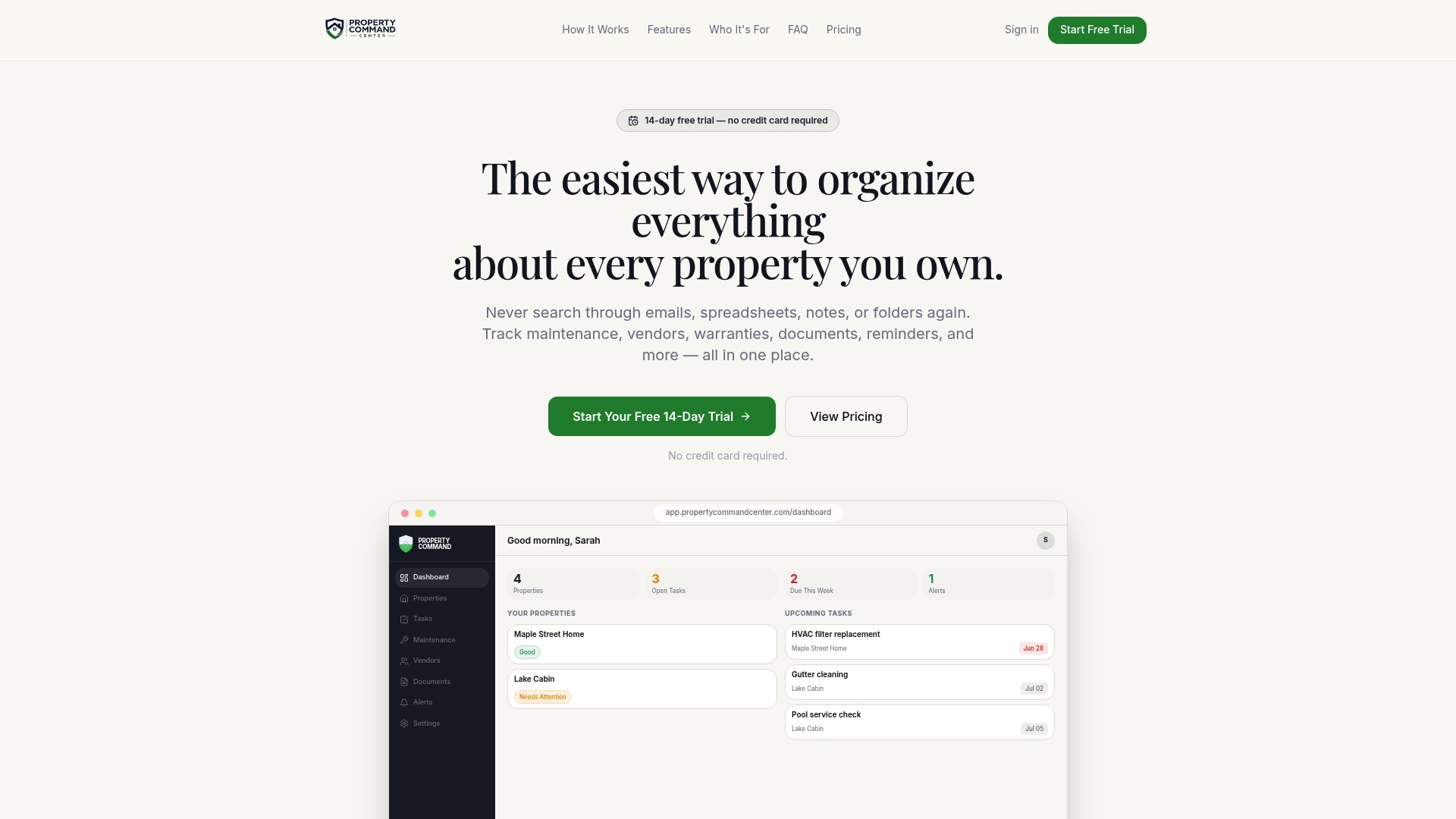
That is why we focus on property knowledge and organization rather than rent collection or tenant screening. Smart Setup is designed to read the files and emails you already have, and portfolio import brings in several properties at once, so you are not retyping years of history. Each property becomes a living record: maintenance history, documents, vendors, tasks and reminders together.
Our advice is to automate the memory first. Once the record knows what is due and who does the work, devices and alerts have something to plug into. Owners who start with the record usually find the rest of the automation falls into place.
Francisco
Try it on your own portfolio
If you want to see this routine on your real properties, Property Command Center offers a 14-day free trial with no credit card required. After that, Starter is $19 per month and Pro is $49 per month, with plans tiered by the number of properties. Bring in one property's spreadsheet and a few PDFs, and you will know within an afternoon whether it fits how you work.
If you already have more properties than you can track in a sheet, the Pro plan is the place to look.
FAQ
How much does it cost to automate home maintenance?
It depends on the layer. Devices such as leak sensors, smart thermostats and locks are one-time hardware purchases that vary by brand and number of doors. The scheduling and record layer is a subscription: Property Command Center Starter is $19 per month and Pro is $49 per month, with a 14-day free trial.
What can I automate without installing any hardware?
Quite a lot: recurring reminders for filters, seasonal inspections, service intervals, warranty expirations and insurance renewals, plus a vendor directory and document vault tied to each property. These depend on a good record, not on sensors.
Is this the same as property management software?
Not quite. Traditional landlord tools focus on rent collection, tenant screening, leasing and accounting. Property Command Center focuses on what happened at each property, who did the work, where documents are and what is coming due. It is made for owners who manage their own properties.
How do I move my existing spreadsheets over?
Start with one property and its most important files. Smart Setup is designed to extract and organize information from existing files, emails and spreadsheets, and portfolio import lets you bring in several properties without entering them one by one.
Sources
- A Guide To Smart Holiday Home Management, CEDIA
- The 411 on the ROI of Preventive Maintenance, National Apartment Association
- How to Reduce HVAC Maintenance Costs Data Study, Second Nature
- Smart Tech for Multifamily, 2025 report
- Tips on rental real estate income, deductions and recordkeeping, IRS
- How to Organize Home Maintenance Records: 5 Steps, Real Estate Ledger
- AI call answering for property teams