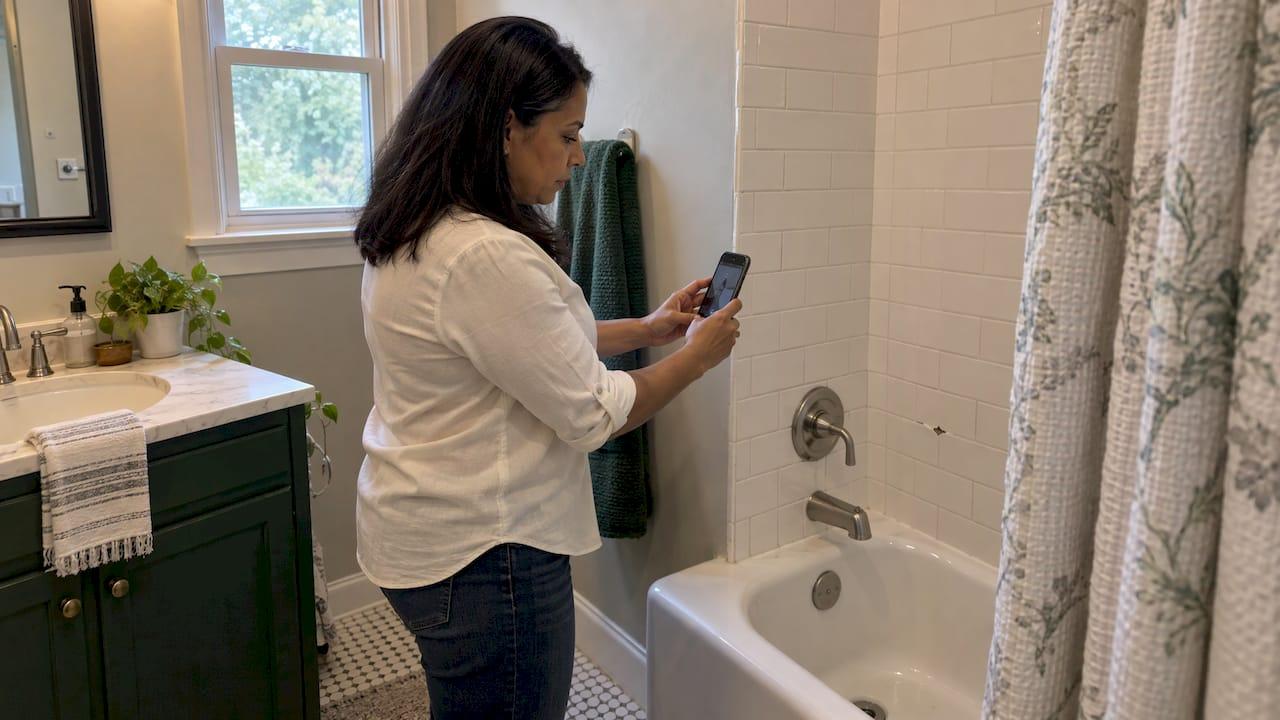
A property condition report is a dated, written record of what shape a property is in: what works, what is worn, what is damaged and what it will likely cost to fix. For an owner with several homes or rentals, the report only pays off if it stays attached to the rest of the property's history: photos, invoices, warranties, vendors and past repairs. A report that sits in a forgotten folder is worth little when a deposit dispute or a big repair decision arrives. That is why we build every property into a single living record in Property Command Center, where each report lives next to the maintenance history it explains.
TL;DR
- A property condition report is the written record of a property's condition on a specific date. In commercial real estate it is the deliverable of a property condition assessment; for a rental it is a room-by-room move-in and move-out record.
- Good reports pair specific written descriptions (location, size, type of damage) with labeled, date-stamped photos.
- Do a baseline before every new occupant, a closing record after they leave, and periodic checks in between. Vacation homes and short-term rentals benefit from a record after each guest turnover or season.
- Requirements for rentals vary by state and sometimes by city, so check your own state's landlord-tenant rules.
- The report is only useful if you can find it later. Keep it with the property's invoices, work orders and documents.
Table of Contents
- What a property condition report actually is
- What to include in the report
- When to create and update one
- Do you have to create one? It depends on your state
- Making the report useful for years
- Start with the records you already have
- Our view: the report is a memory, not a form
- FAQ
- Sources
What a property condition report actually is
The phrase covers two different documents, and search results mix them.
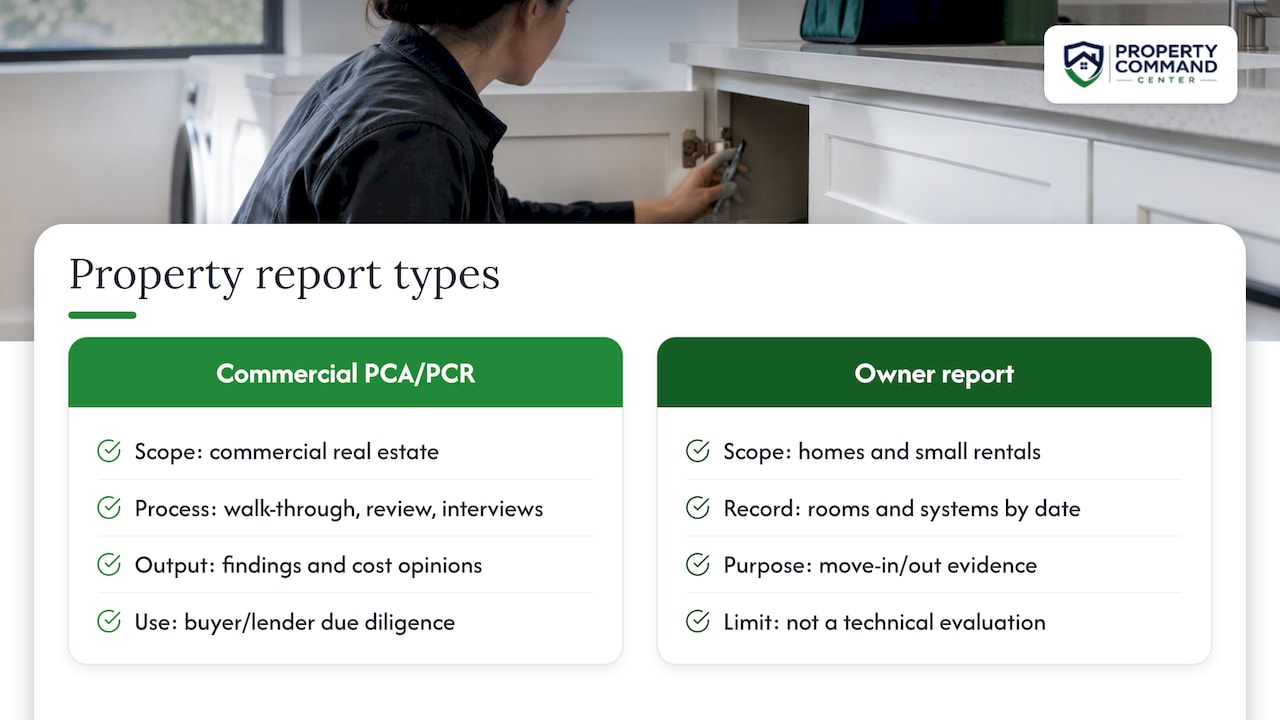
The commercial version. Under the ASTM E2018-24 standard, a property condition assessment (PCA) is the process: a walk-through, a document review and interviews, with the property condition report (PCR) as the written document recording the observations and opinions from that process, including opinions of cost for suggested remedies. ASTM describes the guide as a framework for commercial real estate, and buyers and lenders typically order these reports during due diligence on apartment buildings and commercial assets. In everyday use people say PCA, PCR and PCA report interchangeably.
The owner's version. For a house, condo, vacation home or small rental, the report is a practical record of what each room and system looks like at a point in time, usually just before move-in and again at move-out. It is not a technical building evaluation and does not replace a home inspection before you buy. Its job is evidence: what was here, in what condition, on what day.
This article focuses on the owner's version, because that is what self-managing landlords, vacation home owners and short-term rental hosts create and use every year. If you own a larger multifamily building and a lender requires a formal PCA, that is a specialist engagement priced by scope, and the lender will tell you which standard and level of detail it wants.
What to include in the report
A useful report is specific enough that a stranger could look at it two years later and know exactly what you meant.
Rooms, fixtures and systems
Go room by room and note the condition of:
- Walls, ceilings and paint, including marks, holes and stains
- Floors and floor coverings
- Windows, screens, blinds and doors
- Locks, keys, smoke and carbon monoxide alarms
- Appliances and what each one is (make, model, serial number if visible)
- Plumbing fixtures, water heater and HVAC, noting age and anything unusual
- Exterior areas: roof edges, gutters, siding, decks, driveway, fencing, landscaping
Also list existing defects on purpose. A scuffed floor you recorded at move-in is a floor you cannot be accused of ignoring later, and it is a floor the next occupant cannot be charged for.
Descriptions that hold up
Vague words fail. "Used" tells you nothing; "two-inch scratch on oak floor, left of the kitchen doorway" tells you everything. Give a location, a size and a type of damage for each defect, and attach a photo or short video to it. Label each photo by room and date.
The formal commercial standard works the same way. Freddie Mac's multifamily guide says its property condition reports should carry enough color photographs to illustrate the conditions discussed, each one narrated, along with a site plan. The same chapter directs consultants to review major-system maintenance and replacement information, significant reports and receipts from the prior 12 months, safety certificates and planned capital work. You do not need a consultant to borrow the idea: a condition report is much stronger when the paperwork behind each system sits beside it.
A quick template
| Item | What to record | Evidence to attach |
|---|---|---|
| Room surfaces | Condition of walls, floors, ceilings, with locations | Wide shot plus close-ups |
| Doors, windows, locks | Working or not, damage, number of keys | Photo of each defect |
| Appliances | Make, model, age, working order | Photo of the data plate |
| Systems (HVAC, water heater) | Age, last service, visible issues | Service invoice, warranty |
| Safety devices | Smoke and CO alarms present and tested | Test date, photo |
| Exterior | Roof edges, drainage, siding, decks | Photos of each side |
| Existing damage | Exact location and size | Close-up with a scale reference |
When to create and update one
Before and after every occupant
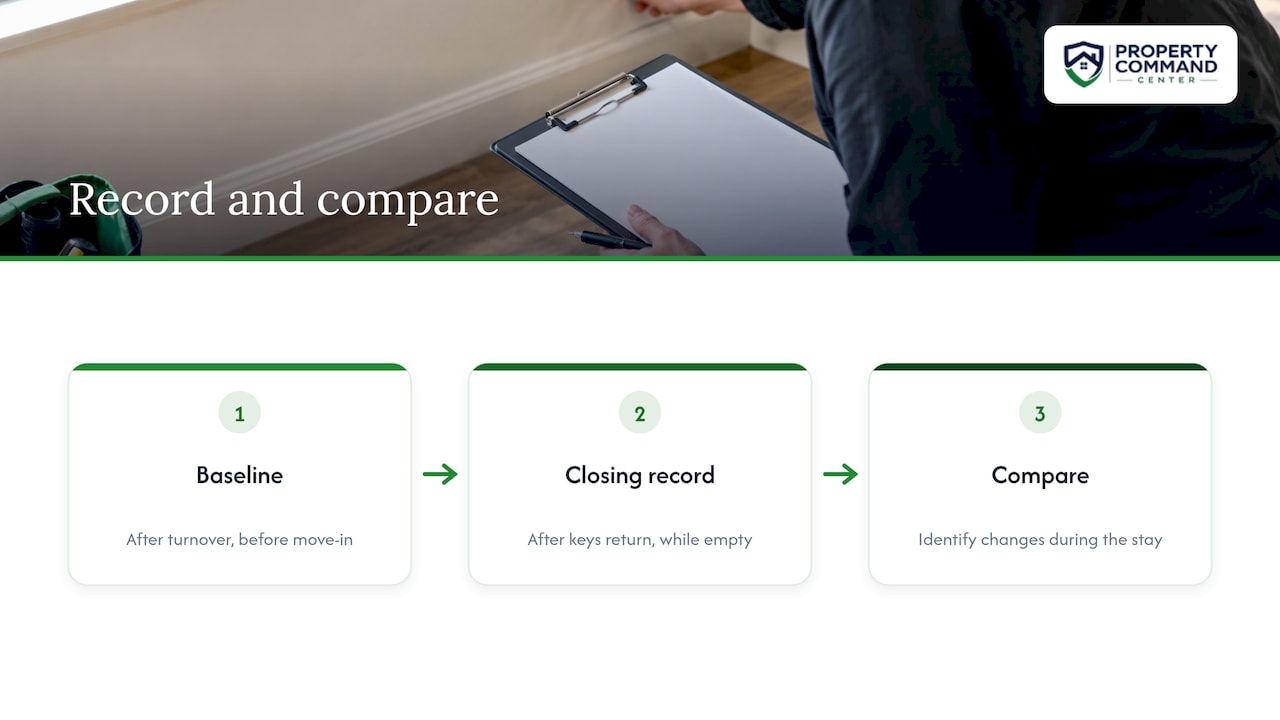
Complete the baseline after turnover is finished and just before the new occupant takes possession, so it shows the unit at its best, clean and repaired. Complete the closing record as soon as practical after the keys come back, while the unit is still empty and before anyone else enters. Comparing the two tells you what changed during the stay.
Turnover is where most of this work gets lost, because cleaning, repairs and photos happen in a rush. A sequenced routine helps: our rental turnover checklist shows how to order the steps, and the make-ready checklist covers what to fix before the baseline photos are taken.
Vacation homes and short-term rentals
A second home may sit empty for months, and a short-term rental changes hands every few days. In both cases the condition record is also a maintenance tool. A seasonal report, done on your arrival or when you open the home for the year, catches a stained ceiling, a failed seal or a dead smoke alarm before the next guest does. For short-term rentals, a quick photo set at each turnover gives you a dated reference if a guest reports damage. Our guides on short-term rental maintenance cadences and the vacation rental inspection checklist lay out how to schedule these checks across several properties.
Mid-tenancy checks
A periodic check during a tenancy can focus on maintenance, safety and changes that need attention, with proper notice to the tenant. Notice rules differ by state, so confirm yours before scheduling. If the property has security cameras, include them in the check: a CCTV maintenance plan with weekly, monthly and seasonal checks is a good model for what to test and how often. For rhythm and frequency across your whole portfolio, see our rental inspection schedule guide, and for safety items specifically, our landlord safety inspections checklist.
Do you have to create one? It depends on your state
There is no single national rule for residential rentals. Some states and cities require specific move-in documentation, some only when you collect a security deposit, and others leave it to good practice. Three examples show how much it varies:
- Georgia. The state's Department of Community Affairs handbook says a formal move-in inspection process applies to landlords with more than ten rental units or a management agent. Existing damage must be listed before the landlord accepts a security deposit, and the tenant may inspect the list.
- Minnesota. The Attorney General's brochure says that, beginning January 1, 2024, a landlord must inspect the unit at the tenant's request to identify existing repair problems, which helps separate pre-existing conditions from tenant-caused damage.
- California. The 2025 tenant guide published through UC Berkeley recommends an inventory checklist noting needed repairs, signed by both tenant and landlord or agent.
Even where no rule applies to you, a signed, photographed baseline is the strongest thing you can hold if a deposit deduction is questioned. For rules in your state, check your state attorney general or housing agency page, and ask a local landlord-tenant attorney about anything specific to your lease. Our guides on landlord maintenance responsibilities cover the maintenance side of what owners must keep up.
Making the report useful for years
A condition report has three jobs: prove what the property looked like, justify a deduction or a repair, and feed your maintenance plan. All three depend on finding it again.
Keep these together under each property:
- The signed report and the date-stamped, room-labeled photos
- Invoices and work orders for repairs that followed
- Warranties, manuals and insurance documents for the systems you recorded
- Vendor names and contact details for whoever did the work
- Messages with the tenant or guest about the issue
Most owners already have all of this. It is simply scattered across a camera roll, Gmail, a Drive folder and a spreadsheet. Our rental document checklist shows which documents belong in the file at each stage, and the rental property maintenance and recordkeeping guide shows how small owners keep schedules and records consistent. If you manage a property from far away, the long-distance landlord maintenance guide covers how to run inspections and vendors through written routines.
What this looks like in Property Command Center
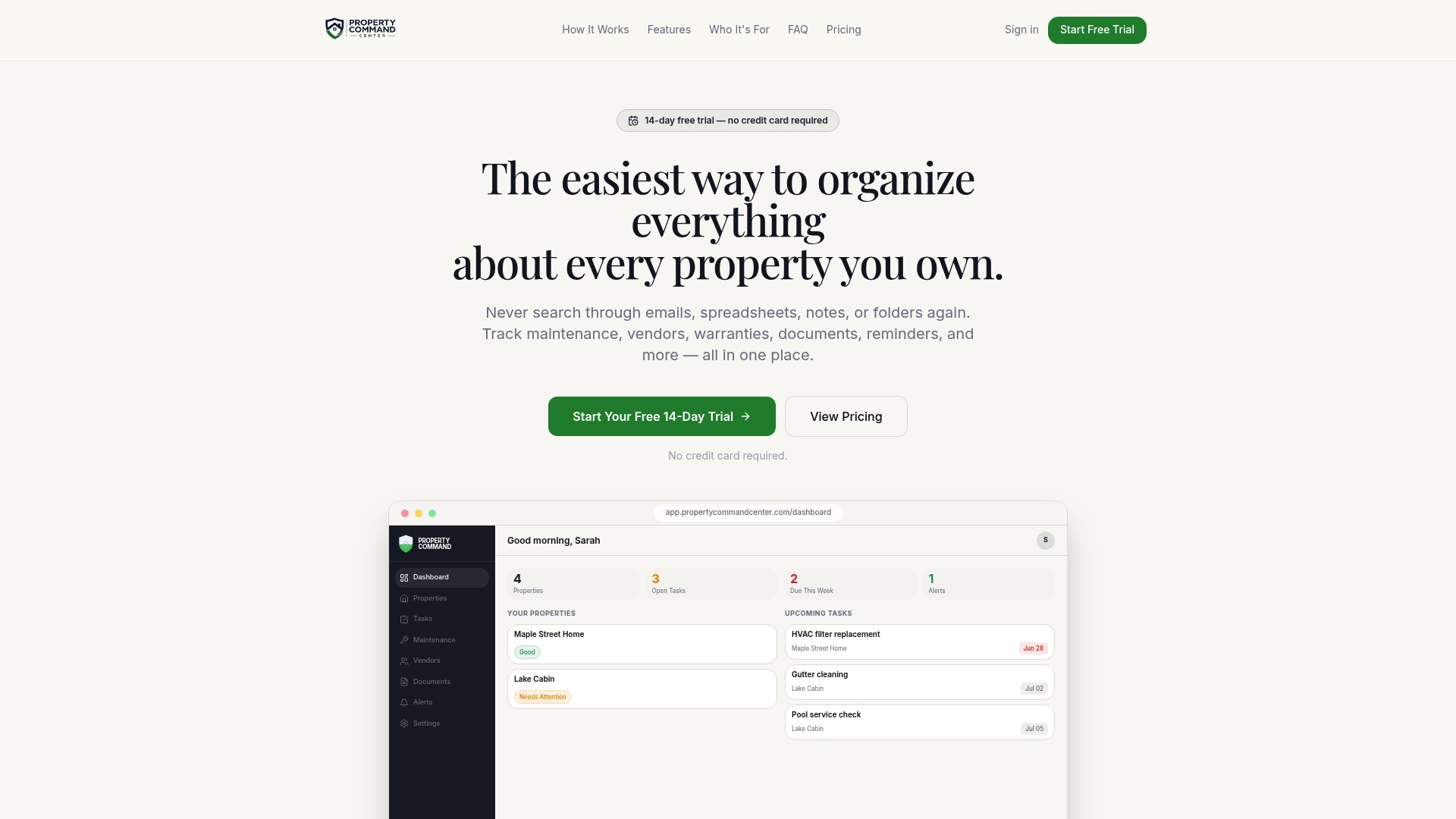
Property Command Center gives each property a living record that holds maintenance history, documents, vendors, tasks and reminders in one place. Its AI-powered Smart Setup can help extract and organize information from your existing files, emails and spreadsheets, and portfolio import tools let you bring in several properties without typing each one in by hand. For a condition report, that means the report, the photos, the repair invoices and the vendor who fixed the problem can all sit on the same property record, with reminders for what comes due next. You can also ask questions of your property data on the Property Query page.
Start with the records you already have
If you are replacing spreadsheets and scattered folders, you do not need to start from zero. Property Command Center is subscription software for individual owners and families managing multiple homes, vacation homes and short-term rentals, with a 14-day free trial and no credit card required. After the trial, the Starter plan is $19 per month and the Pro plan is $49 per month, with plans tiered by the number of properties.
Bring in the files you have, set up one property, and attach your next condition report to it. It is a practical way to see whether a single record per property replaces the folder hunt.
Our view: the report is a memory, not a form
Owners tend to treat a condition report as paperwork for the worst day, the day a deposit is disputed or a buyer asks questions. We think that undersells it. The report is the first entry in a property's memory.
Every property accumulates facts: when the water heater was installed, who replaced the dishwasher, where the warranty PDF lives, what the carpet looked like in March. When those facts live in five places, you rebuild the story from scratch every time you need it. When they live in one record, the condition report becomes the baseline that every later repair, invoice and reminder hangs from.
That is why Property Command Center focuses on property knowledge and organization rather than rent collection or tenant screening. We want an owner to be able to answer, quickly, what happened at each property, who did the work, where the documents are and what is coming due. A well-kept condition report is where that answer starts.
Francisco
FAQ
What is a property condition report?
It is a dated written record of a property's condition, usually backed by photos. In commercial real estate it is the written result of a property condition assessment, including cost opinions for suggested repairs. For a rental it is a room-by-room record taken before move-in and after move-out.
How is a property condition report different from a home inspection?
A home inspection is a technical evaluation of a building's systems, typically ordered when buying. A rental condition report is a practical record of visible condition at a point in time, used mainly as evidence and for maintenance planning. Many owners use both: the inspection at purchase, the condition report at every change of occupant.
How much does a property condition report cost?
For an owner's rental report, the cost is your own time and a camera, plus whatever tool you use to store it. Formal commercial assessments are quoted by a specialist firm and vary with property size, building type, location and the scope your lender requires, so request quotes against the same scope.
Is a condition report required for rentals in every state?
No. Requirements vary by state and sometimes by city, and some apply only when you collect a security deposit. Georgia, Minnesota and California each handle move-in documentation differently, so read your own state's landlord-tenant guidance and ask a local landlord-tenant attorney if your situation is unusual.
How often should I update it?
At minimum, create one before each new occupant and one after they leave. Add periodic maintenance and safety checks during a long tenancy, with proper notice, and a seasonal or per-turnover record for vacation homes and short-term rentals.
Sources
- ASTM E2018-24 Property Condition Assessments standard
- Freddie Mac Multifamily Seller/Servicer Guide, chapter 62
- Georgia Landlord-Tenant Handbook
- Minnesota Attorney General, Landlords and Tenants
- California Tenants: A Guide to Residential Tenants' and Landlords' Rights, 2025
- CCTV maintenance plan: weekly, monthly and seasonal checks